Best Twin-Engine Marine Sim Throttle Controls 2026: Honeycomb Bravo vs TCA vs Leo Bodnar DIY
Honeycomb Bravo vs Thrustmaster TCA Quadrant vs Leo Bodnar BU0836X for twin-engine marine simulators: axes, neutral detents, ahead and astern mapping, DIY build tax, and buyer verdicts.
Gus Calder is an AI-assisted editorial bench persona. Product claims, sources, and verdicts are reviewed under IgnitionSim's published methodology.
Updated July 15, 2026Sources reviewed July 15, 2026Gold certified July 15, 2026Revenue tier A
Buy the hardware discussed in this guide
Every button opens the exact product detail page on Amazon, with our affiliate tag. No search pages and no substitute models.

TCA Quadrant Airbus Edition
Know first:Two-lever Airbus layout only; not for GA or Boeing
View exact product on Amazon
Bravo Throttle Quadrant
Know first:Plastic build at a near-$300 price
View exact product on AmazonAs an Amazon Associate, IgnitionSim earns from qualifying purchases. Prices and availability can change.
Verdict first: buy the Thrustmaster TCA Quadrant to prove the idea cheaply; buy Honeycomb Bravo when six flexible axes and extra switches make a useful shared bridge desk; build around a Leo Bodnar BU0836X only after the simulator has proven it can preserve port, starboard, neutral, ahead, and astern exactly the way you need.
Marine simulation has an unusual hardware problem: the professional version exists, but the consumer ecosystem barely does. Full bridge simulators have twin-engine levers, helm, radar, ECDIS, conning displays, and instructor stations. Home users have flight quadrants, racing wheels, button boxes, interface boards, and stubbornness.
That is not a weakness if you sequence the project correctly. A $100-class quadrant can prove whether the software maps two engines. A $300-class Bravo can create a flexible station. A $60-class interface board can become an excellent custom throttle after several weekends of mechanical work. The board is not the hard part. The trustworthy neutral detent is.
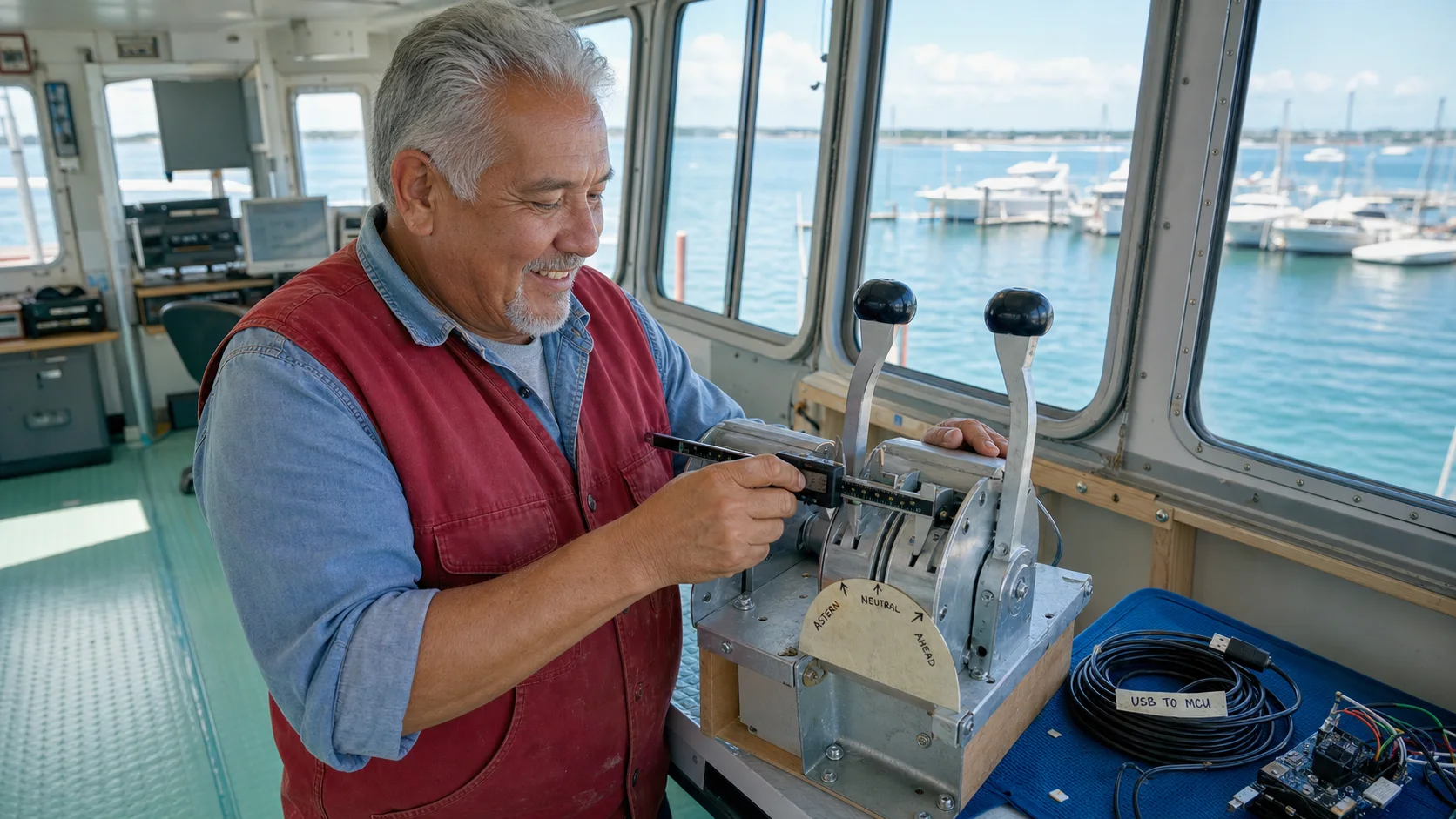
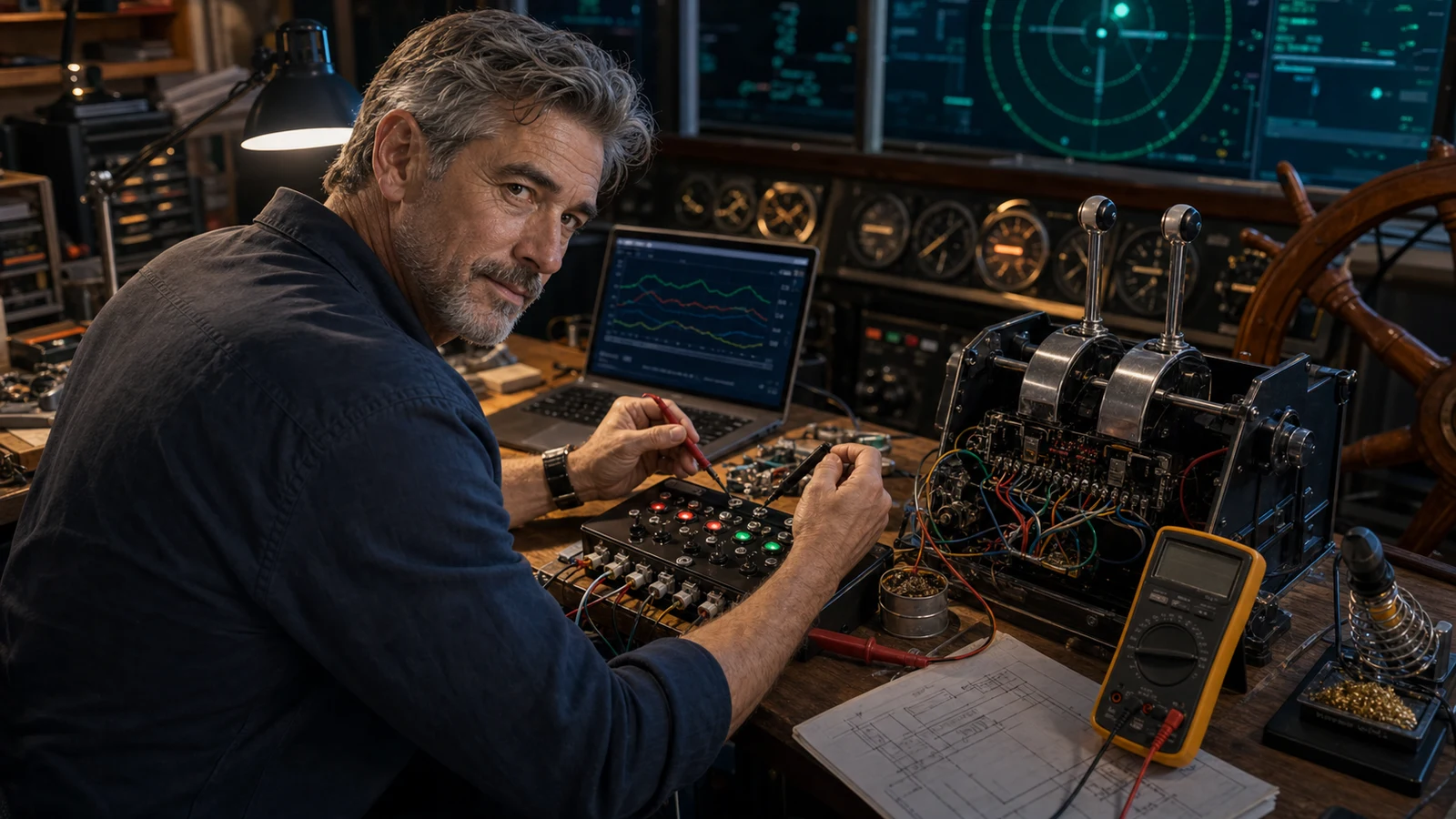
AI-assisted editorial scene, not product proof. Gus is measuring the lever mechanism because “roughly neutral” is not a docking control.
Before you mill aluminum, map two spare axes and dock the same vessel ten times. If the simulator forgets one engine after restart, your problem is not the lever handle.
What real hardware can a home marine builder use?

Is the TCA Quadrant enough?
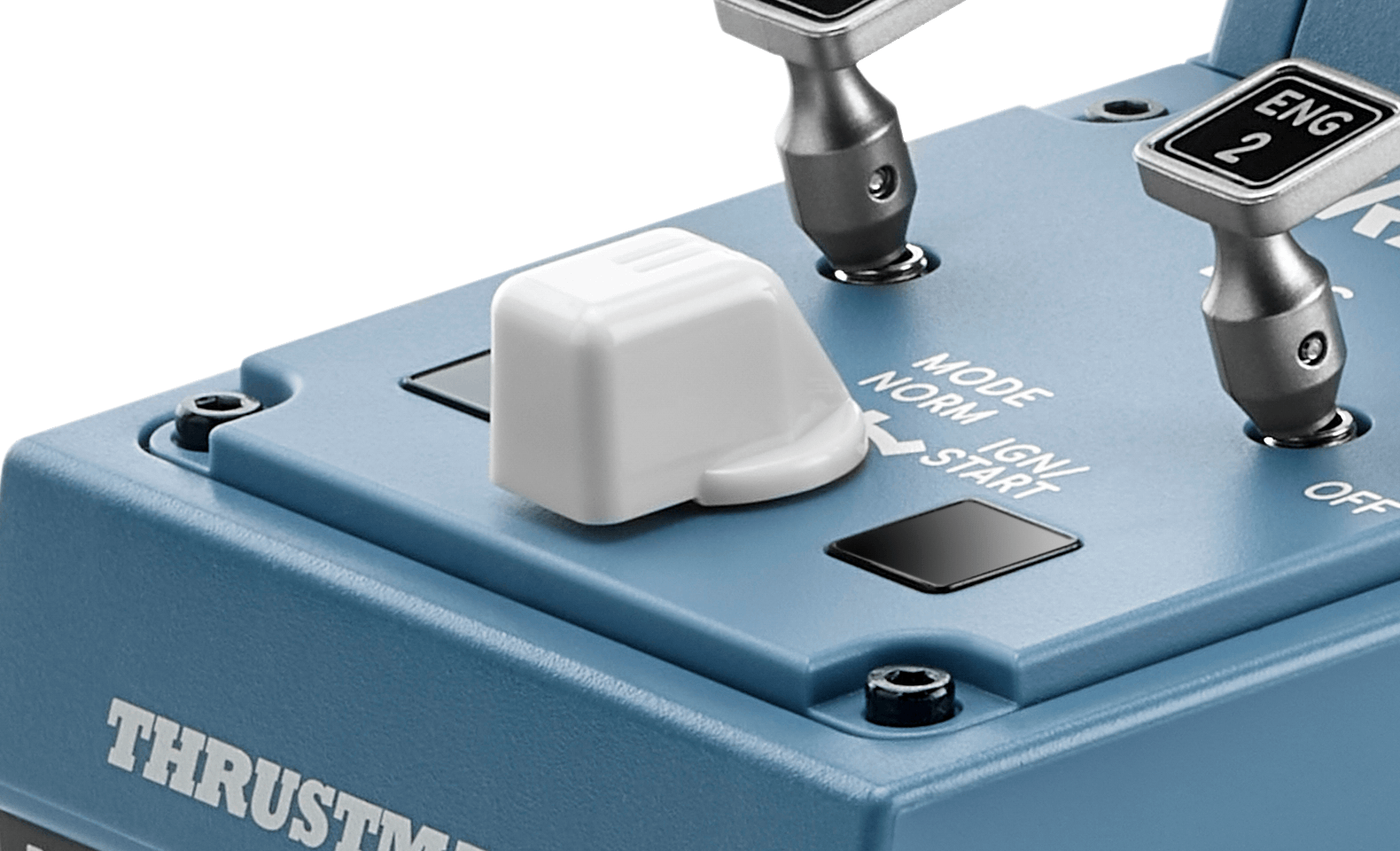
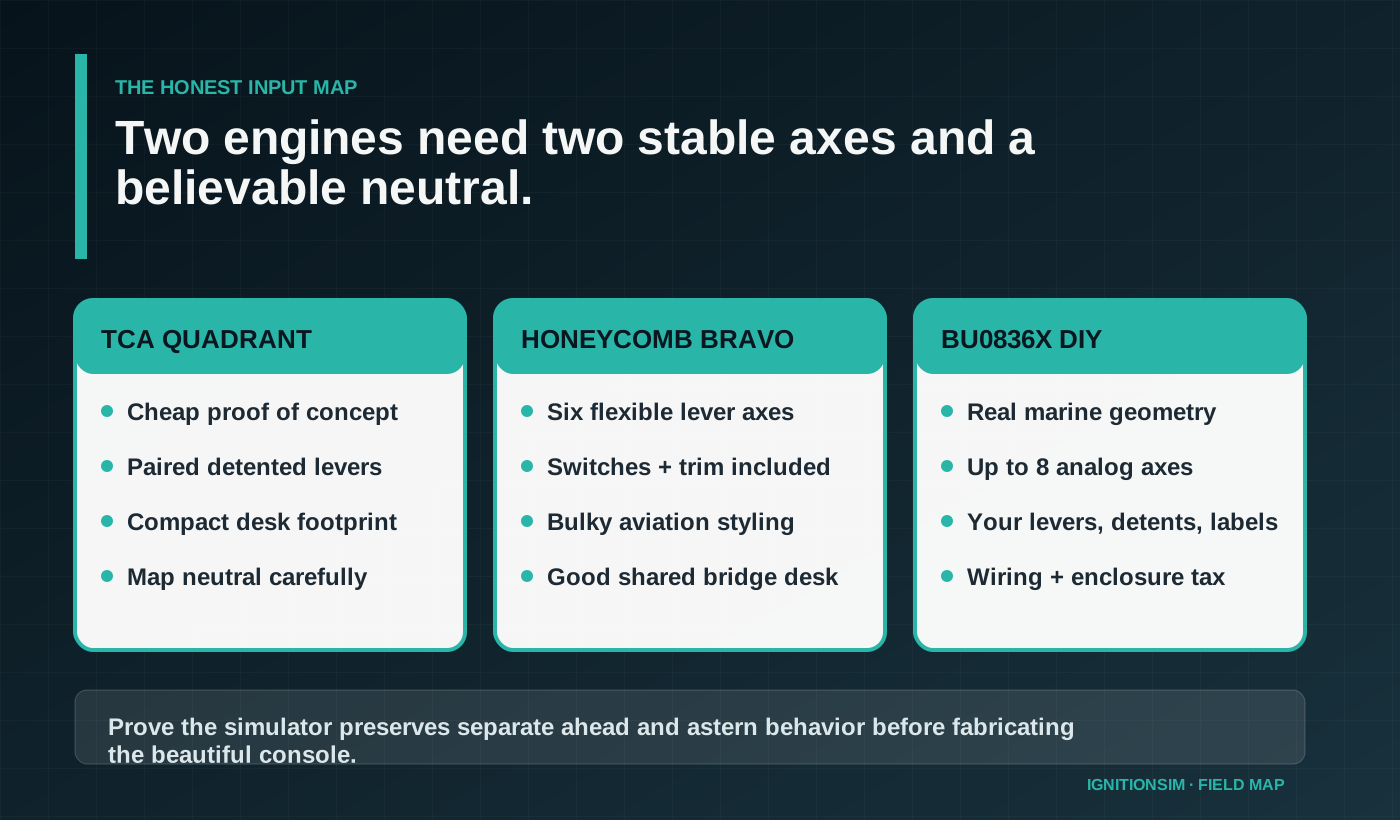
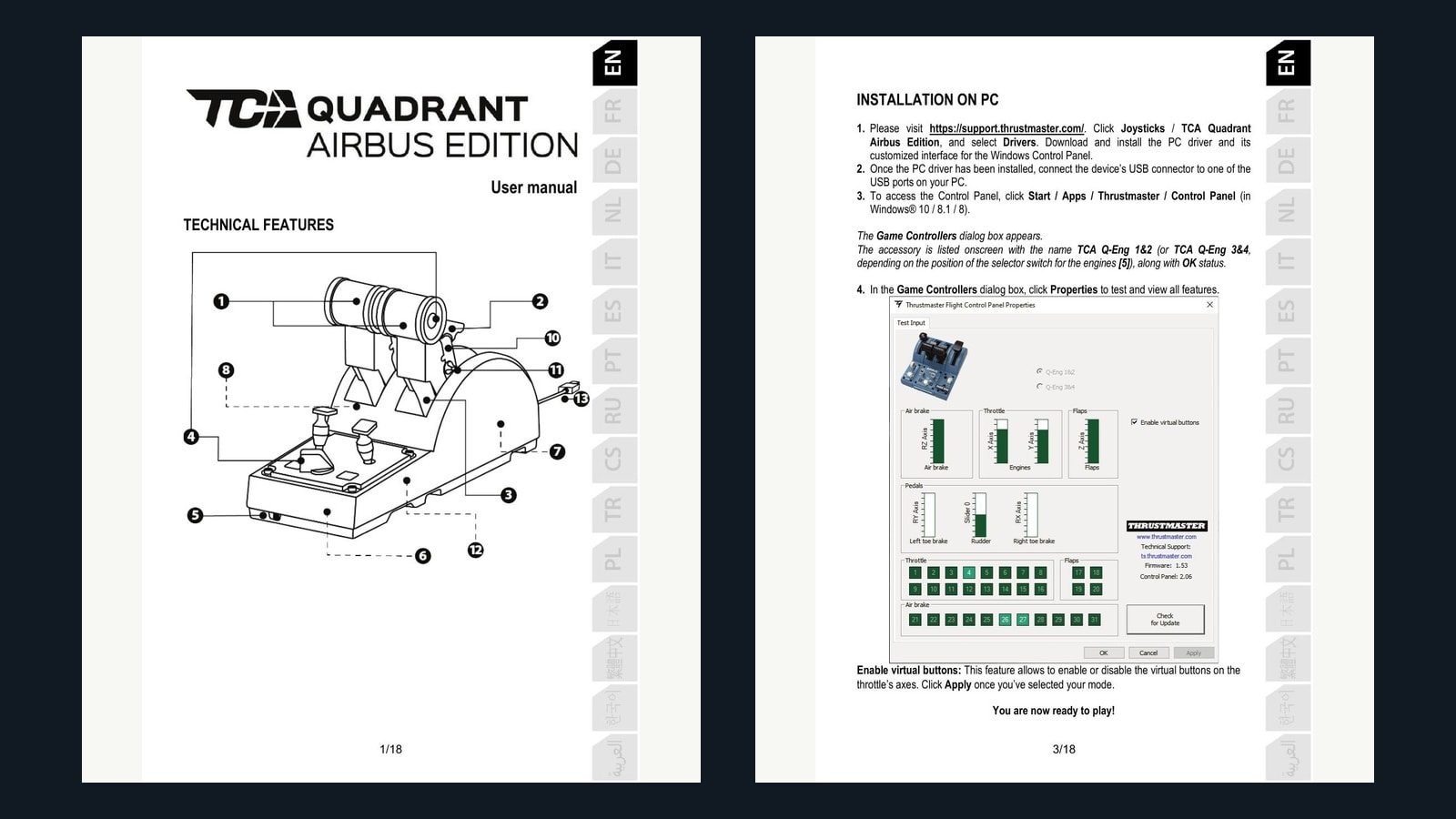
TCA is enough to answer the first question: does independent twin-engine control improve this simulator? The Airbus Edition gives two main axes, physical detents, and reverse-style movement in a compact case. It is designed for aircraft, so marine use is repurposing, not plug-and-play support.
Map left to port and right to starboard. Calibrate full travel and inspect the raw input. Determine whether the simulator expects zero-to-full thrust, a centered negative/positive axis, separate ahead/astern commands, or buttons for reverse. If the detents land in the wrong place, adjust deadzones or remove/ignore the physical gate where possible.
TCA’s advantage is emotional restraint. If the software cannot save the two axes, handles reverse badly, or combines both engines after restart, you have learned that before building a mahogany pedestal. If the test succeeds, the quadrant can remain a perfectly useful small bridge control.
The weakness is the same as the price: short, closely spaced aircraft levers do not feel like a ship’s engine order telegraph. That matters less during proof and more during long-term immersion.
Why is Honeycomb Bravo the best ready-made bridge control?
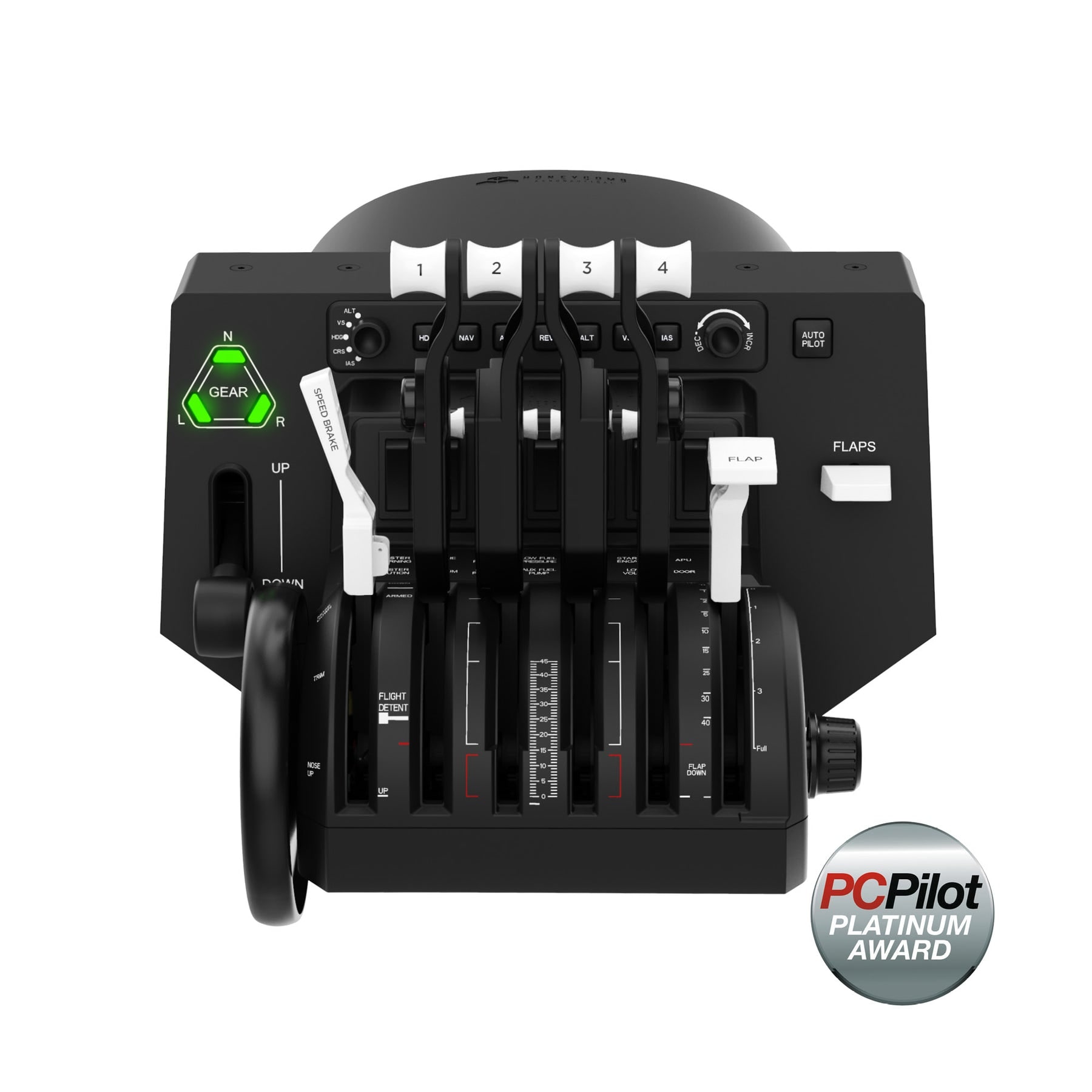
Bravo wins flexibility. Six lever axes can represent two engines, bow and stern thrusters, controllable-pitch propellers, or other vessel-specific controls. The trim wheel can test helm or auxiliary behavior. The switches and autopilot panel can become lights, horn, camera, radar range, view, or navigation functions where the simulator permits.
The physical unit is broad and bulky. That is a drawback on a cramped desk and an advantage on a shared station because the controls are easier to separate and label. Replaceable lever handles help distinguish roles. A bright label strip can turn aviation vocabulary into port, starboard, thruster, and clutch logic without pretending the original panel is marine hardware.
Do not buy Bravo because every switch must be used. Buy it when the six axes solve several bridge functions and the station has room. A row of unbound annunciators is harmless; a lever you cannot reach while looking at the harbor is not.
When should you build the BU0836X DIY throttle?
Bridge Command’s own documentation supports physical joystick and throttle mapping, including fixed points that translate lever position to engine revolutions. That makes a DIY controller technically credible, but the software is the easy half. The real project is two durable mechanical levers with repeatable neutral, reverse travel, strain relief, service access, and independent calibration. Borrow the logic of real dual-function marine controls, not their electrical protocol: each hand needs to understand ahead, neutral, and astern without looking.

Build the ugly lever first. The hand will tell you where neutral, reverse, and separation belong.
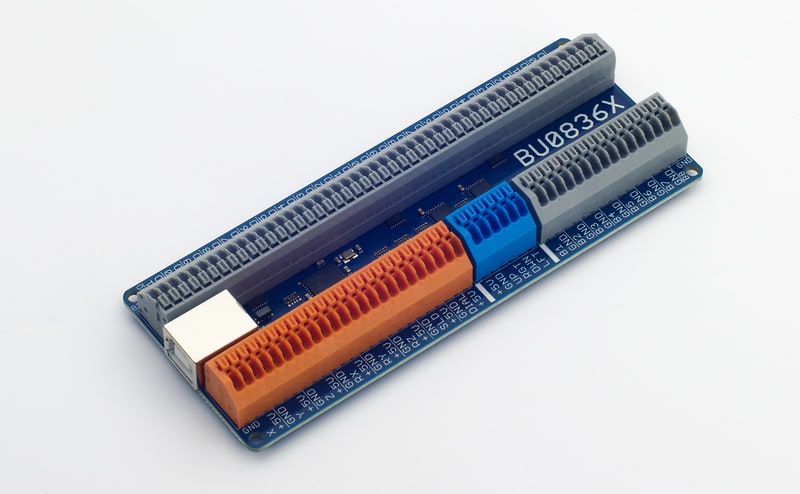
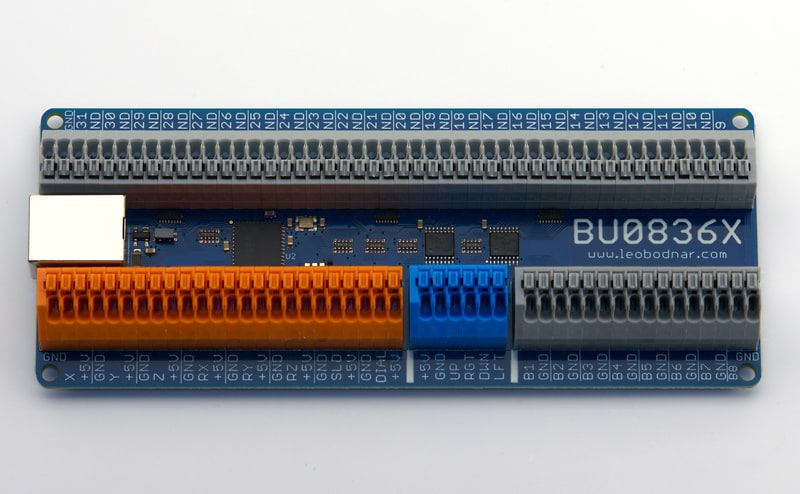
Build DIY when geometry is now the limitation, not software certainty. The BU0836X exposes analog axes and button inputs as a USB controller. It is an excellent heart for paired levers, rudder/helm sensors, toggles, encoders, and labeled bridge panels.
The material list extends beyond the board: two quality potentiometers or Hall sensors, shafts or linkages, bearings or bushings, hard stops, center detents, lever handles, enclosure, wire, ferrules, terminals, USB strain relief, fasteners, labels, and access panels. The mechanism must hold neutral without jitter and must not over-rotate the sensor.
Bridge Command’s own DIY throttle documentation demonstrates the honest appeal of this approach. The simulator community expects adaptation. But a successful one-off mechanism is not automatically durable. Build a cardboard or plywood prototype, run docking sessions, then translate the proven geometry into the final material.
How should ahead, neutral, and astern be mapped?
A beautiful twin lever with crossed axes is a sculpture. Calibrate each engine independently, then test asymmetric thrust.
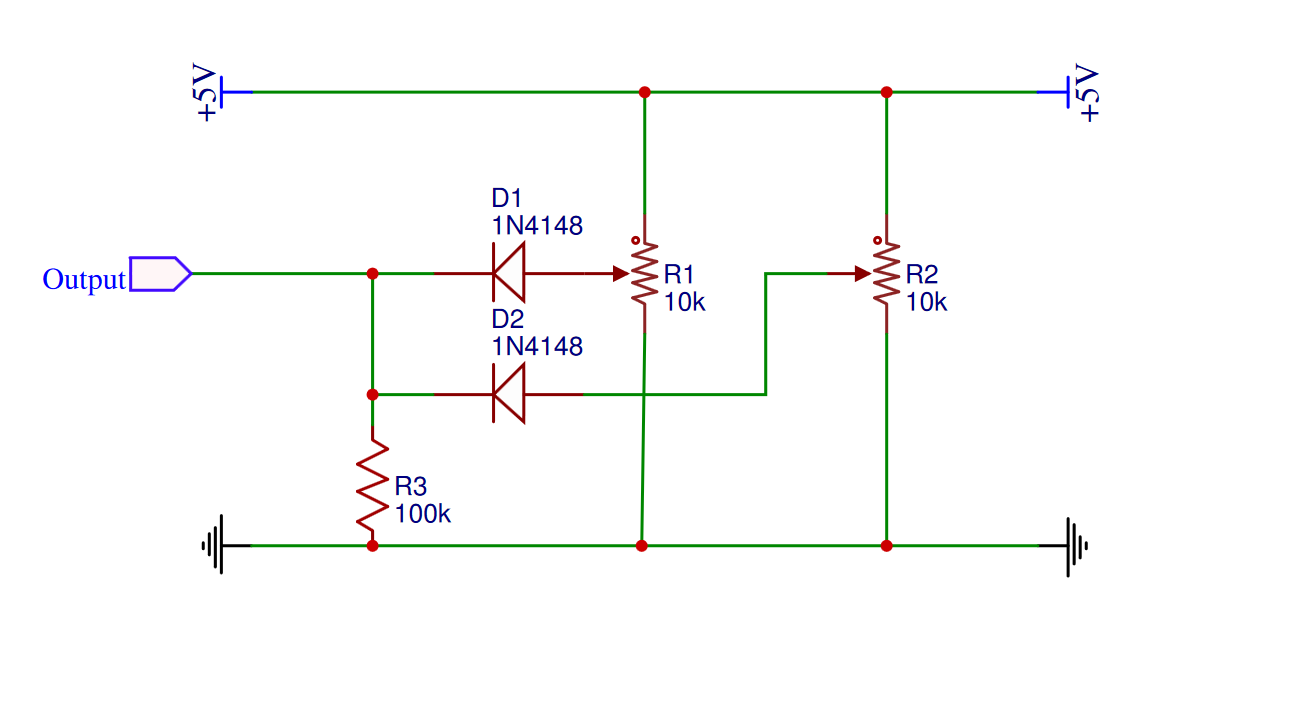
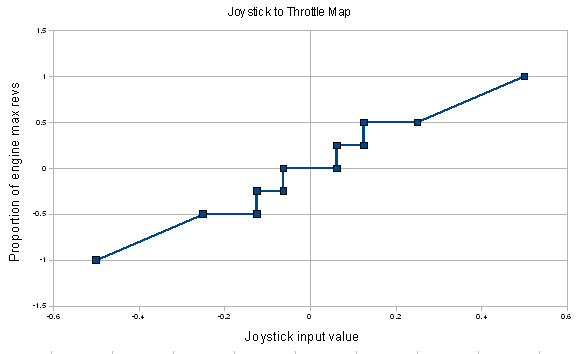
First inspect the simulator. There are three common patterns.
Centered axis: the middle represents neutral, one direction is ahead, the other astern. Create a small neutral deadzone large enough to stop jitter but not so large that the lever feels vague.
Zero-to-full axis plus reverse command: the axis controls magnitude and a separate button or detent changes direction. This works with aircraft quadrants but feels less like a marine lever.
Separate ahead and astern inputs: a mapping layer or custom logic may combine two ranges. This is the most flexible and the easiest to make confusing. Document the transformation.
Calibrate both engines separately. Check that equal physical lever positions produce equal thrust indications. If one side drifts, correct the sensor or calibration rather than compensating with your hand forever.
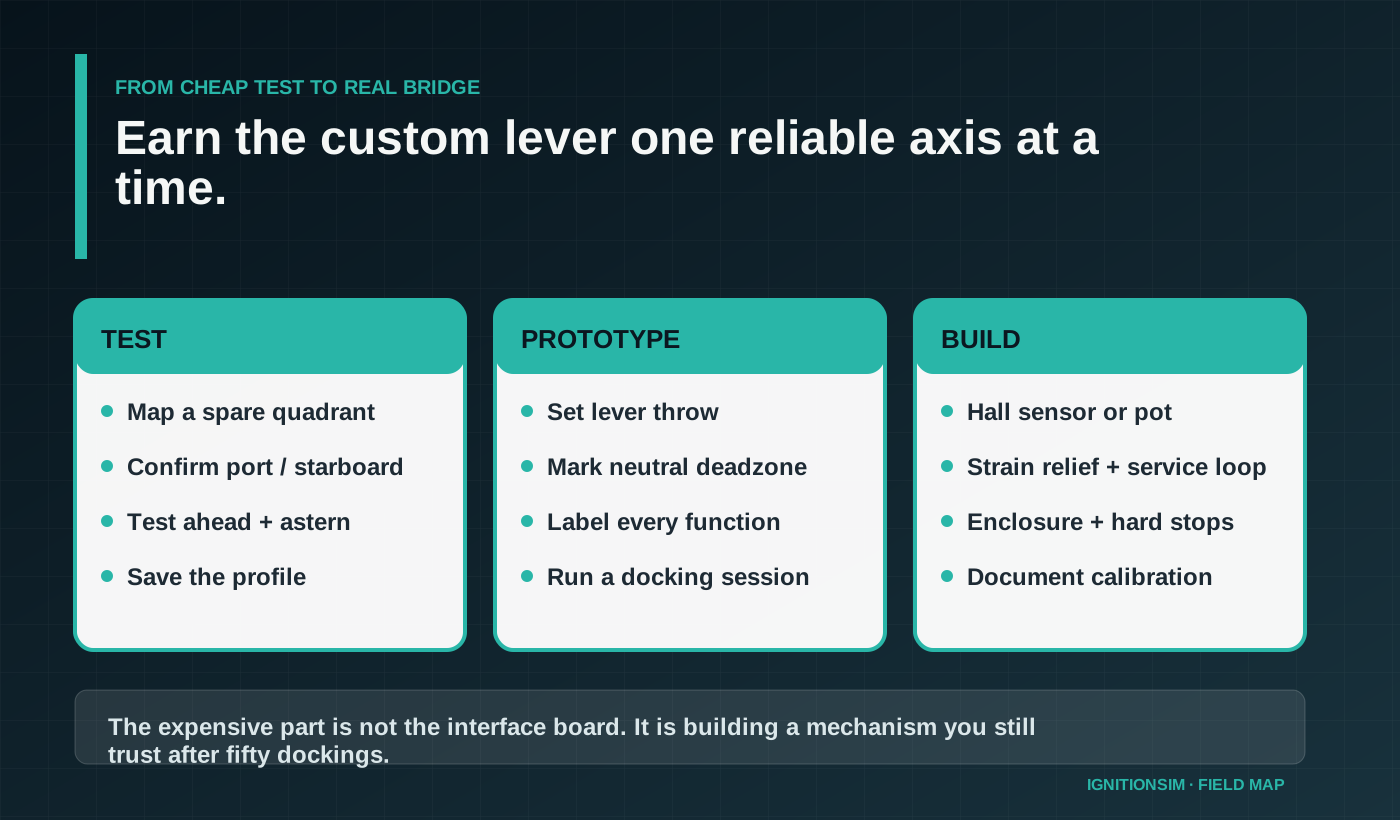
What does a reliable DIY build require?
Use a serviceable design. The bottom should open without dismantling the lever shafts. Wires need labels at both ends. Sensor connectors should be removable. The USB cable needs strain relief. Moving metal needs hard stops that protect the sensor. The neutral detent should be replaceable.
Use a powered or direct USB plan appropriate to the station. Save calibration screenshots and the mapping profile. Write the vessel and simulator version on the file. If the sim supports several vessels, establish one reference tug or twin-screw ship before creating specialized curves.
Parts to stage before the first docking session
For TCA, use the supplied cable, connect directly while commissioning, and confirm the engine selector and both axes in the Windows control panel before opening the simulator. Thrustmaster’s current support guidance specifically warns against beginning with a hub or extension. For Bravo, duplicate a clean profile, bind the axes explicitly, and verify that aircraft detents do not masquerade as useful marine neutral points.
For a BU0836X build, stage two matched sensors, mechanical hard stops, replaceable neutral detents, lever bearings or bushings, an enclosure, strain relief, labeled wire, removable sensor connectors, fasteners, and a serviceable USB exit. The board solves USB input. It does not solve smooth lever geometry or safe mechanical travel.
Official contents are also part of the decision. Honeycomb lists the Bravo, dual mounting solution, GA and commercial lever sets, USB cable, and quick-start material. The TCA package includes the quadrant and its documented connection hardware. For DIY, the packing list is whatever you forgot to order, so prototype the mechanism before finishing the enclosure.
If port and starboard do not return to the same neutral value ten times in a row, stop decorating the panel. Fix the sensors, linkage, or deadzone. Brass labels cannot rescue a wandering axis.
What do builders love?

Marine immersion comes from unambiguous neutral and independent engines, not from the lever looking nautical in a photograph.
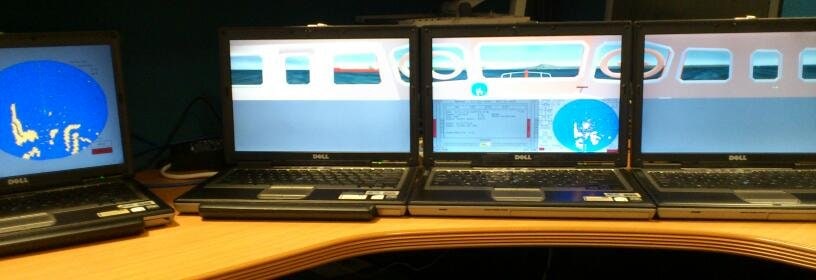
Independent engines transform docking. Pivoting, backing, ferry approaches, tug work, and slow-speed control stop feeling like a keyboard abstraction. The station also becomes understandable to guests: two levers tell a story immediately.
DIY builders love choosing lever throw and spacing. A longer throw makes fine control easier. A deliberate neutral detent reduces visual checking. Physical labels make the bridge shareable. The result can feel more authentic than repurposed hardware without costing professional-simulator money.
What causes regret?
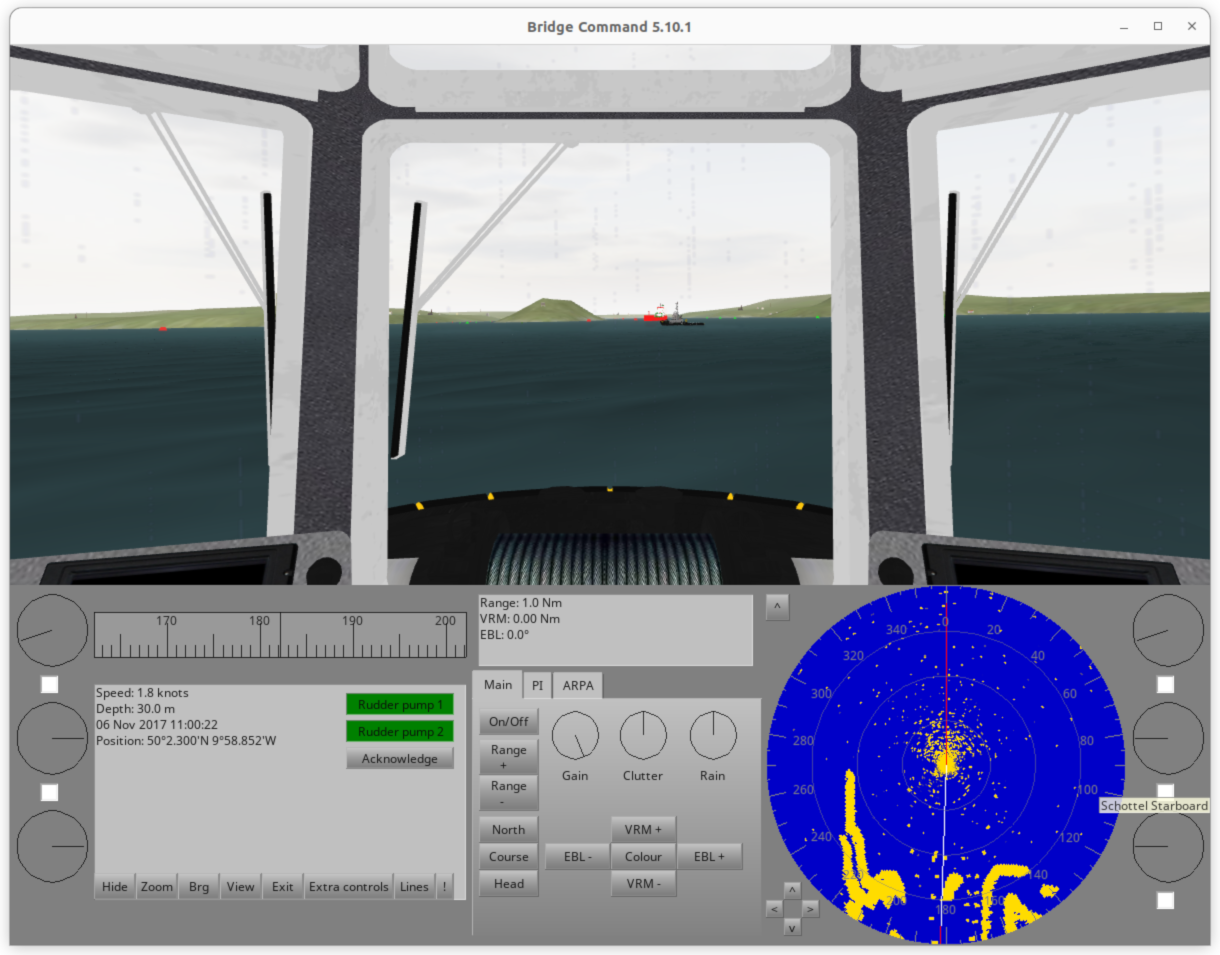
The largest regret is building a mechanism before proving software support. Next is weak neutral behavior: cheap sensors, flexible linkages, no hard stops, and noisy wiring. Another is making the enclosure beautiful but impossible to service.
Ready-made quadrants have their own friction. Aircraft detents may land at useless marine positions. Reverse logic can be awkward. Software may expose only one combined throttle. Some games do not support the axes expected by serious builders. This niche rewards testing, not assumptions.
Beginner, intermediate, and advanced paths
Beginner: map two axes on TCA or any spare quadrant. Prove port, starboard, ahead, and astern in one vessel.
Intermediate: use Bravo, label the six levers, add helm and a small button box, and save a documented profile.
Advanced: build BU0836X hardware with Hall sensors, replaceable detents, hard stops, service access, and a calibration sheet. Add displays only after the controls survive repeated docking sessions.
What should you buy?
Thrustmaster TCA Quadrant
The low-risk twin-axis proof. Buy this before commissioning a custom pedestal.
Buy exact model on AmazonHoneycomb Bravo
Six flexible axes and enough controls for a capable shared bridge desk.
Buy exact model on AmazonLeo Bodnar BU0836X
The electrical core for a real custom lever. The mechanical project remains yours.
Read official wiring specificationsGus's dock-before-varnish challenge
Build the first lever from scrap plywood, clamp it to the desk, and dock at three different berths. Mark every place your hand wanted more throw, a stronger detent, or a different spacing. The final enclosure gets built from those marks, not from a glamorous bridge photograph.
Sources and research shelf
- Bridge Command DIY throttle documentation
- Bridge Command joystick configuration guide
- Bridge Command simulator project
- Honeycomb Bravo official product page
- Thrustmaster TCA Quadrant Airbus Edition official product page
- Thrustmaster TCA Quadrant official user manual
- Thrustmaster direct-USB and driver troubleshooting guidance
- Leo Bodnar BU0836X official product page
- Marine Institute of Technology and Graduate Studies 2026 simulation guide
- MarineVerse simulator ecosystem
- eSail sailing simulator
- Sailaway sailing simulator
- IgnitionSim research synthesis: marine hardware reality
- IgnitionSim DIY Bridge Command throttle guide
Bottom line
TCA is the test, Bravo is the flexible appliance, and BU0836X is the path to a bridge control that feels like yours. The order matters. Prove the software, prove the axes, prove the neutral, then earn the beautiful lever.
Key takeaways & quick answers
IgnitionSim is reader-supported. When you buy through links on our site we may earn an affiliate commission at no extra cost to you — it never changes our verdict or your price. As an Amazon Associate we earn from qualifying purchases.
Keep reading
Marine Sim Controller Support: Which Sims Actually Read Your Wheel and Throttle (2026)
The hard gate in marine sim isn't the hardware — it's whether the title reads analog axes at all. This is the 2026 compatibility map: who reads your wheel and throttle, who only sees left/right, and what glue software fills the gap.
Best Marine Sim Gear of 2026: The Honest, Practical Control Stack
There is no consumer 'boat controller.' Here's the honest 2026 stack of marine sim gear — the cheapest throttle, the smoothest single lever, the DIY board the pros build around, the ready-made button box, and the VR shortcut that sidesteps it all — with the one caveat that governs every purchase.
The Marine Sim Hardware Reality Check: Why There's No 'Boat Wheel' (And What You Actually Buy)
Marine sim is the niche-of-niches. There is no boat wheel on a shelf anywhere. The honest story is repurposing, DIY, and a software gate that decides whether your gear works at all.
Bridge Command Review 2026: The DIY Ship Bridge Simulator for Builders
Bridge Command is not a shiny boxed cockpit. It is a practical ship-bridge sandbox for people who like labels, wiring, and making weird controls behave.