
Marine Sim Controller Support: Which Sims Actually Read Your Wheel and Throttle (2026)
A verified 2026 compatibility map for marine sim hardware: which titles read an analog wheel, throttle, and rudder — and which only see keyboard left/right — across Bridge Command, Sailaway, eSail, Seafarer, Fishing: Barents Sea, Ships At Sea, and the upcoming Professional Ship Simulator.
Gus Calder is an AI-assisted editorial bench persona. Product claims, sources, and verdicts are reviewed under IgnitionSim's published methodology.
Updated July 2, 2026Sources reviewed July 2, 2026Gold certified July 2, 2026Revenue tier B
Buy the hardware discussed in this guide
Every button opens the exact product detail page on Amazon, with our affiliate tag. No search pages and no substitute models.

Quest 3 (MarineVerse VR sailing)
Know first:Sailing-only — not ship-handling, fishing, or commercial-vessel sims
View exact product on Amazon
CB1 Sim Control Button Box
Know first:Marketed for racing/truck/farming sims — you map buttons to marine commands yourself
View exact product on Amazon
T.16000M FCS (as rudder)
Know first:A flight stick repurposed — not a helm; a vertical stick is an odd hand position for steering
View exact product on Amazon
Leonardo (ATmega32u4 HID)
Know first:Requires coding and calibration — not no-code like the BU0836A
View exact product on Amazon
RailDriver Desktop Train Cab Controller (as ship throttle)
Know first:A train controller repurposed — pricey (~$220) for marine use
View exact product on Amazon
As an Amazon Associate, IgnitionSim earns from qualifying purchases. Prices and availability can change.
Verdict first: in marine sim the gate is the software, not the hardware — buy the sim first, read its row, and only then buy gear the title will actually read. The expensive mistake in this bay is plugging in a wheel and a throttle quadrant and discovering the game never polls the axes: your wheel collapses to left/right and your throttle lever does literally nothing. The hardware was never the problem. This is the 2026 compatibility map I wish existed when I started — which titles read your analog inputs, which only see keyboard-style presses, and what glue software bridges the gap.
One honesty note before we start. Two of the most-recommended pieces of gear in this bay — the Logitech G29 racing wheel used as a helm and the Saitek Pro Flight Throttle Quadrant used as an engine telegraph — appear below as text and Amazon links, not photos, because I don’t have a verified image of either in a marine context. Every product picture on this page is a unit I’ve actually verified. I’d rather flag the gap than show you a stock shot pretending to be something it isn’t.


The one rule that explains everything
Marine titles fall into two camps on input. Some have proper analog-axis support, so a wheel steers proportionally and a throttle lever reads continuously. Others only accept digital, keyboard-style input, so any analog signal collapses: a wheel becomes a binary left/right, and an analog throttle axis is simply never polled. For a given input there is no in-between — either the game reads the axis or it doesn’t.
That single distinction decides whether your gear works. Everything below is just applying it title by title. And because these are mostly small-studio and Early Access titles, the answers move — a wheel that “magically works” today does so because the game auto-detects it as an Xbox controller, not because the developer built wheel support. So treat every row as “verify on the current build,” and check the store page and recent patch notes before you spend.
The 2026 compatibility map
| Sim | Analog axis support | Force feedback | Native controller support | How to make hardware work |
|---|---|---|---|---|
| Bridge Command | Yes — documented DIY build | No | Yes, designed for it | Native; wire DIY pots/wheel axes straight to a BU0836 board |
| Sailaway | Yes — analog controllers + joysticks | No | Yes (joypad support added) | Native controller/joystick; x360ce or reWASD for unsupported devices |
| eSail | Partial — main axes work once enabled | No (dev-confirmed) | No direct wheel/joystick support | Enable controller in Settings; AntiMicro/JoyToKey for advanced mapping |
| Seafarer: The Ship Sim (EA) | Only if wheel emulates an Xbox pad | No | Unofficial — not tested by dev | Works only if the wheel is auto-detected as a gamepad; else glue software |
| Fishing: Barents Sea | Limited — historically gamepad-first | No | Limited (Xbox-style) | Verify current build; remap via JoyToKey/x360ce for wheels and throttles |
| Ships At Sea | No wheel/joystick support reported | No | Community-requested, unresolved | No native wheel/throttle support per players; glue software only, verify current |
| Professional Ship Simulator (EA 2026) | Advertised — multiple control axes | Not stated | Planned — 100+ mappable buttons | Native mapping promised; verify final spec at launch |
A few things jump out of that table, and they are the whole point.
Force feedback is dead across the board. Not a single mainstream marine title meaningfully supports FFB — eSail’s developers say so in plain text (“We do not support force feedback”). This is why, as I argue in the racing-wheel-as-helm guide, you should buy a Logitech G29 over the pricier G923: the G923’s TrueForce is wasted on water. Do not pay for force feedback you will never feel.
Bridge Command is the gold standard for builders. It is the only title that documents its own hardware — an official “make your own throttles and wheel” guide built around a Leo Bodnar BU0836 board and three 10k linear potentiometers — which is exactly why it is the flagship DIY build target. When a sim publishes the build, analog axis support is a given.
Sailaway is the friendliest commercial option. It added joypad support years ago, reads analog controllers and joysticks, and the community routinely runs Xbox pads, Logitech sticks, and — via x360ce or reWASD — wheels that aren’t natively recognized. Analog steering works; force feedback still doesn’t.
eSail is “partial,” and honest about it. The developers state plainly that eSail “does not have direct support for controllers such as steering wheels or joysticks, but it is still possible to use them with great results.” Enable the controller in Settings and the main steering and throttle axes usually work — but the wheel behaves like a gamepad stick with a center deadzone, it isn’t tied to the on-screen wheel, and there is no force feedback. For anything past the basic axes, the developers themselves point you at remapping software like AntiMicro.
Professional Ship Simulator is the one to watch — with an asterisk. Rebranded from Nautic XP and developed by SWE Systems (published by Aerosoft), it targets Steam Early Access in 2026 and advertises a fully-interactive cockpit with 100+ mappable buttons and multiple control axes. In a bay where most sims ignore half your hardware, a developer explicitly designing around deep mapping is the most hardware-friendly signal in years. But it is not released, the store page doesn’t yet spell out the exact axis count, and earlier Nautic XP marketing quoted a “9-axis” figure I could not re-verify on the current page — so treat the input spec as check current until launch.
The middle of the table is where money gets wasted. Seafarer, Fishing: Barents Sea, and Ships At Sea all land in “unofficial,” “limited,” or “unresolved.” Seafarer’s developers say plainly they “don’t actively support any steering wheel and haven’t tested the game on any” — some wheels work only because the game auto-detects them as an Xbox pad. Ships At Sea has drawn repeated forum complaints that a ship sim ships without wheel or joystick support. For these titles, glue software is not optional.
The glue-software layer
When a title falls short of full native support, you bridge the gap with input-translation software. These tools sit between your hardware and the sim, converting axes and buttons into whatever input the game will actually accept:
- vJoy — creates a virtual joystick device; the backbone for feeding combined or remapped axes into a sim.
- JoyToKey — maps controller inputs to keystrokes, ideal when a sim only reads keyboard input.
- AntiMicro — the free remapper eSail’s own developers recommend; maps controller inputs to keyboard/mouse.
- x360ce — emulates an Xbox controller, useful when a sim (like Sailaway or Fishing: Barents Sea) recognizes a gamepad but not your specific device.
- reWASD / Xpadder — flexible keystroke-and-profile mappers popular for older or half-supported titles.
For a title in the “partial” column, the workflow is usually: enable the controller natively, see what works, then layer AntiMicro, JoyToKey, or x360ce on top to remap the inputs the game ignored. For a keyboard-only title, you go straight to JoyToKey to turn your analog wheel into left/right keystrokes — accepting that you lose proportional steering in the process.
The most expensive lesson in this bay gets posted weekly: someone buys a wheel and a quadrant, the wheel only goes hard-left or hard-right, the throttle does nothing, and they assume the gear is broken. It isn't. The title just doesn't poll analog axes — or it only recognizes the wheel because it looks like an Xbox pad. Read the row before you read the return policy.
The glue candidates worth owning
Two verified pieces of hardware earn their keep specifically because they play well with the glue-software layer and with the analog-aware titles above.
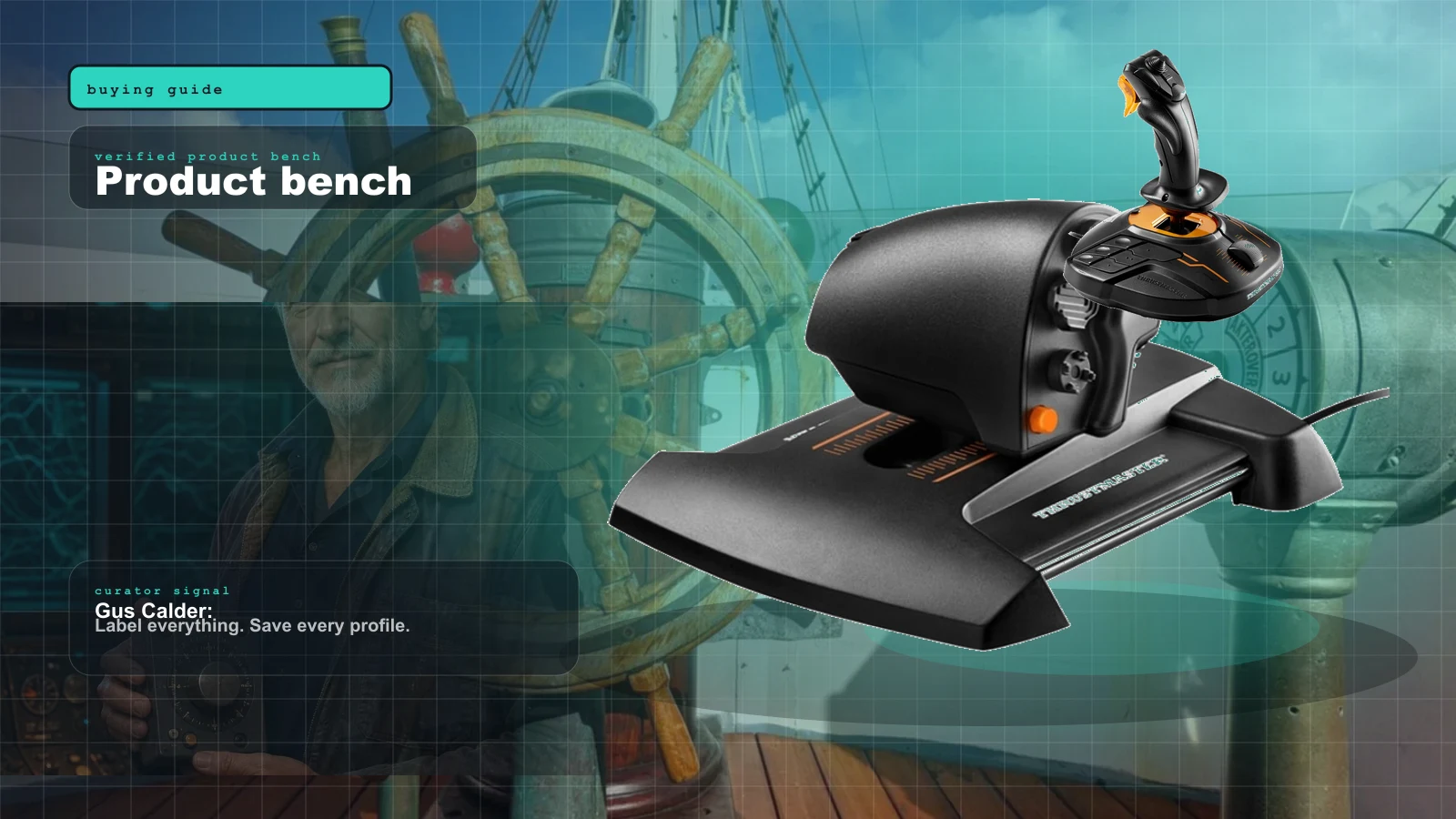
If you run single-screw vessels and want one smooth, high-resolution engine lever, the Thrustmaster TWCS is the step up from a flight quadrant. Its 80 mm slide-rail throttle uses a genuine 16-bit axis — far smoother than a potentiometer lever — plus a rotary and toggle rudder you can map to thruster or trim duty. It only does anything in an analog-aware title, and twin-screw ships still need a second axis, but for a clean primary throttle it’s the nicest feel short of a DIY build.
For sims that expose a true rudder axis rather than a wheel, a flight stick’s twist axis is the natural mapping. The Thrustmaster T.16000M uses contactless Hall-effect sensors, so the rudder axis stays precise and won’t drift over years — a real edge over potentiometer sticks. A vertical stick is an odd hand position for steering, and it only fits rudder-axis titles, but it’s the durable, cheap way to add a proper rudder to a rig.
The buttons don’t have the analog problem
Here’s a quiet upside of the analog gate: it only applies to axes. Buttons, switches, and encoders are digital, so a bridge panel maps cleanly in almost any title — bind nav lights, horn, autopilot, anchor, and engine commands and they just work, no glue software required. That makes a button box the safest first purchase in a marine rig, because it’s the one thing the compatibility table above can’t ruin.
The no-DIY route is a PXN CB1: a finished, plug-and-play panel with 19 controls and up to 30 programmable functions over driver-free USB-C. It’s marketed for racing and truck sims, so you map its buttons to your marine title, and being all-digital it complements a throttle or wheel rather than replacing one.
If you’re building rather than buying, the digital-only Leo Bodnar BBI-32 is the switch-side companion board. Solderless push-in terminals take 32 switches or up to 16 encoders (chainable to 132 inputs), so it handles a full bridge panel while a BU0836 handles the axes — the exact split the Bridge Command recipe uses.
The DIY board sidesteps the whole debate
The cleanest way to guarantee a title reads your gear is to make your hardware look like a standard controller to the OS before the sim ever sees it. That’s what a DIY interface board does — and it’s why Bridge Command’s build is the reference. A Leo Bodnar BU0836X presents pots and switches as a plain HID joystick with 8 analog axes and 32 buttons, solderless, driver-free. Wire the Bridge Command recipe (two throttle pots, a wheel pot, a horn button) and every analog-aware title reads it as native axes; for keyboard-only titles you still layer glue software, but you’re starting from a device Windows already trusts.
If you’d rather code your own logic — software detents, button matrices, a combined helm-plus-button-box on one cheap board — the Arduino Leonardo presents as a real HID joystick via the open ArduinoJoystickLibrary. More effort than the no-code Bodnar board, but full control, and the cheapest custom-controller foundation in the bay.
Treat the sim's store page and recent patch notes as a hardware spec sheet. If "controller support" or analog-axis input isn't explicitly listed, assume keyboard-only and budget an evening of glue software — or skip the wheel. And re-check before you buy: these are mostly Early Access titles, so a "no wheel support" thread from 2024 may be stale, and a wheel that "works" may only be piggybacking on gamepad detection.
Two escape hatches from the analog gate
If the compatibility table is more hassle than your title is worth, two verified options sidestep it entirely.
VR skips the helm problem. On a Meta Quest 3 running MarineVerse Sailing Club, you “hold” the tiller and sheet with hand-tracked controllers — no wheel, no throttle, no analog-axis caveat, because there’s no peripheral to be read. It’s sailing-only (dinghies, yachts, catamarans), not ship-handling, and it leans entirely on the MarineVerse app, but the NauticEd course integration teaches genuine skills. The cheaper Quest 3S runs the same software.
A crossover controller with its own software layer. The train-sim RailDriver desk unit has chunky throttle, reverser, and brake levers that suit slow marine engine work, plus 34 programmable buttons. It needs third-party mapping (vJoy/JoyToKey) to talk to marine titles and, like everything here, only helps in analog-aware sims — but for lever-feel obsessives it’s a genuine, if pricey, repurpose.
The wheel and throttle you’re checking support for (text-only, honestly)
The two most-recommended axis controllers in this bay are a repurposed racing wheel as a helm and a flight throttle quadrant as an engine telegraph. I don’t have a verified marine-context photo of either, so they’re links, not pictures.
- Logitech G29 (as helm) — the community default helm stand-in, a 900-degree racing wheel with a leather rim that reads as a ship’s wheel and floods the secondhand market. Its analog steering only matters if your title reads an analog axis, and its force feedback is unused on water. Buy the G29 over the G923 and pocket the FFB premium. verify current pricing through a direct product listing.
- Saitek Pro Flight Throttle Quadrant (as engine telegraph) — the best value in the bay, dollar for dollar: three analog levers map to port throttle, starboard throttle, and bow thruster, and the quadrants daisy-chain. The levers sit dead in any sim that won’t read an analog throttle axis, so verify first. verify current pricing through a direct product listing.
How to use this map before you buy
The order matters. Pick your sim first, find its row, then buy hardware the row says will actually be read.
- Choose the title you actually want to play, and read its row above.
- Confirm the current build on the store page and recent patch notes — these are moving targets, especially the Early Access titles.
- Native analog support (Bridge Command, Sailaway, likely Professional Ship Simulator) means buy axis gear with confidence. “Partial” (eSail) means budget an evening for glue software. “Unofficial/unresolved” (Seafarer, Ships At Sea, Fishing: Barents Sea) means lean on a button box and glue software, and don’t spend big on a wheel until you’ve tested it.
- Skip any force-feedback premium — no title uses it.
- Start with a button box — it dodges the analog gate entirely and works in nearly everything.
If you’re still deciding on a full setup rather than a single title, the marine sim hardware reality check lays out the repurposing map, and the Rig Configurator helps you plan a wheel-and-throttle base you can share across racing, flight, and marine.
The verdict
The compatibility gate, not the gear, is what decides whether you’re happy. Buy the sim first, check its current-build row, and only then buy hardware the title will read. Lean toward Bridge Command for a documented, native build today, Sailaway for the friendliest commercial option, and keep an eye on Professional Ship Simulator for tomorrow — while verifying its final input spec at launch. Start any rig with a button box, because digital inputs dodge the analog gate. For everything in between, treat vJoy, JoyToKey, AntiMicro, and x360ce as required parts of the kit — and never, ever pay extra for force feedback in a bay that has none.
Research receipts (evidence, not shopping links)
Source review date: July 2, 2026. Because marine sim controller support shifts with patches and Early Access updates, we verified each title against its store page, developer statements, or community threads current as of this date — and flagged anything we could not re-confirm as “check current” in the body rather than asserting it.
Sim compatibility + developer statements: eSail Sailing Simulator on Steam, eSail hardware tips (developer guide), eSail official support, Sailaway controller-support update (developer), Seafarer: The Ship Sim — steering-wheel thread, Ships At Sea — wheel & joystick support thread, Fishing: Barents Sea — controller thread.
DIY + native reference: Bridge Command (free, open source), Bridge Command — make your own throttles and wheel, Leo Bodnar BU0836X interface, Leo Bodnar BBI-32, ArduinoJoystickLibrary.
Upcoming title: Professional Ship Simulator on Steam (ex-Nautic XP), Professional Ship Simulator rename announcement.
Glue software (paraphrased in our voice): vJoy, JoyToKey, reWASD — Sailaway support, and the x360ce Xbox-controller emulator.
Key takeaways & quick answers
IgnitionSim is reader-supported. When you buy through links on our site we may earn an affiliate commission at no extra cost to you — it never changes our verdict or your price. As an Amazon Associate we earn from qualifying purchases.
Keep reading
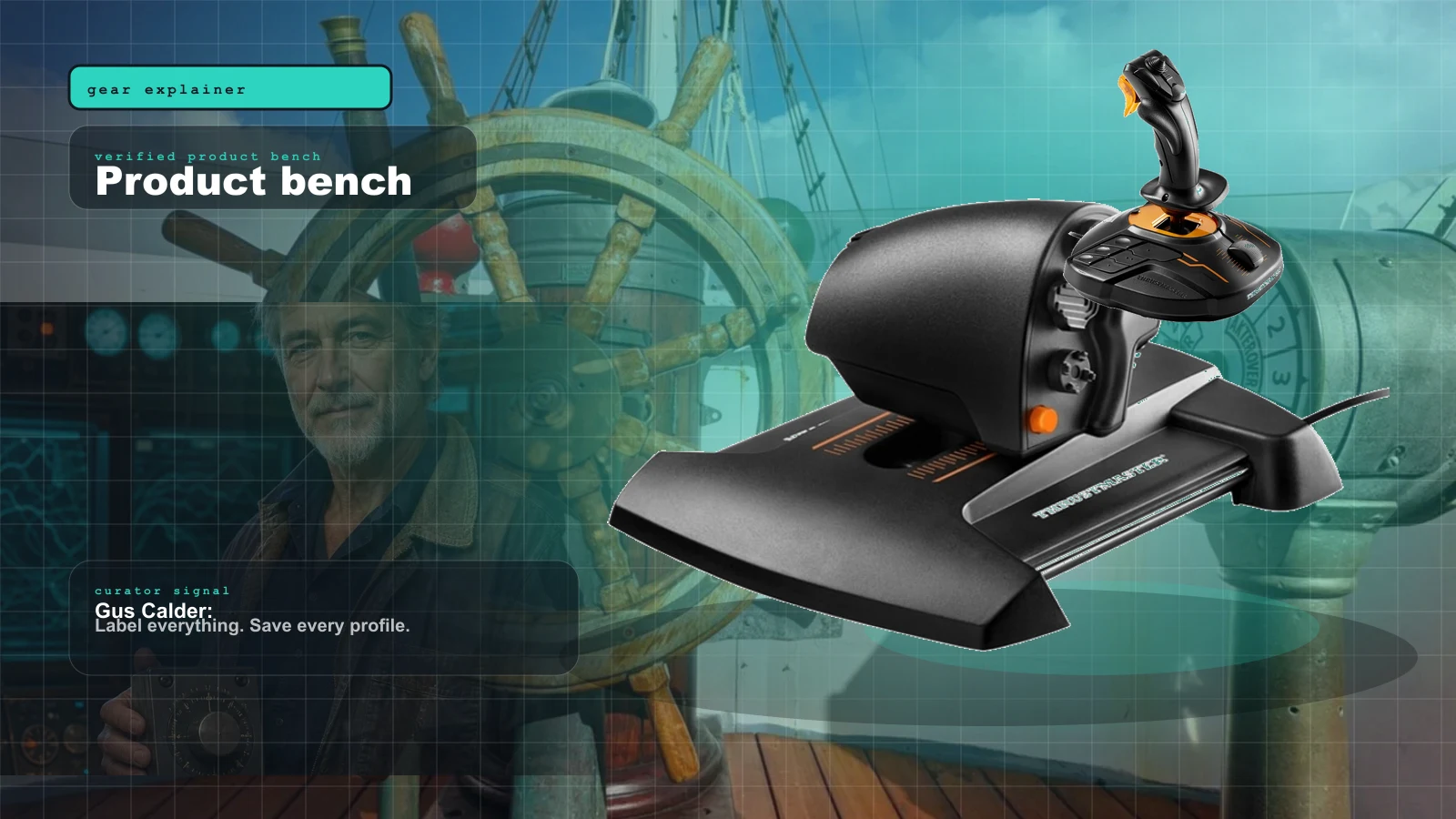
The Marine Sim Hardware Reality Check: Why There's No 'Boat Wheel' (And What You Actually Buy)
Marine sim is the niche-of-niches. There is no boat wheel on a shelf anywhere. The honest story is repurposing, DIY, and a software gate that decides whether your gear works at all.
Best Twin-Engine Marine Sim Throttle Controls 2026: Honeycomb Bravo vs TCA vs Leo Bodnar DIY
There is no consumer boat-throttle aisle. Gus maps the three controls that actually work: cheap quadrant, flexible Bravo, or a real DIY lever built around the BU0836X.
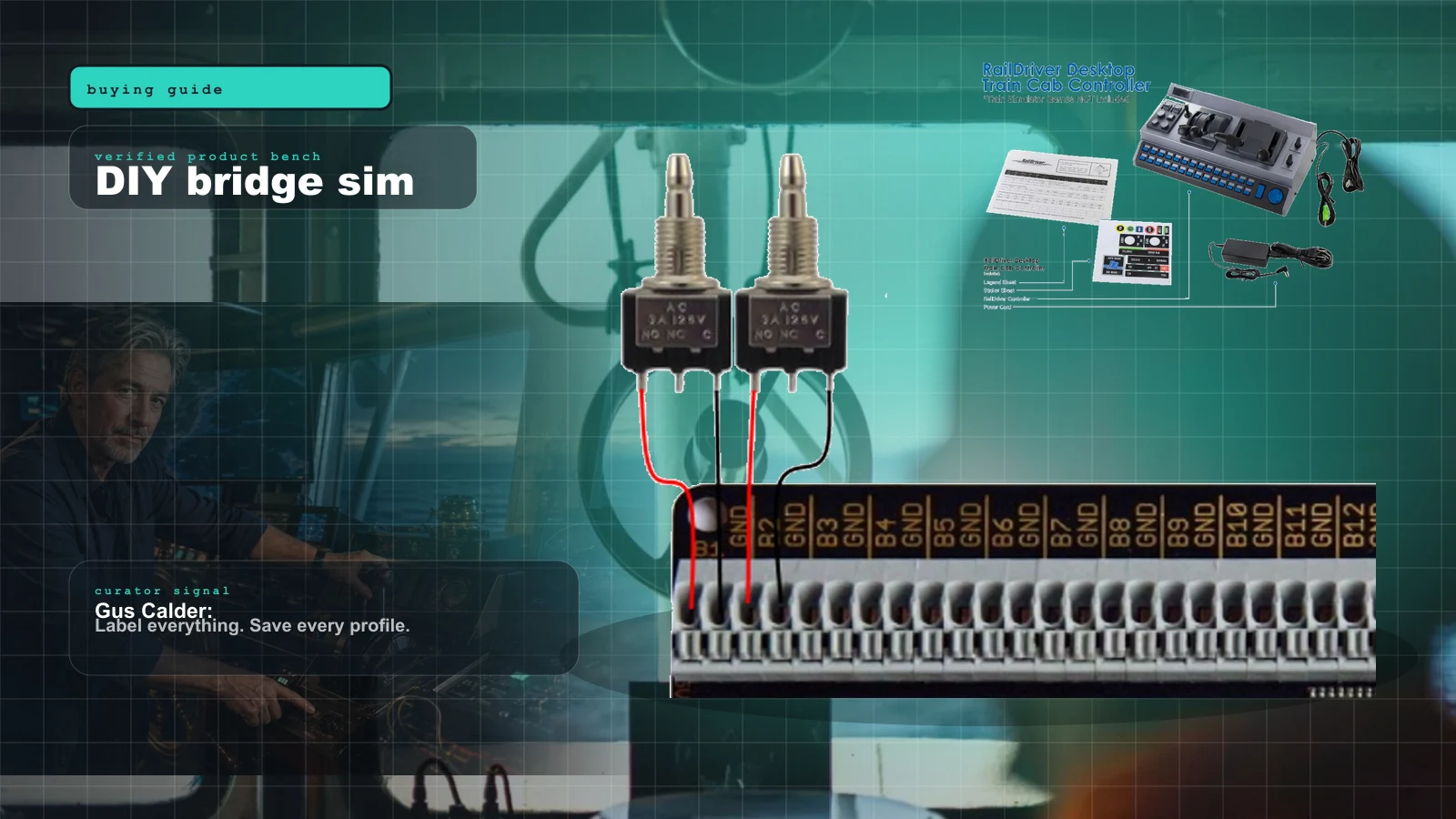
Bridge Command Review 2026: The DIY Ship Bridge Simulator for Builders
Bridge Command is not a shiny boxed cockpit. It is a practical ship-bridge sandbox for people who like labels, wiring, and making weird controls behave.
Best Marine Sim Gear of 2026: The Honest, Practical Control Stack
There is no consumer 'boat controller.' Here's the honest 2026 stack of marine sim gear — the cheapest throttle, the smoothest single lever, the DIY board the pros build around, the ready-made button box, and the VR shortcut that sidesteps it all — with the one caveat that governs every purchase.