
The Marine Sim Hardware Reality Check: Why There's No 'Boat Wheel' (And What You Actually Buy)
There is almost no purpose-built consumer marine sim hardware. Here's the honest map of repurposed racing wheels, flight throttles, DIY rigs, and the software gate that decides whether any of it works.
Gus Calder is an AI-assisted editorial bench persona. Product claims, sources, and verdicts are reviewed under IgnitionSim's published methodology.
Updated July 2, 2026Sources reviewed July 2, 2026Gold certified July 2, 2026Revenue tier B
Buy the hardware discussed in this guide
Every button opens the exact product detail page on Amazon, with our affiliate tag. No search pages and no substitute models.

Quest 3 (MarineVerse VR sailing)
Know first:Sailing-only — not ship-handling, fishing, or commercial-vessel sims
View exact product on Amazon
CB1 Sim Control Button Box
Know first:Marketed for racing/truck/farming sims — you map buttons to marine commands yourself
View exact product on Amazon
T.16000M FCS (as rudder)
Know first:A flight stick repurposed — not a helm; a vertical stick is an odd hand position for steering
View exact product on Amazon
Leonardo (ATmega32u4 HID)
Know first:Requires coding and calibration — not no-code like the BU0836A
View exact product on Amazon
RailDriver Desktop Train Cab Controller (as ship throttle)
Know first:A train controller repurposed — pricey (~$220) for marine use
View exact product on Amazon
As an Amazon Associate, IgnitionSim earns from qualifying purchases. Prices and availability can change.
Verdict first: stop looking for the boat wheel — it does not exist, and chasing it is how people waste money in this bay. The honest marine rig is a repurposed racing wheel as a helm, a flight throttle quadrant as engine levers, and a folder of free mapping software to force unwilling sims to listen. For under $60 you can do better still with a DIY build. The one thing you must do before spending a dollar: confirm your chosen sim reads analog axes — because in marine, the cheapest hardware that actually works beats the most expensive rig the game refuses to read.
I have written hardware buying guides for racing rigs where the hard part is choosing between three excellent direct-drive bases. The marine bay is the opposite problem. Walk in expecting a shelf of boat wheels and engine telegraphs, and you will walk out empty-handed. No dedicated consumer marine sim helm controller exists. That is not a gap in my research — that is the whole story, and once you accept it, the bay actually makes sense. The value here is not in pointing you at a product. It is in showing you which gear from other hobbies you can repurpose, when DIY is the smarter move, and the one technical gate that decides whether any of it works.
A quick honesty note on photos. Because almost nothing here is a marine product, I only show product photos for gear I’ve verified. Two of the most-recommended items in this bay — the Logitech G29 racing wheel used as a helm, and the Saitek flight throttle quadrant used as an engine telegraph — appear below as text and links rather than photos, because I don’t have a verified image of them in a marine context yet. I’d rather flag that gap than show you a stock shot pretending to be something it isn’t.
What people actually use (because it was built for another hobby)
Here is the repurposing map. None of these are marine products. All of them are what the community reaches for. Prices are approximate 2026 street prices.
| Real-world role | What people use | Built for | Approx. price | Photo below? |
|---|---|---|---|---|
| Ship’s helm / wheel | Logitech G29 / G923 racing wheel | Car racing | ~$200–$300 | Text + link |
| Engine telegraph / twin throttles | Saitek Pro Flight Throttle Quadrant | Flight sim | ~$50–$70 | Text + link |
| Smooth single engine lever | Thrustmaster TWCS Throttle | Flight sim | ~$120–$130 | ✓ verified |
| Rudder axis | Thrustmaster T.16000M stick | Flight sim | ~$75–$90 | ✓ verified |
| Chunky engine lever cluster | RailDriver desk controller | Train sim | ~$220 | ✓ verified |
| Custom helm / throttles (no solder) | Leo Bodnar BU0836X board | Maker electronics | ~$77 | ✓ verified |
| Bridge switch/encoder panel | Leo Bodnar BBI-32 board | Maker electronics | ~$53 | ✓ verified |
| Programmable DIY helm | Arduino Leonardo as HID | Maker electronics | ~$25 | ✓ verified |
| Ready-made button box | PXN CB1 control panel | Racing/truck sim | ~$75–$90 | ✓ verified |
| VR sailing (no helm needed) | Meta Quest 3 + MarineVerse | VR gaming | ~$329–$649 | ✓ verified |
The helm: a repurposed racing wheel (text-only, honestly)
The most-recommended helm stand-in is a Logitech G29 ($200 on sale) or its pricier sibling the G923 ($300). Both are 900-degree racing wheels with leather rims that read convincingly as a ship’s wheel — and both are flooded on the secondhand market thanks to sim racing, which is why they’re the community default. Here’s the money-saving detail: the G923’s headline TrueForce force feedback is completely wasted in marine sims, because marine titles almost never support FFB and a car wheel doesn’t replicate a boat wheel’s feel anyway. If FFB is the only reason you were eyeing the G923 over the cheaper G29, don’t bother — for boats, that premium buys nothing. Buy the G29, confirm your sim reads an analog steering axis first, and pocket the difference. I cover the whole racing-wheel-as-helm question in Can a Racing Wheel Be a Boat Helm?.
Check current pricing: Logitech G29 on Amazon · Logitech G923 on Amazon.
The quiet hero: a flight throttle quadrant (text-only, honestly)
The Saitek Pro Flight Throttle Quadrant (~$50–$70) is the best-value pick in the whole bay, dollar for dollar. Three analog levers map naturally to port throttle, starboard throttle and bow thruster, and the quadrants daisy-chain when three levers aren’t enough. It’s a flight throttle wearing a sailor’s hat, and it adds more marine-sim immersion per dollar than the wheel does. Same analog caveat applies: the levers do nothing in a sim that won’t read analog throttle axes, so verify first. I don’t have a verified marine-context photo of this unit, so it’s a link rather than a picture: Saitek Pro Flight Throttle Quadrant on Amazon.
The smooth single lever: Thrustmaster TWCS
If you run single-screw vessels and want one smooth, high-resolution engine lever instead of a quadrant’s short pivoting levers, the Thrustmaster TWCS is the step up. Its 80 mm slide-rail throttle uses a genuine 16-bit axis — far smoother than a potentiometer quadrant — plus a rotary and toggle rudder you can map to thruster or trim duty. Twin-screw ships still need a second axis from a quadrant or DIY board.
The rudder: Thrustmaster T.16000M
For sims that expose a true rudder axis rather than a wheel, a flight stick’s twist axis is the natural rudder mapping. The Thrustmaster T.16000M uses contactless Hall-effect sensors, so the rudder axis stays precise and won’t drift over years — a real edge over potentiometer sticks. A vertical stick is an odd hand position for steering, and it only fits rudder-axis titles, but the upcoming Professional Ship Simulator even added a rudder deadzone option aimed squarely at rigs like this.
The crossover pick: RailDriver
A genuine crossover repurpose from the train-sim world: the RailDriver desk controller’s chunky throttle, reverser and brake levers feel right for slow, deliberate marine engine work, and its 34 programmable buttons suit a busy bridge. The heavy caveats are honest — it’s ~$220 for a repurpose, its software targets train titles so it needs third-party mapping (vJoy/JoyToKey) to talk to marine sims, and like everything here it only helps in analog-aware titles. Niche and pricey, but the lever ergonomics genuinely beat a flight quadrant for slow engine moves.
The gate that ruins everything: analog axis support
Now the part that separates people who are happy with their setup from people who returned their wheel. The hard limit in marine sim is not hardware. It is software.
Many marine titles still only accept digital, keyboard-style input. When that is true, your beautiful analog wheel does not steer proportionally — it maps to a binary left/right, exactly as if you were tapping arrow keys. Worse, your analog throttle lever often does nothing at all, because the game never reads the axis. You bought a $300 wheel to press the equivalent of two keys.
This is why glue software is part of nearly every serious marine rig. Tools like vJoy, Xpadder, JoyToKey, and x360ce translate your hardware’s axes and buttons into whatever input the stubborn title will actually accept. It is not optional polish; for several popular sims it is the difference between working and not. Before you buy anything, check the title-by-title breakdown in the analog-axis compatibility map.
Treat the sim's store page as a hardware spec sheet. If "controller support" or analog-axis input isn't explicitly listed, assume keyboard-only and budget an evening of glue software — or skip the wheel entirely. The cheapest gear that the game actually reads beats the priciest rig it ignores.
The DIY route is the real native ecosystem
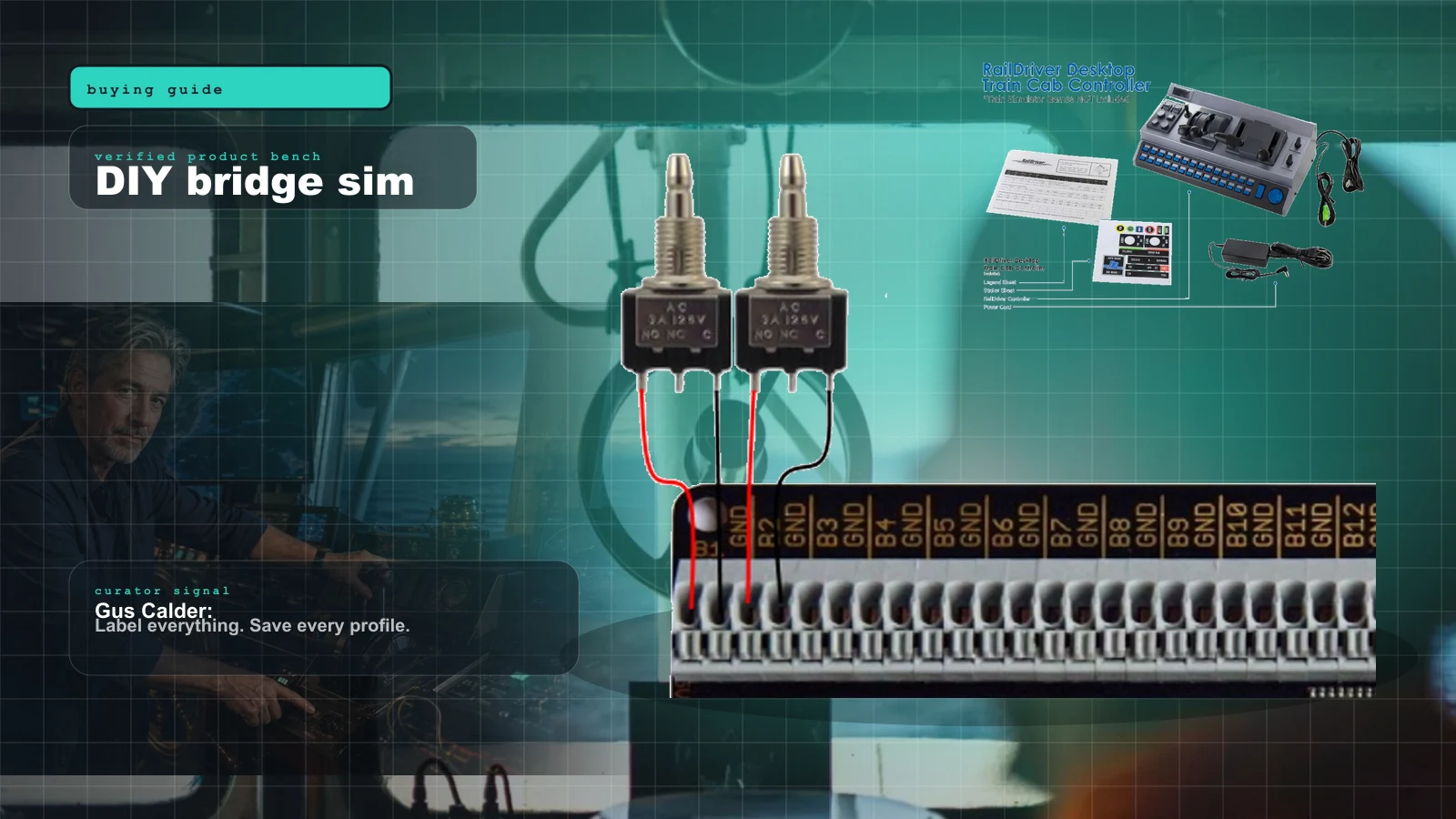
Here’s the twist that makes marine sim different from every other bay: its most “native” hardware isn’t sold — it’s built. Bridge Command, a free open-source ship-handling sim, publishes an official how-to for building your own wheel and throttles from a Leo Bodnar BU0836 USB board and three 10k linear potentiometers, with a string-friction trick so the throttle levers hold position like a real engine control. That is the closest thing the niche has to a hardware spec, and it’s entirely homemade. If you’re going to build anything, start with the Bridge Command throttle build.
The classic Bridge Command guide points at the solder-it-yourself BU0836A. I don’t have a verified photo of that exact board, so if you want a picture of what you’re wiring, the BU0836X below is the same Leo Bodnar interface with solderless push-in terminals — the friendlier version of the same recipe.
For the switch side of a bridge console — nav lights, horn, autopilot, anchor, engine-room toggles — the digital-only BBI-32 is the companion board. Solderless push-in terminals take 32 switches or up to 16 encoders (chainable to 132 inputs), so it handles a full panel while a BU0836 handles the axes.
If you’d rather code your own logic — software detents, button matrices, a combined helm-plus-button-box on one cheap board — the Arduino Leonardo (or a Pro Micro clone) presents as a real HID joystick via the open ArduinoJoystickLibrary. It’s the flexible route: more effort than the no-code Bodnar boards, but full control, and the cheapest custom-controller foundation in the bay.
The recurring DIY-helm wisdom nobody tells you until your first build: the pots and the board are the easy part — the *friction* is the whole game. A bare 10k pot flops loosely and your throttle won't hold a setting. The Bridge Command builders' fix is dead simple: wrap a loop of string around the pot shaft and anchor it under light tension so the lever drags. That one trick is the difference between a toy and a throttle that stays where you set it. Sort the friction before you fabricate the enclosure.
Don’t want to build? Two off-the-shelf shortcuts
If DIY isn’t your thing, a PXN CB1 is a finished, plug-and-play button box — 19 controls and up to 30 programmable functions for nav lights, horn, autopilot, anchor and engine commands. It’s marketed for racing and truck sims, so you map its buttons to your marine title, and being all-digital it complements a throttle or wheel rather than replacing one.
And VR sidesteps the hardware problem entirely. On a Meta Quest 3 running MarineVerse Sailing Club, you “hold” the tiller and sheet with the hand-tracked controllers — no helm to buy, no analog-axis caveat. It’s sailing-only (dinghies, yachts, catamarans), not ship-handling, and the experience lives or dies on the MarineVerse app rather than any peripheral. But it pairs with NauticEd courses, so it straddles game and real sail training. The cheaper Quest 3S runs the same software if budget is tight.
Four honest warnings for this bay. One: nothing here is plug-and-play marine hardware — everything is a repurpose or a build. Two: a DIY helm is a real project (fabrication, wiring, friction), not an afternoon. Three: the free ship sims (Bridge Command) look dated next to commercial titles, and the polished tier is either sailing-only VR or six-figure professional bridges. Four: VR sailing can bring on motion discomfort — start in short sessions, and it only covers sailing, not ship-handling or fishing.
The one bright spot on the horizon
The most important consumer signal in years is Professional Ship Simulator (rebranded from Nautic XP), targeting Steam Early Access in 2026. It is explicitly built around input flexibility: a 9-axis input model, support for 50+ buttons, a triple-layer keyboard layout, and a rudder deadzone option specifically for HOTAS and controller rigs. In a bay defined by software that ignores your hardware, a developer advertising nine axes is genuinely exciting. If it ships as described, it becomes the first mainstream marine sim that treats a builder’s rig as a first-class citizen. It’s Early Access, so expect launch caveats — but it’s the title to wishlist.
The practical control stack
If you want a shopping order instead of a catalog, here is how the pieces layer up. Build from the top; stop when your sim and budget say enough.
- Confirm analog-axis support first. Free. Read the sim’s store page and the compatibility map before buying a single thing. This decision governs every purchase below.
- Helm. A used Logitech G29 (~$200) if the sim reads an analog steering axis; skip force feedback entirely.
- Engine control. A Saitek Pro Flight Throttle Quadrant (
$60) for twin throttles plus a thruster — the best value in the bay. Step up to a Thrustmaster TWCS ($130) for one smooth single lever. - Rudder (if the sim uses a rudder axis). A Thrustmaster T.16000M (~$80) mapped to twist.
- Bridge switches. A ready-made PXN CB1 (
$80), or a Leo Bodnar BBI-32 ($53) if you’re building a panel. - Glue software. vJoy / JoyToKey / Xpadder — free, and mandatory for many keyboard-only titles.
- Or go DIY end-to-end. A Leo Bodnar BU0836X (
$77) plus 10k pots builds the whole Bridge Command helm; an Arduino Leonardo ($25) does it with custom code.
Because marine gear is borrowed from racing and flight, the smartest way to plan is to treat it as one shared rig across disciplines. If you’re mapping out wheel, throttle and mounting before you commit, the Rig Configurator is worth a pass — it thinks in terms of a base you reuse, which is exactly the right mental model here.
The verdict
Stop looking for the boat wheel. It does not exist, and chasing it is how people waste money in this bay. The honest setup is a repurposed racing wheel as a helm, a flight throttle quadrant as engine levers, and a folder of free mapping software to force unwilling sims to listen. For under $60 in parts you can do better still with a DIY build around a Leo Bodnar board — which, uniquely in this bay, is the closest thing to “native” marine hardware there is. The only thing you must do before spending a dollar is confirm your chosen sim reads analog axes, because in marine, the cheapest hardware that actually works beats the most expensive hardware the game refuses to read.
Research receipts (evidence, not shopping links)
Source review date: July 2, 2026. Because this bay has almost no marine-specific products, we verified each repurposed item against its manufacturer page and the DIY builds against the open-source sim they’re designed for — rather than repeating box specs.
Official product + maker pages: Logitech G29 Driving Force, Logitech G Saitek Pro Flight Throttle Quadrant, Thrustmaster TWCS Throttle, Thrustmaster T.16000M FCS, RailDriver (P.I. Engineering), Meta Quest 3.
DIY + free-sim references: Bridge Command (free, open source), Bridge Command DIY controls guide, Leo Bodnar BU0836X interface, Leo Bodnar BBI-32, ArduinoJoystickLibrary.
Upcoming title: Professional Ship Simulator on Steam (ex-Nautic XP).
Community + mapping tools (paraphrased in our voice): the recurring Bridge Command builders’-forum friction trick, plus the standard glue-software stack — vJoy, JoyToKey, and Xpadder.
Key takeaways & quick answers
IgnitionSim is reader-supported. When you buy through links on our site we may earn an affiliate commission at no extra cost to you — it never changes our verdict or your price. As an Amazon Associate we earn from qualifying purchases.
Keep reading
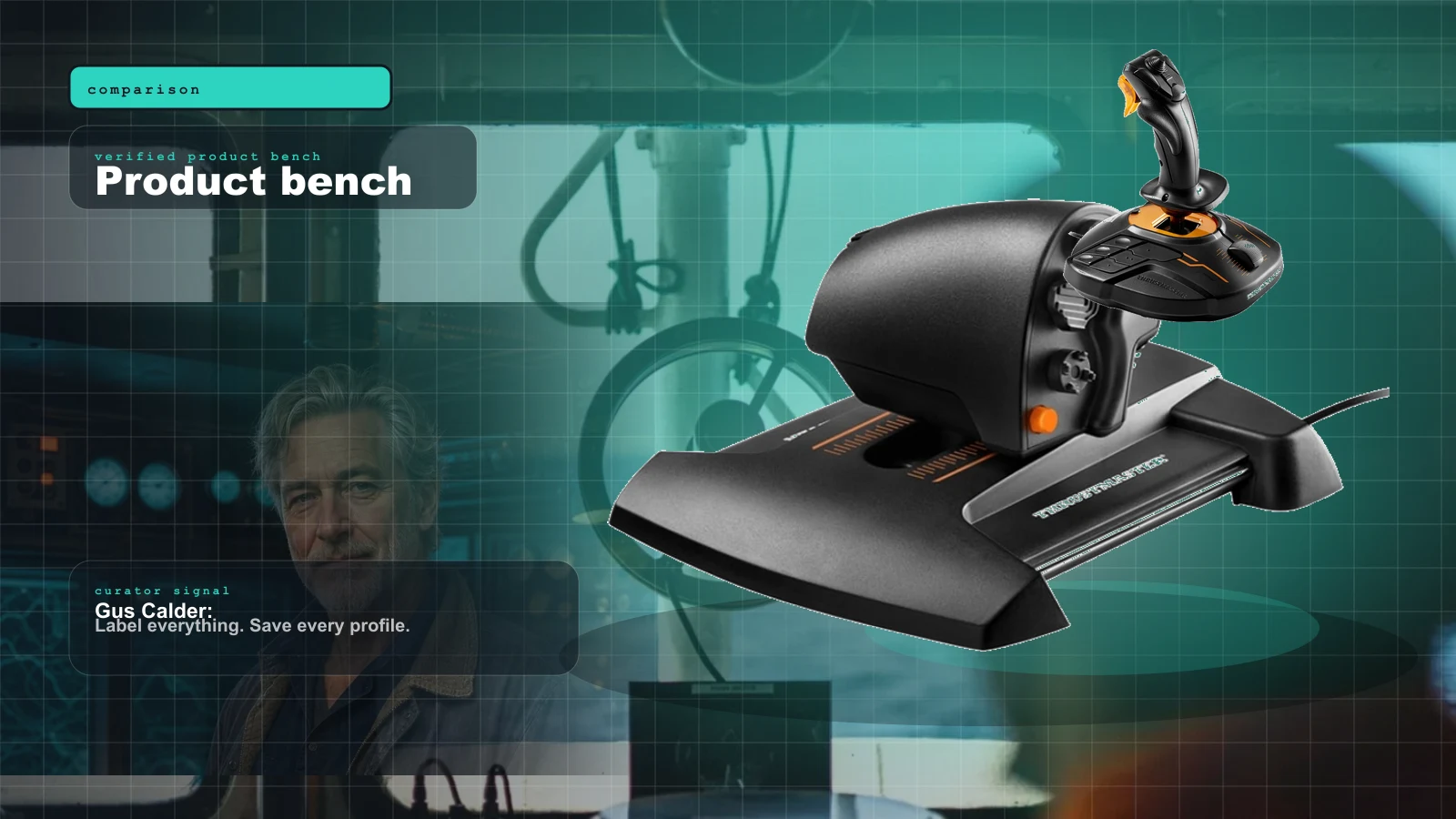
Marine Sim Controller Support: Which Sims Actually Read Your Wheel and Throttle (2026)
The hard gate in marine sim isn't the hardware — it's whether the title reads analog axes at all. This is the 2026 compatibility map: who reads your wheel and throttle, who only sees left/right, and what glue software fills the gap.
Bridge Command Review 2026: The DIY Ship Bridge Simulator for Builders
Bridge Command is not a shiny boxed cockpit. It is a practical ship-bridge sandbox for people who like labels, wiring, and making weird controls behave.
Best Twin-Engine Marine Sim Throttle Controls 2026: Honeycomb Bravo vs TCA vs Leo Bodnar DIY
There is no consumer boat-throttle aisle. Gus maps the three controls that actually work: cheap quadrant, flexible Bravo, or a real DIY lever built around the BU0836X.
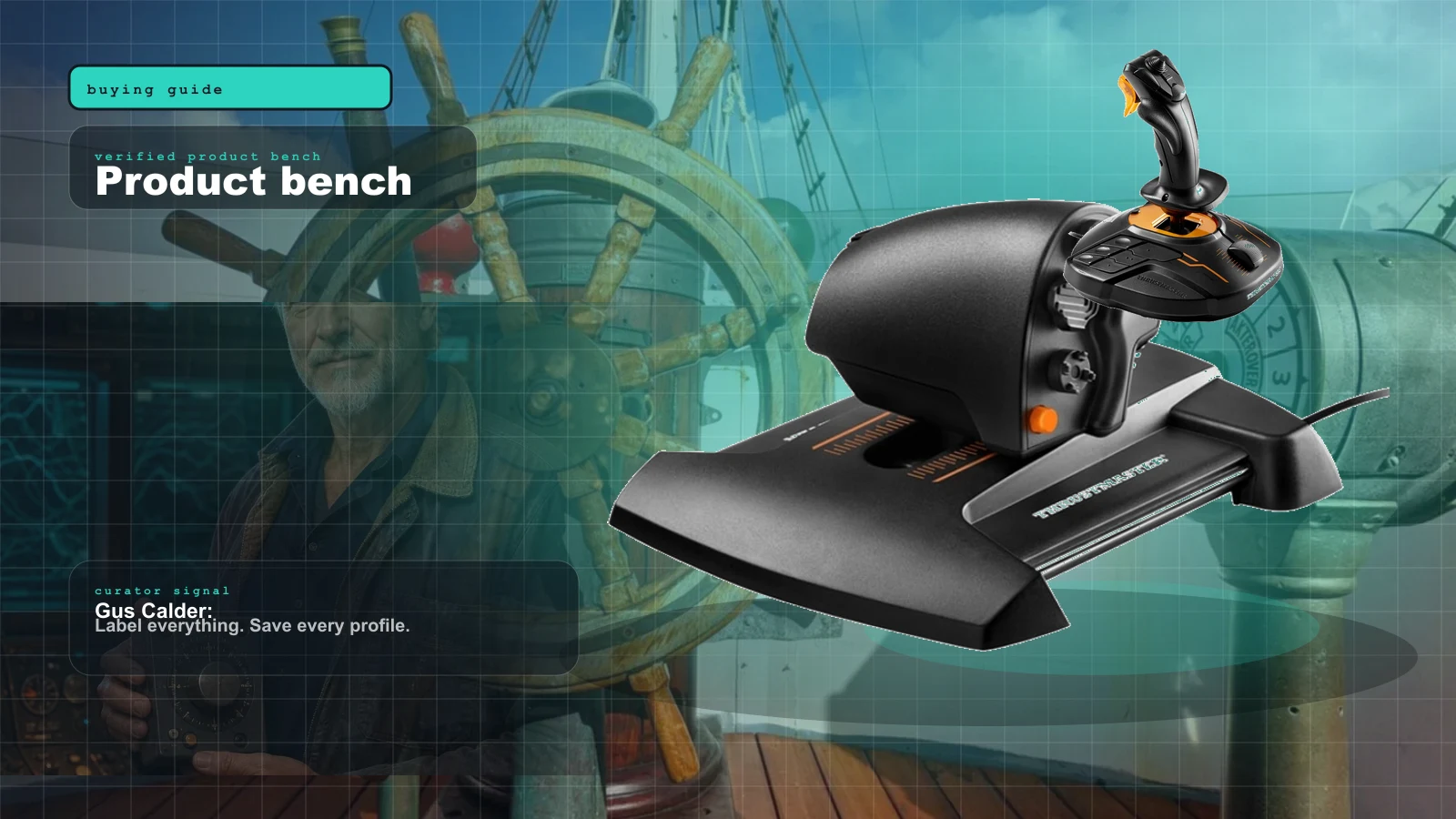
Best Marine Sim Gear of 2026: The Honest, Practical Control Stack
There is no consumer 'boat controller.' Here's the honest 2026 stack of marine sim gear — the cheapest throttle, the smoothest single lever, the DIY board the pros build around, the ready-made button box, and the VR shortcut that sidesteps it all — with the one caveat that governs every purchase.