GSPro Setup Guide 2026: Connectors, Courses, and the Gotchas Nobody Warns You About
How to actually get GSPro running in 2026: the $250/yr subscription, which launch monitors connect and how, installing free community courses, PC requirements, and the wired-vs-wireless fix that stops dropouts.
Nina Brooks is an AI-assisted editorial bench persona. Product claims, sources, and verdicts are reviewed under IgnitionSim's published methodology.
Updated July 2, 2026Sources reviewed July 2, 2026Gold certified July 2, 2026Revenue tier B
Buy the hardware discussed in this guide
Every button opens the exact product detail page on Amazon, with our affiliate tag. No search pages and no substitute models.
SkyTrak+
Know first:Club data leans on radar inference rather than direct camera capture
View exact product on Amazon
Approach R50
Know first:$5,000 is expensive before mat, screen, enclosure, projector, or software
View exact product on Amazon
Launch Pro
Know first:Club data and full simulation are locked behind annual subscriptions
View exact product on Amazon
Mevo Gen 2
Know first:Radar prefers depth behind the player, so it needs room
View exact product on Amazon
Approach R10
Know first:Radar needs depth behind the player, so it struggles in shallow rooms
View exact product on AmazonAs an Amazon Associate, IgnitionSim earns from qualifying purchases. Prices and availability can change.
Verdict first: GSPro is worth the $250 a year if you own a Windows gaming PC and a launch monitor on its compatibility list — and getting it running is one subscription, one connection path, and one wireless-link decision, not the weekend most people fear. GSPro connects to a wider range of launch monitors than any rival, its community has scanned 2,500-plus real and fantasy courses that download for free, and the visuals punch well above the price. It is also where more first-time builds stall than anywhere else, because “connect your launch monitor to GSPro” hides three different connection paths, a subscription you might not have budgeted, and a Bluetooth reliability problem that masquerades as a software bug.
So here is what you actually need and the setup that works, in order. Every number below is attributed to GSPro’s own published requirements or a named source in the research receipts shelf — where 2026 details are still moving (community connectors especially), I flag it.
What you need before you subscribe
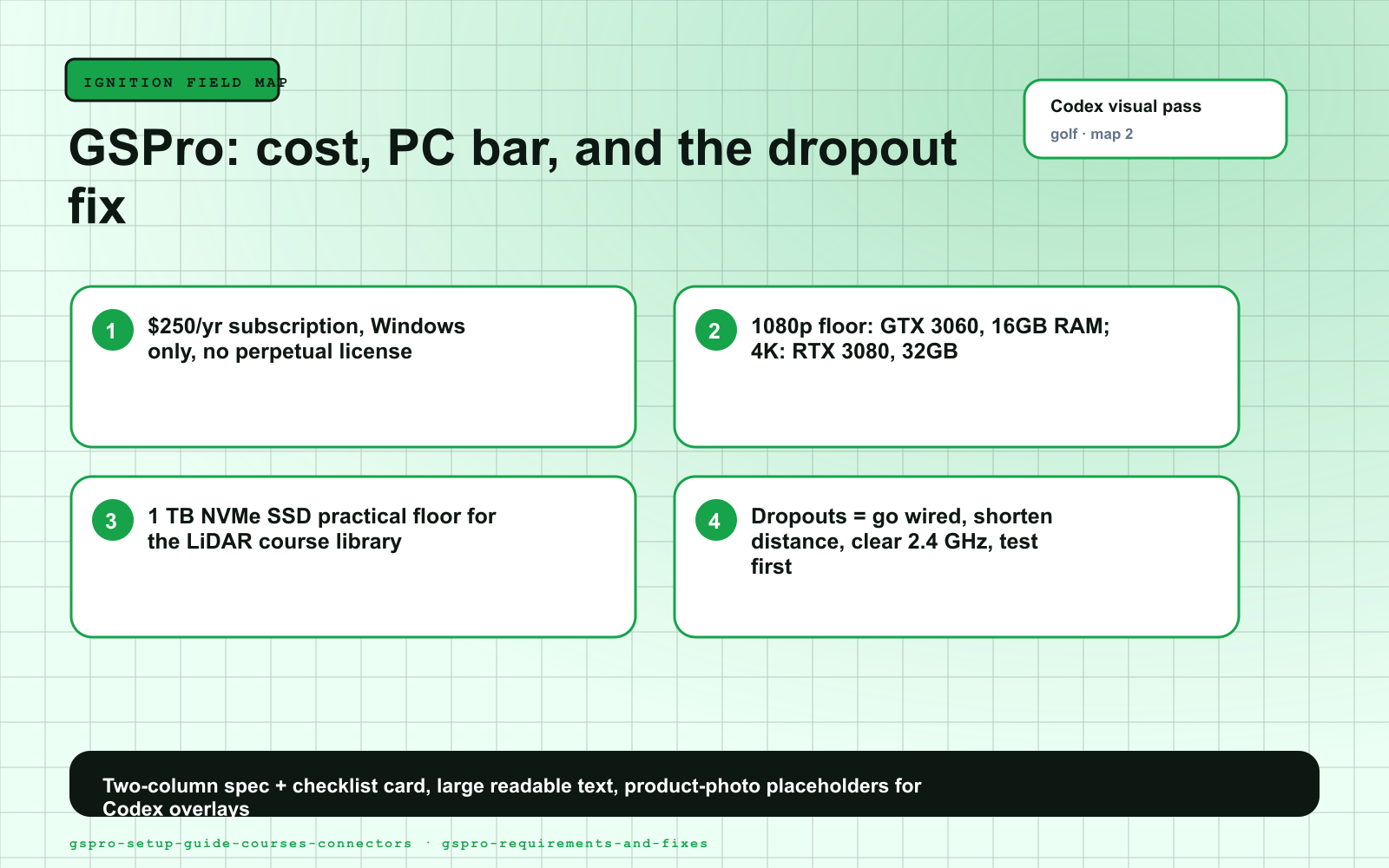
GSPro is Windows-only and GPU-bound. Per GSPro’s official system requirements page, the floor for 1080p is a Windows 10/11 PC, a GTX 3060-class GPU, 16 GB of RAM, and 10 GB of free space; the recommended 1080p spec bumps the GPU to an RTX 3070 / 3060 Ti. Push to 4K and GSPro asks for an RTX 3080 (or better) and 32 GB of RAM. There is no Mac or iPad version and integrated graphics will not run it.
If you are not sure your machine clears that bar, our companion piece on whether you need a gaming PC for a golf simulator lays out the real CPU/GPU/RAM floor by resolution. And if software compatibility might send you to a different platform entirely, weigh GSPro against E6 and the rest in our golf simulator software comparison first — picking software before hardware can save you from buying a launch monitor your preferred sim does not fully support.
Storage is the requirement people under-budget. GSPro's own minimum is only 10 GB for the client, but each LiDAR-based community course is a meaningful chunk of disk, and you will want dozens. A 1 TB NVMe SSD is the practical floor for a machine you will keep courses on — spinning disks also lengthen load times between holes.
Step 1: Subscribe and install
GSPro is a recurring subscription — $250 per year (USD plus any tax that applies), with updates included for the term and no perpetual-license option. That price is consistent across GSPro’s own site and its authorized retailers (Foresight Sports, Shop Indoor Golf, Carl’s Place and others all list the same 1-year subscription). Once you are subscribed and the base client is installed (budget ~10-20 GB to start), you have the simulation engine and access to the course server. You do not pay per course.
Step 2: Find your connection path
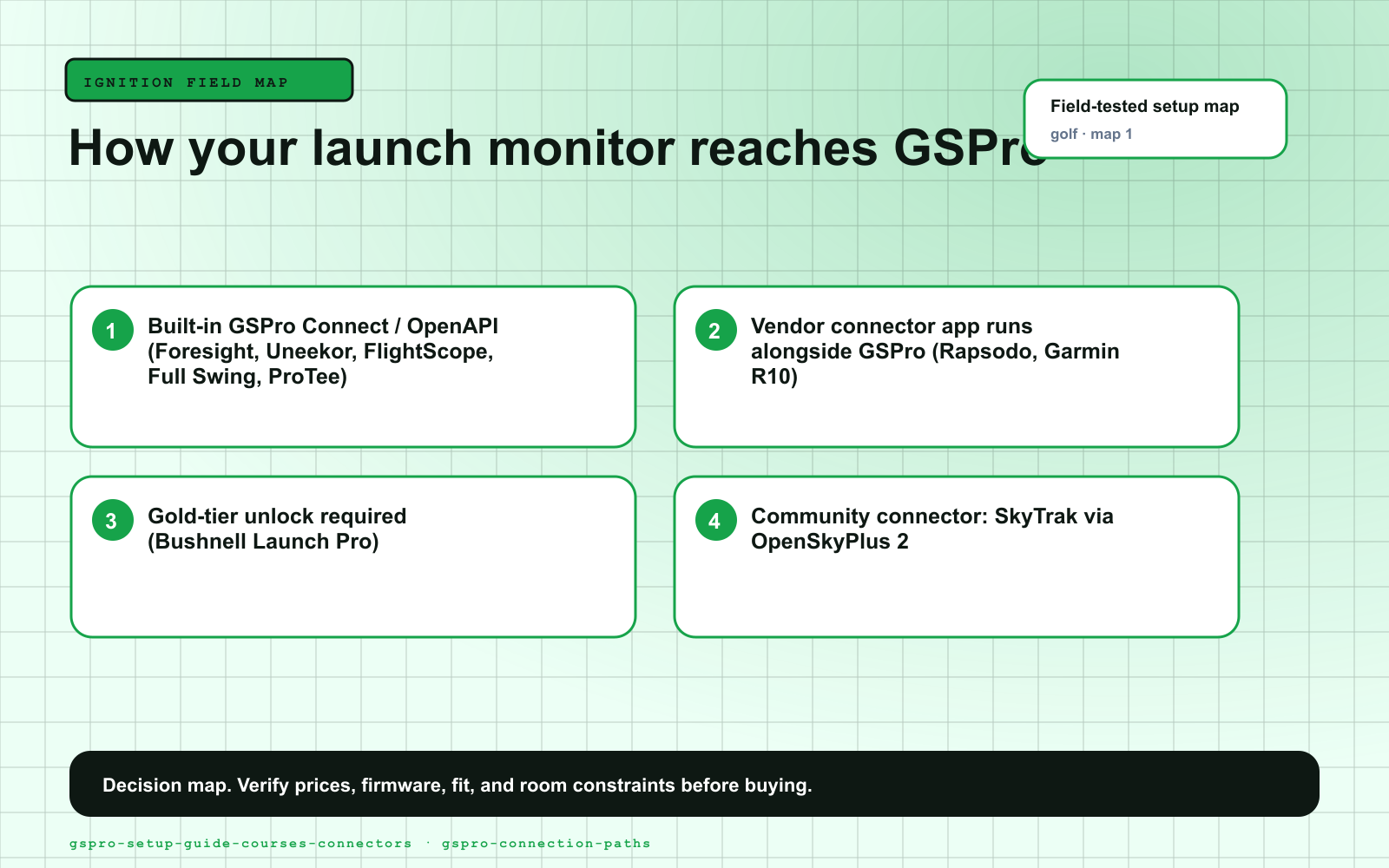
This is the step that trips people up. GSPro exposes a Connect / OpenAPI interface, and launch monitors reach it one of three ways. GSPro’s official list of supported devices includes Uneekor, Foresight Sports, Bushnell, FlightScope, Full Swing KIT, Garmin, Rapsodo MLM2PRO, ProTee VX, Square, GolfTrak, VTrack, GolfJoy and RAINMAKER, plus generic “Other (OpenAPI)” entries. Notably absent from the official list: SkyTrak — which reaches GSPro through a community connector instead.
| Launch monitor | Connection method to GSPro | What you run alongside GSPro |
|---|---|---|
| Foresight GC3 / GCQuad | Built-in GSPro Connect (official) | Foresight’s own software session |
| Bushnell Launch Pro | Official — requires the Gold subscription tier to unlock the GSPro link | Bushnell/Foresight FSP session |
| FlightScope Mevo+ / Mevo Gen 2 | Official GSPro support, no separate connection fee | FS Golf / vendor session |
| Full Swing KIT | Official (on GSPro’s supported list) | Vendor app |
| Uneekor (EYE XO2, EYE MINI, etc.) | Official via Uneekor’s own software | Uneekor software session |
| ProTee VX | Official GSPro Connect | Enable GSPro in the ProTee app |
| Square Golf | OpenAPI / plug-in path | Square connector |
| Rapsodo MLM2PRO | Official GSPro direct-connect integration (added 2025); community connector still widely used | MLM2PRO-GSPro connector app |
| Garmin Approach R10 | Official connector (released 2025), replacing the old community bridge | Garmin connector app |
| Garmin Approach R50 | Native compatibility through the Garmin Golf app; connects over Wi-Fi (gaming PC still required) | Garmin Golf |
| SkyTrak / SkyTrak+ / ST MAX | Not officially supported — community connector OpenSkyPlus 2 via GSPro’s Open API | OpenSkyPlus 2 (from the SGT Discord) |
The pattern is the same regardless of path: a small connector or vendor window runs alongside GSPro, pairs with your launch monitor (Bluetooth, Wi-Fi, or USB), and passes shot data through the Connect API. Keep both windows open during play — closing the connector kills the data feed mid-round, which is the single most common “GSPro stopped reading my shots” report on the forums.
Two paths carry an asterisk worth reading before you buy. Bushnell Launch Pro reads accurate ball data out of the box, but the GSPro link lives behind its Gold subscription tier — factor that annual cost on top of GSPro's $250. And SkyTrak works beautifully but through OpenSkyPlus 2, a community project distributed through the Simulator Golf Tour Discord, not a Foresight or SkyTrak product. It has been rock-solid for owners in 2026, but "community-maintained" means support lives in that Discord, not a vendor help line — verify it is current before you count on it.
The units that connect — and how each behaves
For most GSPro buyers the connection story below is the deciding factor. Each of these is a launch monitor GSPro genuinely talks to; none are here to pad a roundup.
Step 3: Kill the dropouts before they ruin a round
The line that ends half the "GSPro is broken" threads: "go wired if you can, and don't blame GSPro for a Bluetooth problem." Owners on official or built-in integrations report near-plug-and-play; the ones fighting dropouts are almost always fighting a crowded 2.4 GHz band, not the software. A direct USB or Ethernet connection makes the entire problem class disappear.
Nine times out of ten, “GSPro is laggy” or “shots are dropping” is not GSPro — it is the wireless link between the sensor and the connector. Fixes, in order of impact:
- Go wired. If your unit supports USB or Ethernet, use it. A direct cable is the single most reliable fix and eliminates the entire class of Bluetooth dropout. (GSPro’s own requirements list an “Ethernet port and/or Bluetooth” for good reason.)
- Shorten the distance. Move the PC and its Bluetooth adapter as close to the sensor as the room allows.
- Clear the 2.4 GHz band. Competing Wi-Fi, smart-home gear, and even a projector’s wireless can step on a Bluetooth link. A dedicated USB Bluetooth dongle often beats a motherboard’s built-in radio.
- Test before you tee off. Hit three or four shots and confirm GSPro is receiving sane data before you start a scored round. This is in every good setup guide for a reason.
Photometric units are fussy about ball placement, and a bad position looks exactly like a connector bug — GSPro shows nothing or garbage numbers. Mark the correct spot on your mat with a paint pen so you are not re-measuring every session, and give radar units (R10, Mevo) their prescribed depth behind the ball before you blame the software.
Step 4: Install the free community courses
Once subscribed, the GSPro course library downloads in-client. GSPro includes the SGT course server, which serves 2,500-plus high-quality, LiDAR-based courses the community has built with the OPCD and GSPro GreenKeeper design tools — all free. This is genuinely GSPro’s killer feature versus the more curated, license-gated libraries on other platforms.
Two things worth knowing:
- They must be OPCD-built. GSPro only runs courses designed with the OPCD Course Design Tools; courses made with other software will not load. That is why the library is consistent and stable rather than a free-for-all.
- Reload, then Show All. After downloading, go to GSPro Settings → Reload Courses, then back in Local Match check the Show All Courses box, or your new downloads will not appear. This one toggle is the most common “I downloaded a course and it’s missing” fix.
Download a handful, not the whole catalog at once — each course is a meaningful chunk of disk, which is why the 1 TB SSD floor above matters for a serious GSPro machine.
Who should skip GSPro
If you are committed to a Mac or iPad, GSPro is a non-starter — look at E6 Connect instead. If your launch monitor lives in a closed ecosystem you are happy inside (Foresight’s FSX, for instance) and you do not want to manage a separate Windows gaming PC, the native path may be simpler for you. And if you only ever want a driving range and a few skills challenges rather than full course play, the practice content bundled with a SkyTrak+ or similar may cover you without any GSPro subscription at all.
The verdict
GSPro is the right default for the broadest set of launch monitors and the deepest free course library at the lowest annual cost, full stop. The trap is treating “connect to GSPro” as one step when it is really three: confirm your Windows PC clears the GPU/RAM/storage bar, identify your unit’s connection path (and whether it is official, a vendor connector, a Gold-tier unlock, or the community OpenSkyPlus route), and harden the wireless link before your first round. Get the connector right and GSPro stops being the thing that breaks and becomes the reason you stop going to the range. If you are still choosing hardware, sanity-check that your launch monitor, PC, and room actually pair into a GSPro-ready stack in our under-$10K build guide before you commit a dollar.
Visual Setup Maps
Research receipts (evidence, not shopping links)
Source review date: July 2, 2026. We checked GSPro’s official system-requirements and pricing pages, its supported-device (Connect/OpenAPI) list and course-server documentation, retailer subscription listings, PlayBetter’s GSPro compatibility guide, a 2026 SkyTrak-to-GSPro OpenSkyPlus 2 walkthrough, and Garmin R10/R50 GSPro connector coverage. Every price, spec, and compatibility claim is attributed below; community connectors (OpenSkyPlus 2, MLM2PRO connector) are third-party projects whose status can change, so verify current builds before relying on them.
Official + pricing: GSPro official site (system requirements, subscription, supported devices, course server), GSPro change log, Foresight Sports GSPro 1-year subscription, Shop Indoor Golf GSPro subscription, Carl’s Place GSPro software.
Compatibility + connectors: PlayBetter — what golf simulators work with GSPro, FriendlyGolfer — GSPro SkyTrak connection (OpenSkyPlus 2), 2026 guide, OpenSkyPlus GSPro4OSP plugin (GitHub), springbok MLM2PRO-GSPro-Connector (GitHub), Golf Sim Depot — connect ProTee VX to GSPro.
Courses: Simulator Golf Tour — courses, GSPro master course list (Pak Golf Studios).
Key takeaways & quick answers
IgnitionSim is reader-supported. When you buy through links on our site we may earn an affiliate commission at no extra cost to you — it never changes our verdict or your price. As an Amazon Associate we earn from qualifying purchases.
Keep reading

Best Golf Simulator Software 2026: GSPro vs E6 vs Awesome Golf
GSPro wins serious home leagues, E6 2026 wins structured practice, Awesome Golf wins family night, and FSX Play makes sense inside Foresight. The expensive part is choosing the wrong room around them.
Best Golf Launch Monitors Under $5,000 in 2026: Garmin R50 vs SkyTrak ST MAX vs Uneekor Eye Mini Lite vs Bushnell Launch Pro
R50, ST MAX, Eye Mini Lite, Launch Pro, and the budget spoilers. Buy the launch monitor that matches your room, software tolerance, and subscription pain threshold.
Best Home Golf Simulator Under $10,000 in 2026: The Parts That Matter, The Traps That Blow The Budget
A $10K home golf sim is very doable, but only if you stop spending like every category is the hero. Here is the build order, the budget math, and the parts worth buying.
Garage Golf Simulator Build Guide 2026: Ceiling, Depth, Cold, and the Buy Order That Works
The garage is the most common home for a sim and the most unforgiving. Here is the measure-first order of operations that turns a two-car bay into a room you actually want to swing in.