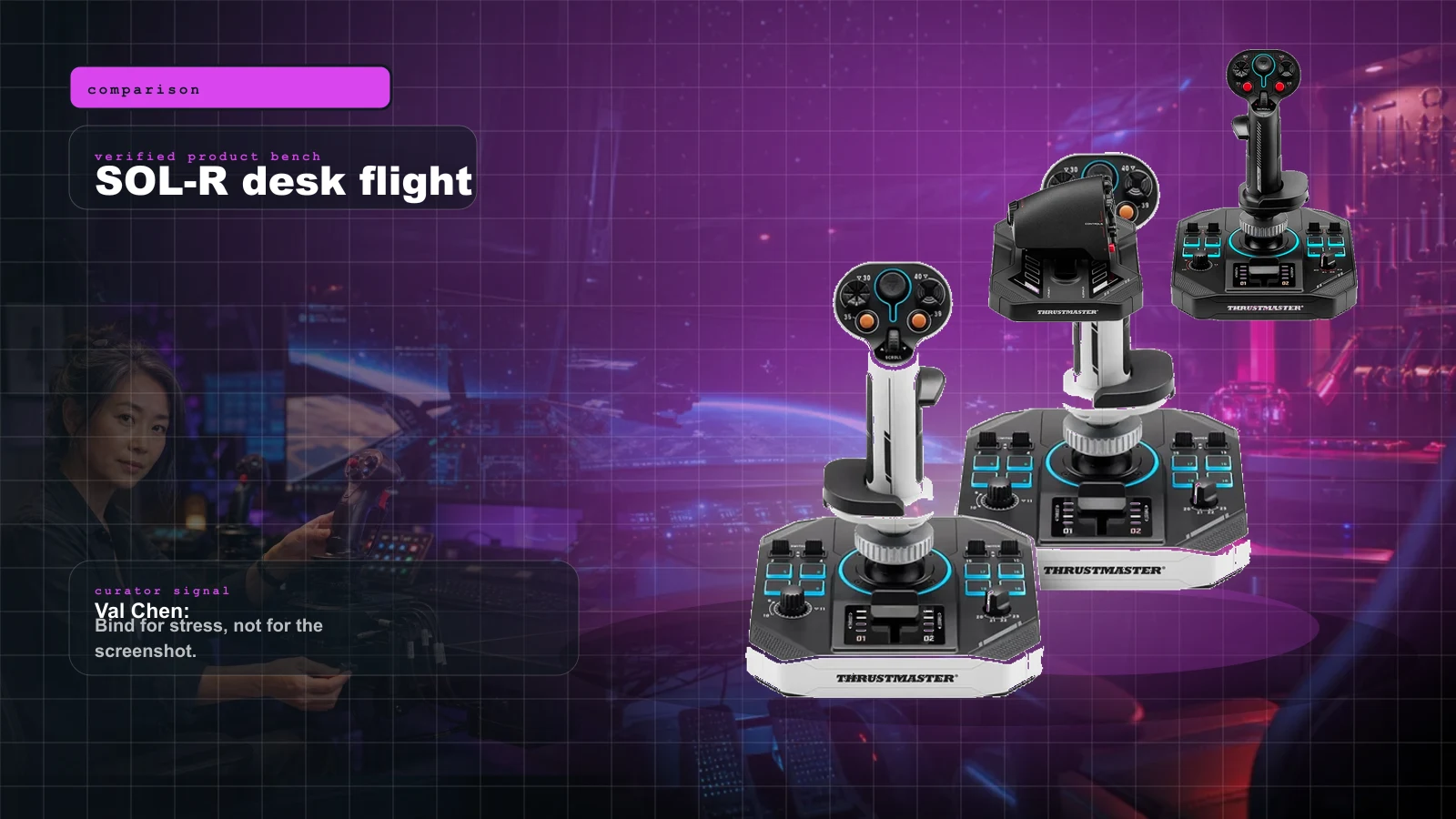
 AI-assisted editorial composite
 Thrustmaster SOL-R 2 vs SOL-R 4 in 2026: HOSAS, HOTAS, FlightDeck, VKB, and WinWing Without the Forum Fog
Thrustmaster SOL-R 2 vs SOL-R 4 buyer guide for Star Citizen, Elite Dangerous, DCS, and MSFS: HOSAS vs HOTAS, setup traps, alternatives, and what to buy.
Val Chen is an AI-assisted editorial bench persona. Product claims, sources, and verdicts are reviewed under IgnitionSim's published methodology.
Updated July 6, 2026Sources reviewed July 6, 2026Gold certified July 6, 2026Revenue tier A
Buy the hardware discussed in this guide
Every button opens the exact product detail page on Amazon, with our affiliate tag. No search pages and no substitute models.

Stream Deck XL
Know first:Not flight hardware — it's keyboard-shortcut mapping, not analog axes
View exact product on Amazon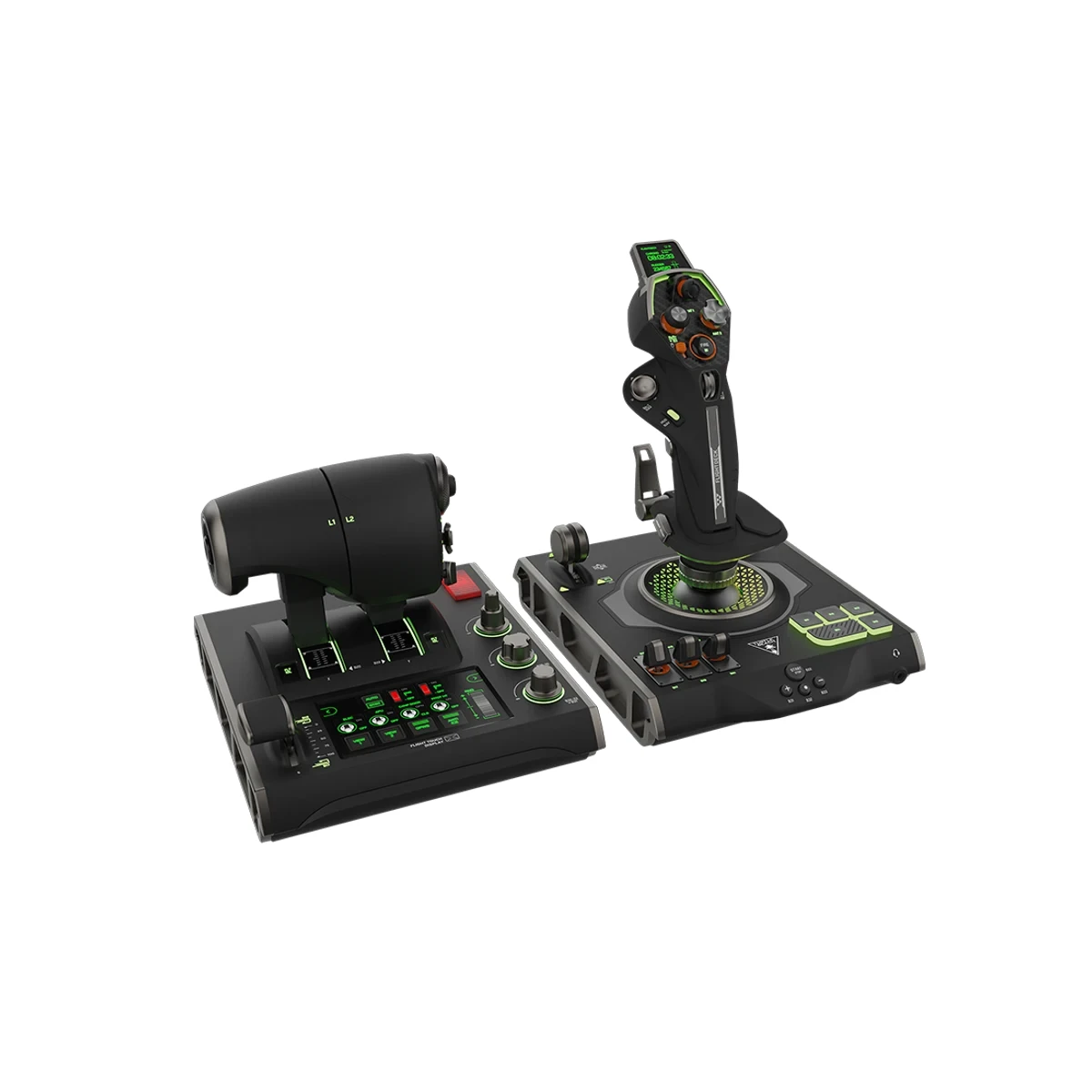
VelocityOne FlightDeck
Know first:PC-only, not the Xbox VelocityOne option
View exact product on Amazon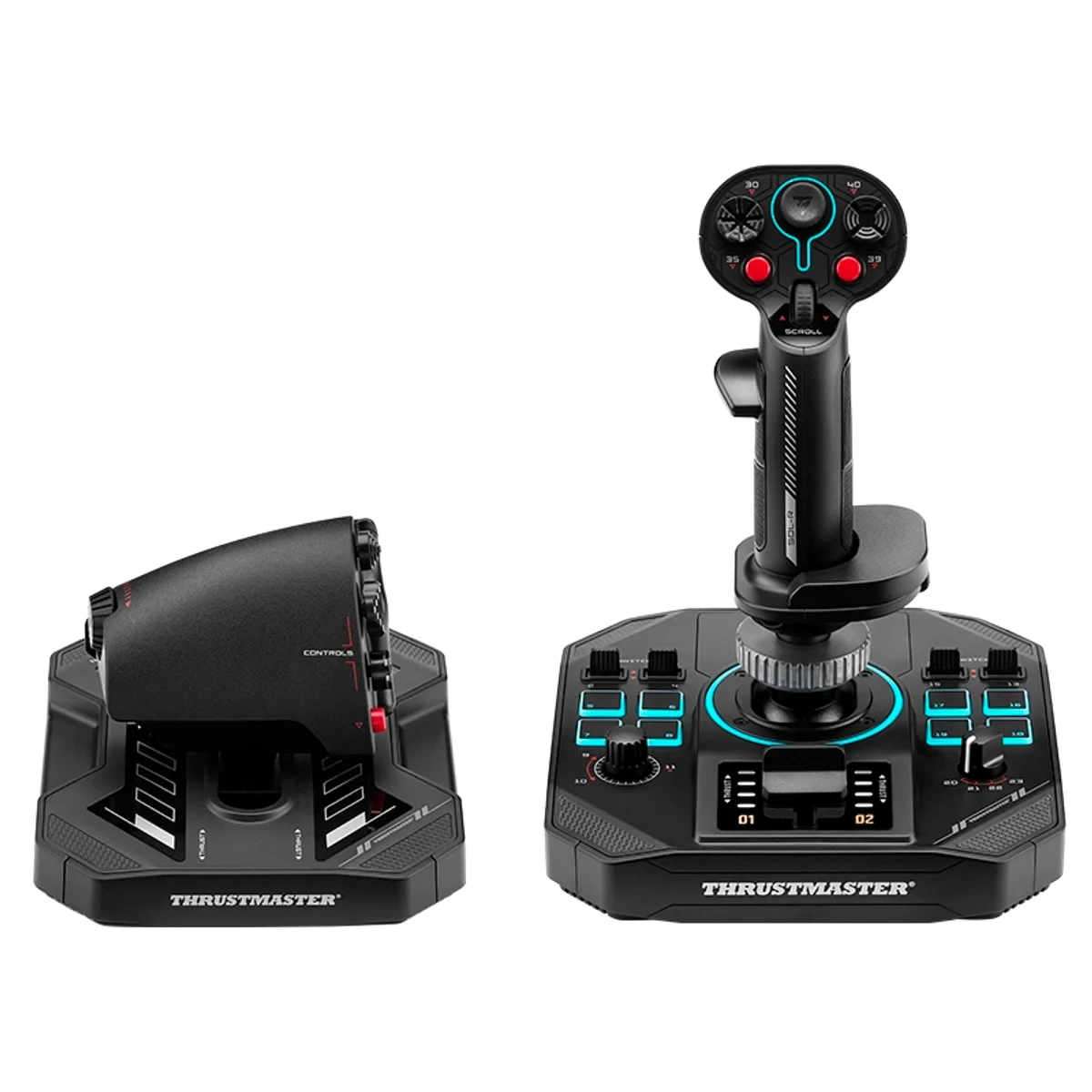
SOL-R 4 HOTAS
Know first:Less space-native than dual-stick HOSAS for strafing and dogfighting
View exact product on Amazon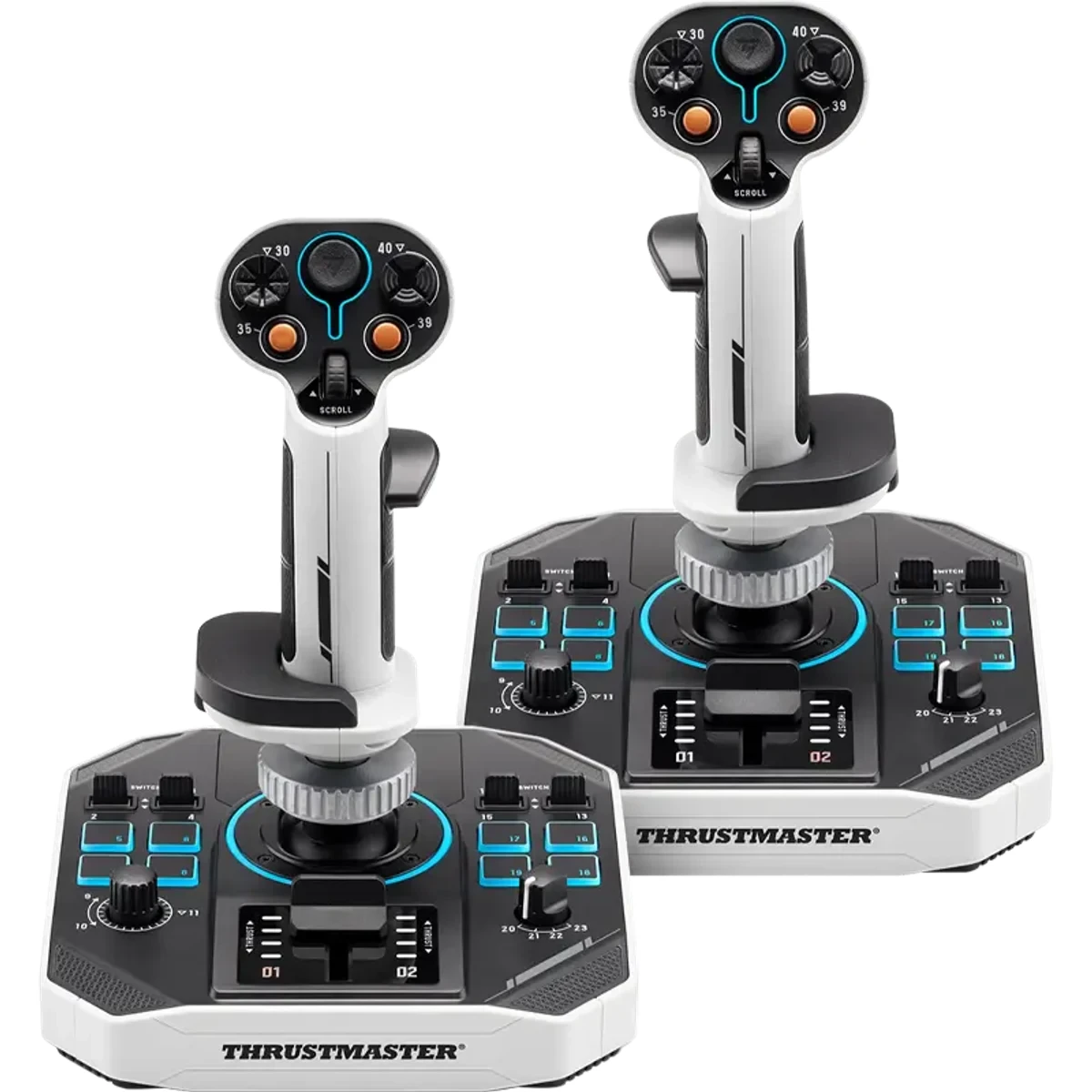
SOL-R 2 HOSAS Space Sim Duo
Know first:Desktop bases are large; mounts or a deep desk help
View exact product on AmazonAs an Amazon Associate, IgnitionSim earns from qualifying purchases. Prices and availability can change.
Verdict first: buy the Thrustmaster SOL-R 2 HOSAS if Star Citizen, Elite combat, six-axis strafing, and “two hands on spaceship” are the reason you are here. Buy the Thrustmaster SOL-R 4 HOTAS if you split time between Elite Dangerous, DCS, MSFS, hauling, atmospheric flight, or any cockpit where a real throttle still feels right. Buy either with caveats: the hardware is exciting, the official image/spec story is strong, but the long-term retail review pool is still thin and the first night is a binding night, not a victory lap.
Val’s short version: SOL-R 2 is the spaceship answer. SOL-R 4 is the crossover cockpit answer. Turtle Beach FlightDeck is the flashy rival. VKB and WinWing are the control nerd alternatives. Pick by movement model first, brand second.
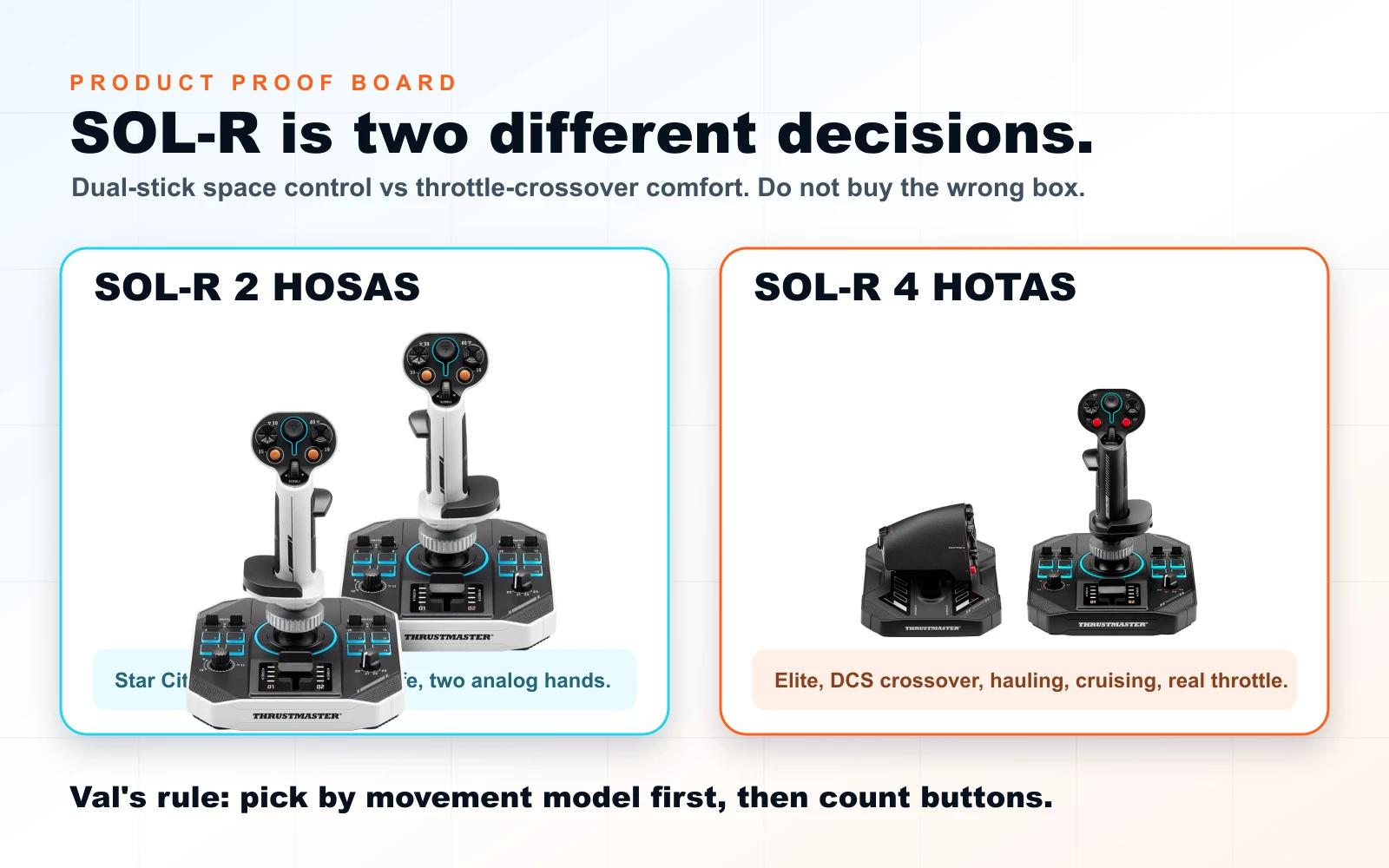
The decision nobody should bury
The SOL-R question is not “which box has more buttons?” It is what you want your off hand to do under pressure.
If your left hand needs to strafe up/down/left/right while your right hand aims, you want HOSAS. That is SOL-R 2, VKB twin sticks, WinWing twin sticks, or a similar dual-stick layout. If your left hand needs to manage thrust, speed, detents, engine habit, cruise, and aircraft brain, you want HOTAS. That is SOL-R 4, Turtle Beach FlightDeck, VKB STECS plus stick, or a traditional flight setup.
Space sims punish fuzzy purchases because the cockpit fantasy is powerful. You can stare at RGB, touchscreens, and sci-fi plastic for an hour and still buy the wrong control language.
"Before you ask whether SOL-R beats VKB, decide whether you are building a dogfighter, a hauler, or a flight desk that occasionally goes orbital. The correct purchase is hiding in that answer."
AI curator scene; real product proof and official product images are shown throughout the guide.
SOL-R 2 vs SOL-R 4 vs FlightDeck: the fast table
| Pick | Buy it if | Skip it if | Setup tax | Our verdict |
|---|---|---|---|---|
| Thrustmaster SOL-R 2 HOSAS | You want dual-stick Star Citizen/Elite control in one retail box | You want a physical throttle or boutique gimbal tuning | Medium: TARGET, firmware, device order, game binds | Buy with caveats for space-first pilots |
| Thrustmaster SOL-R 4 HOTAS | You want one stick plus a real throttle for Elite, DCS, MSFS, and cruise-heavy play | You mainly dogfight in six degrees | Medium: throttle profiles, TARGET, per-game mapping | Buy with caveats for crossover pilots |
| Turtle Beach VelocityOne FlightDeck | You want a modern all-in-one PC HOTAS with a touchscreen/control-surface feel | You want HOSAS or console compatibility | Medium-high: software/display setup matters | Compare carefully before SOL-R 4 |
| VKB / WinWing twin sticks | You care about gimbal feel, upgrade paths, and community-proven HOSAS habits | You want a single mainstream retail box | Medium: boutique software and stock checking | Best nerd path if you enjoy tuning |
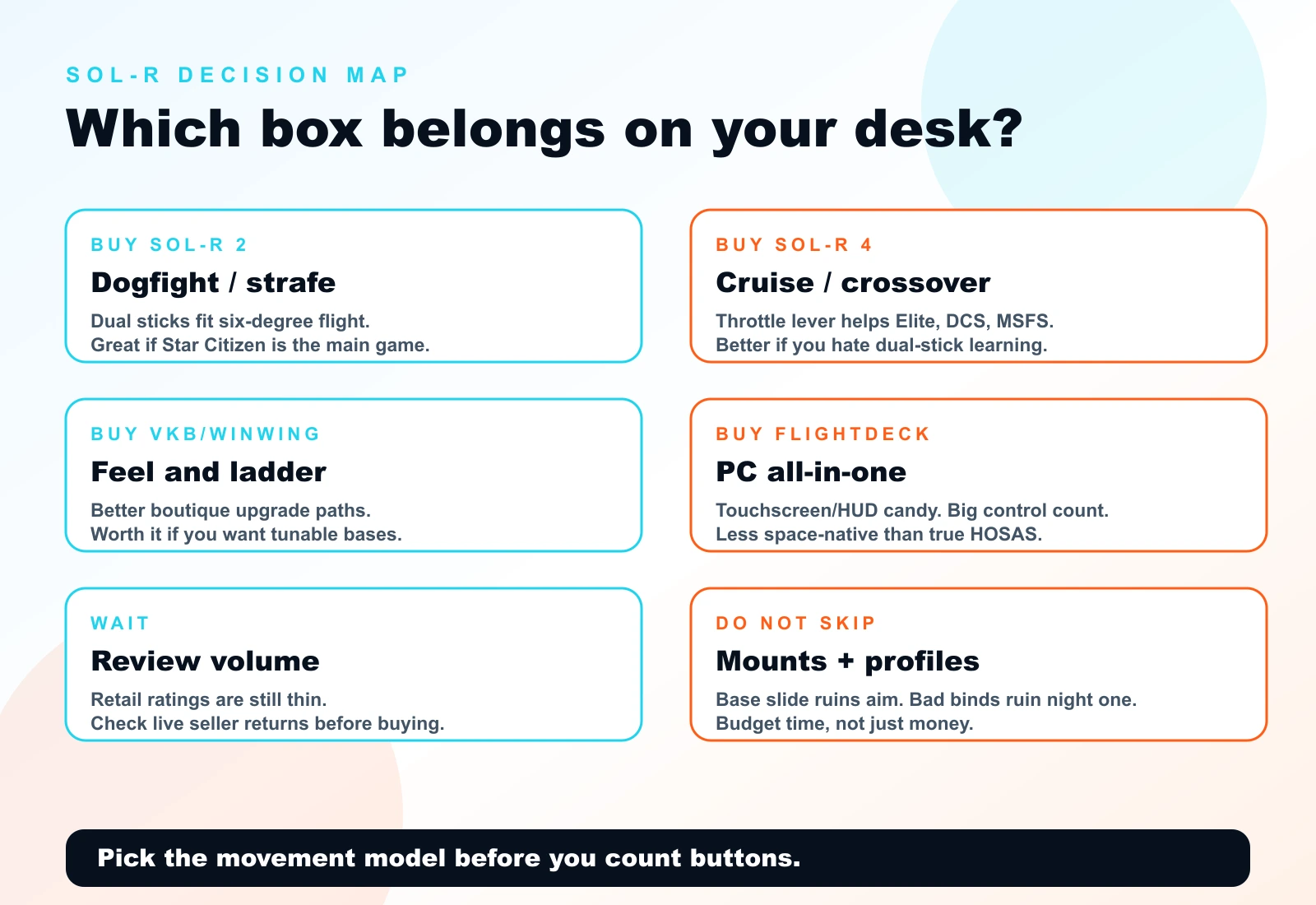
SOL-R 2: the one-box HOSAS for people who want the ship
Thrustmaster’s SOL-R 2 is the product that made this topic hot because it answers a real shopping problem: “I want a Star Citizen dual-stick setup and I do not want to assemble a boutique cart from five tabs.” The official SOL-R 2 page positions it as a HOSAS Space Sim Duo, with two SOL-R sticks, H.E.A.R.T. HallEffect 16-bit axis accuracy, six movement axes across the pair, 10 virtual axes, removable grips, RGB zones controlled through TARGET, and compatibility with Thrustmaster’s broader ecosystem.
That is the dream. The practical read: SOL-R 2 gives new space pilots a visible, sci-fi, retail-friendly dual-stick entry into six-degree flight. It is not the cheapest HOSAS and not the proven boutique darling, but it is coherent. You open one box and get two matching sticks designed for the job.
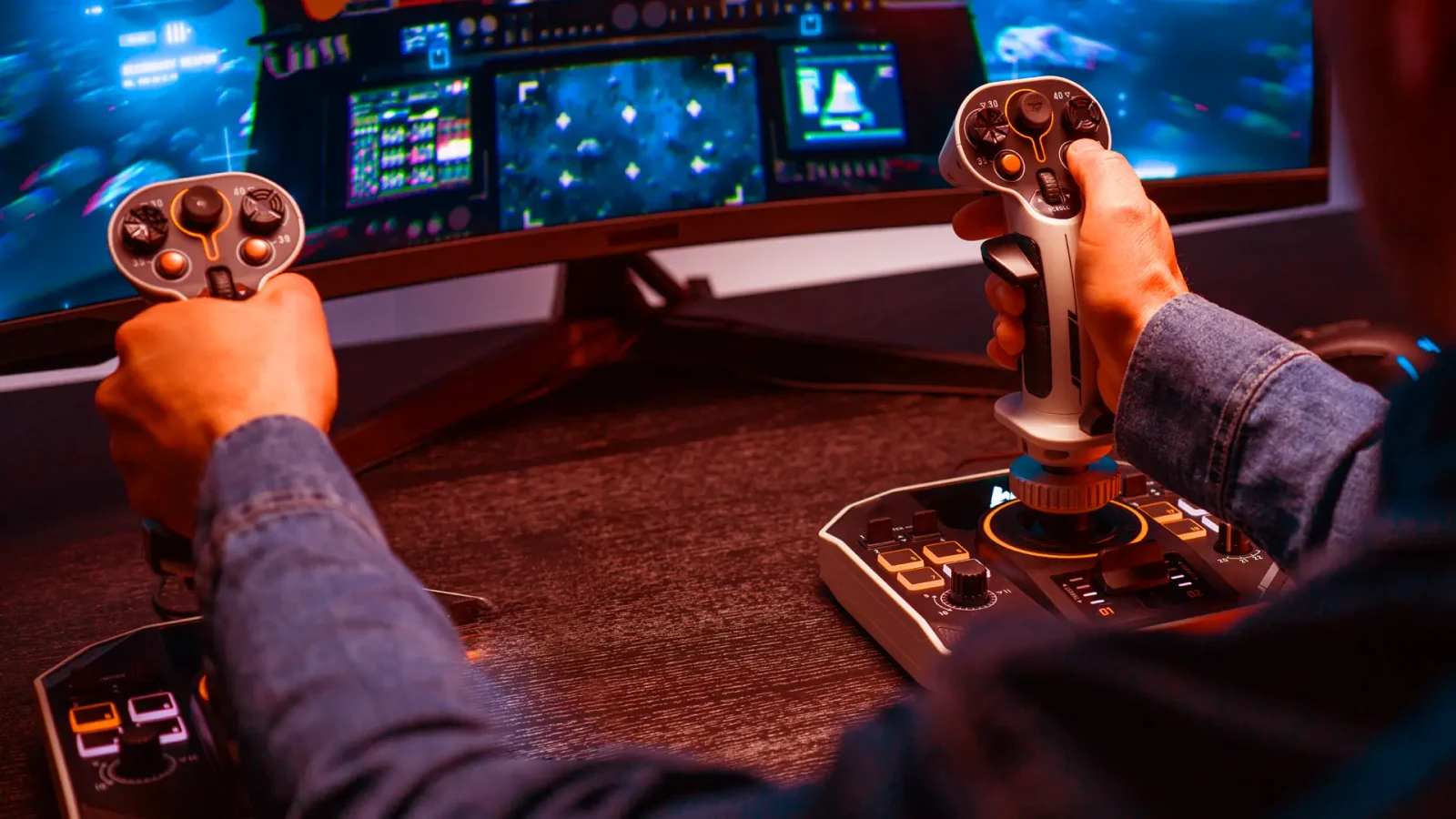
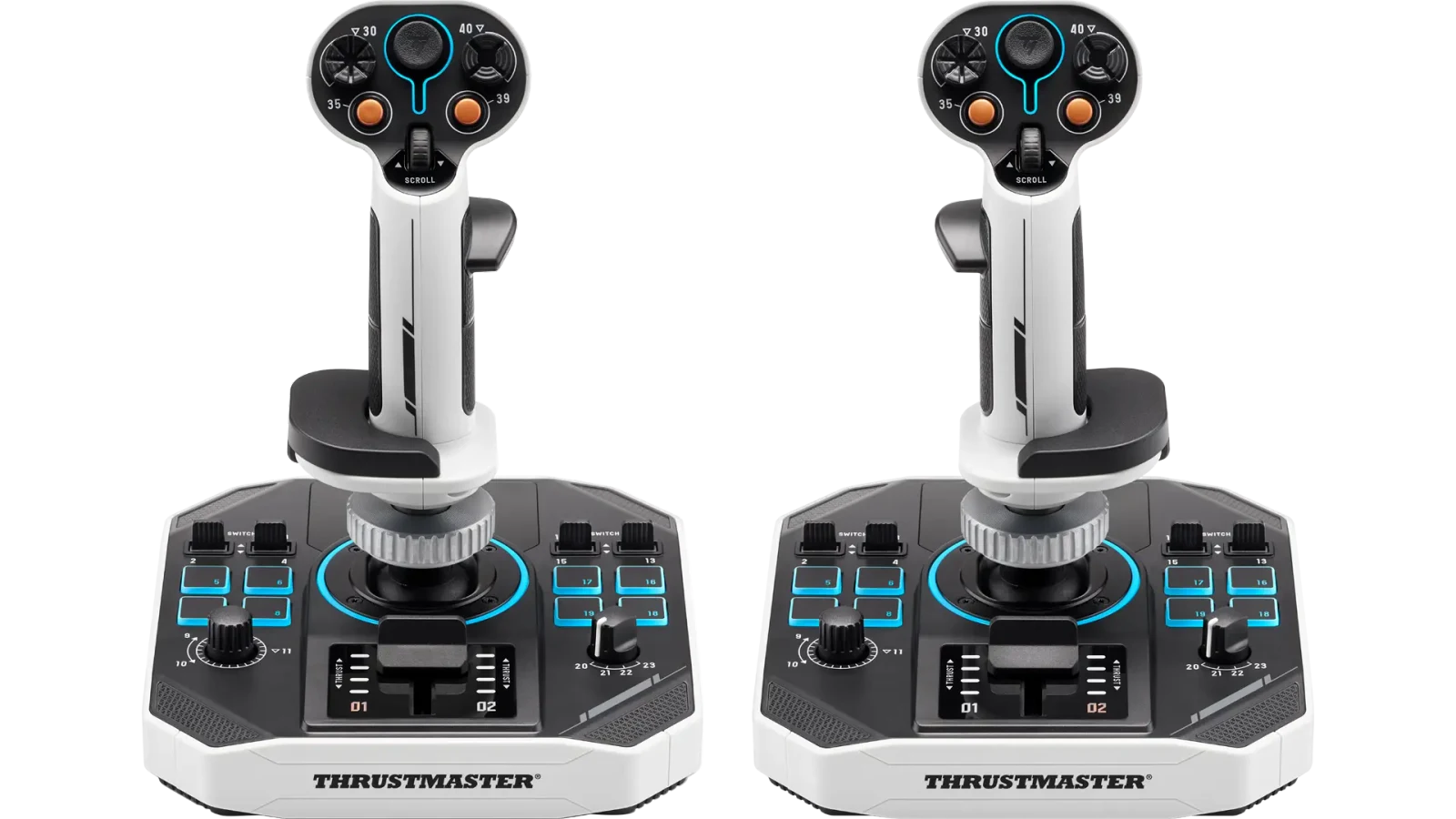
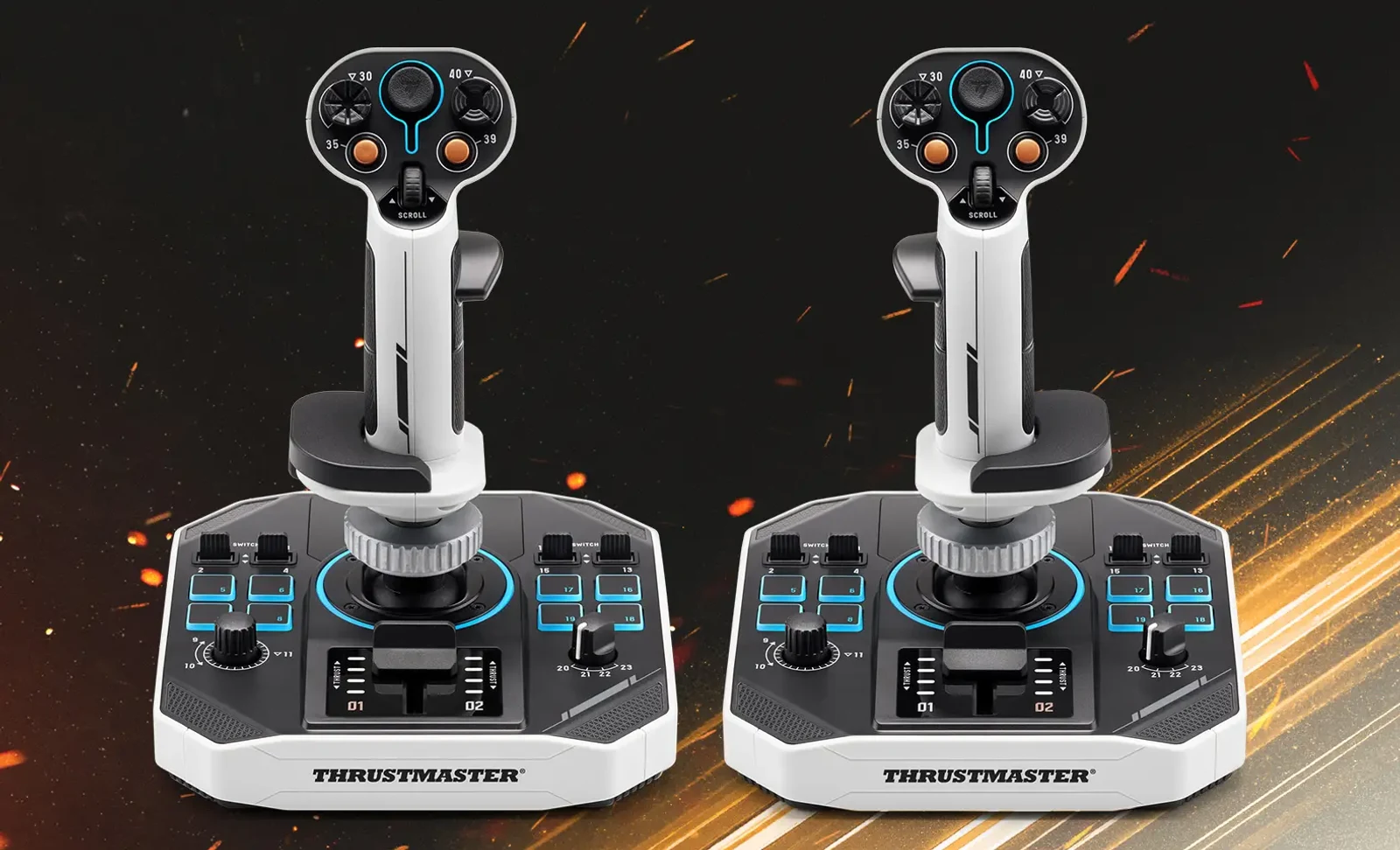
Buy SOL-R 2 if: you dogfight, mine, salvage, strafe, land, and EVA enough that your left hand needs analog movement, not a throttle lever. It is also the best of the SOL-R pair for Star Citizen pilots who keep asking whether HOSAS is hype. It is not hype. It is the control layout that matches the ship.
Think twice if: you mainly haul, cruise, fly atmospheric sims, or have a deep DCS/MSFS habit. You might enjoy a real throttle more than a second stick. Also think twice if you are allergic to first-night setup. SOL-R 2 owners on Reddit have been sharing binding sheets, TARGET pain, device order fixes, and calibration notes. That is normal for this category, but normal still eats your evening.
SOL-R 4: the throttle box for crossover pilots
SOL-R 4 swaps the second stick for a throttle and becomes the more traditional HOTAS answer. Thrustmaster’s product page calls out up to 58 assignable actions, an 80 mm throttle travel with detents, simultaneous control of trajectory and engine thrust, and the same broader Thrustmaster software/support world. That makes it much easier to recommend for people who play Elite Dangerous as a cockpit game, fly DCS, jump into MSFS, or simply prefer a left-hand lever because every aircraft brain cell they own expects one.
The tradeoff is blunt: SOL-R 4 is less space-native. A throttle can control forward thrust beautifully, but it does not give your left hand the same lateral/vertical analog strafe language as HOSAS. You can bind around that. You cannot make it a second stick.
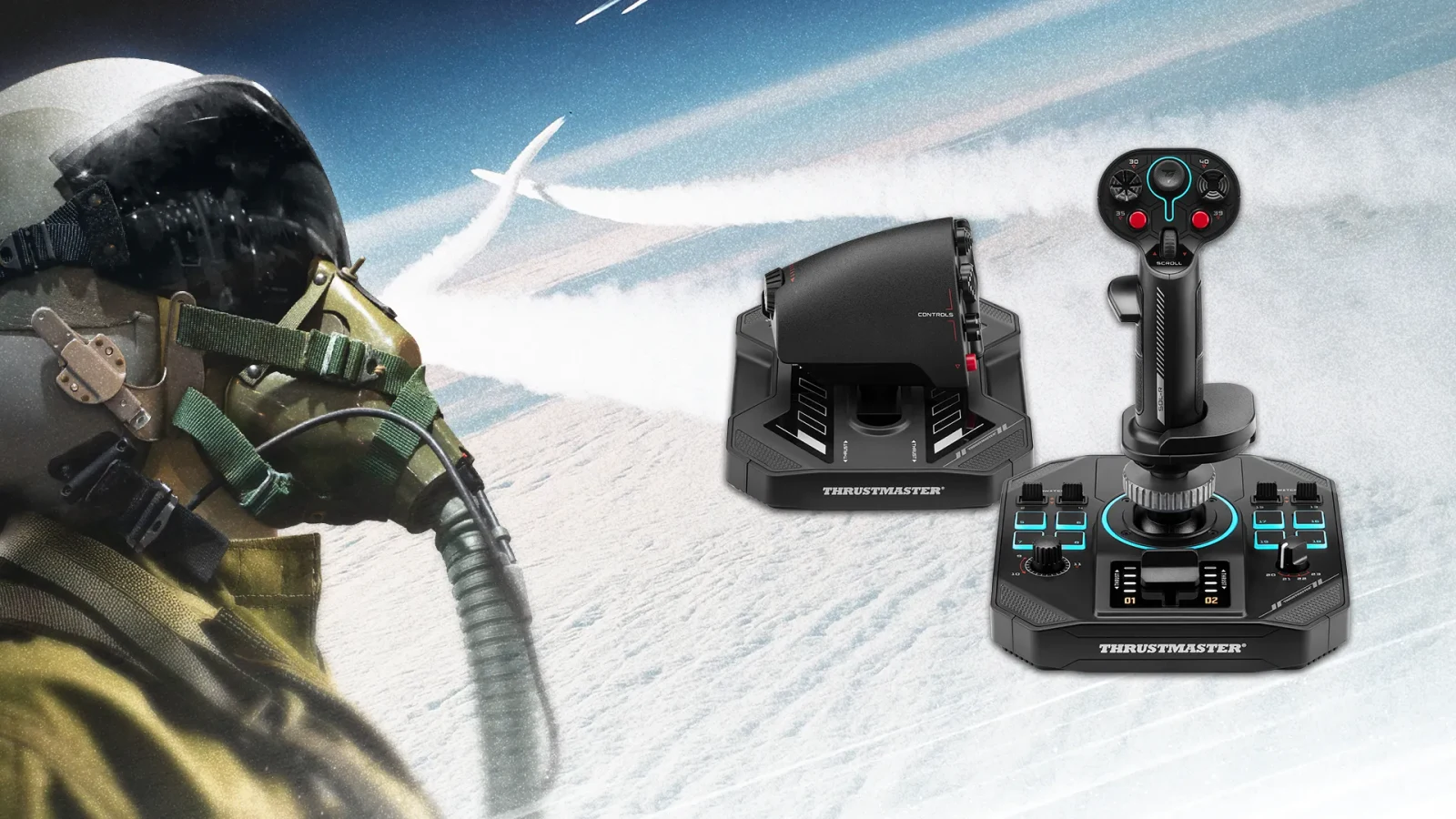
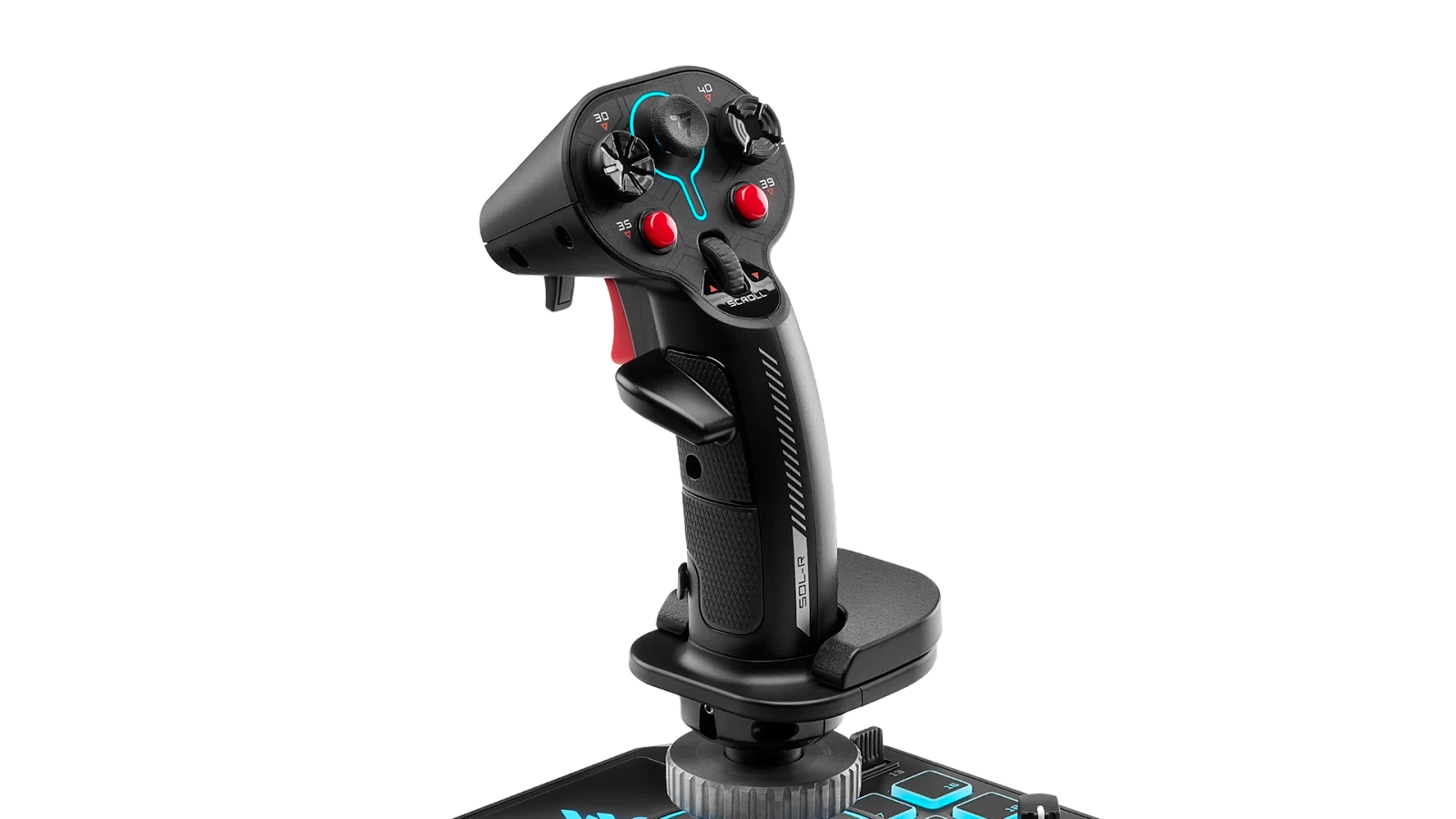
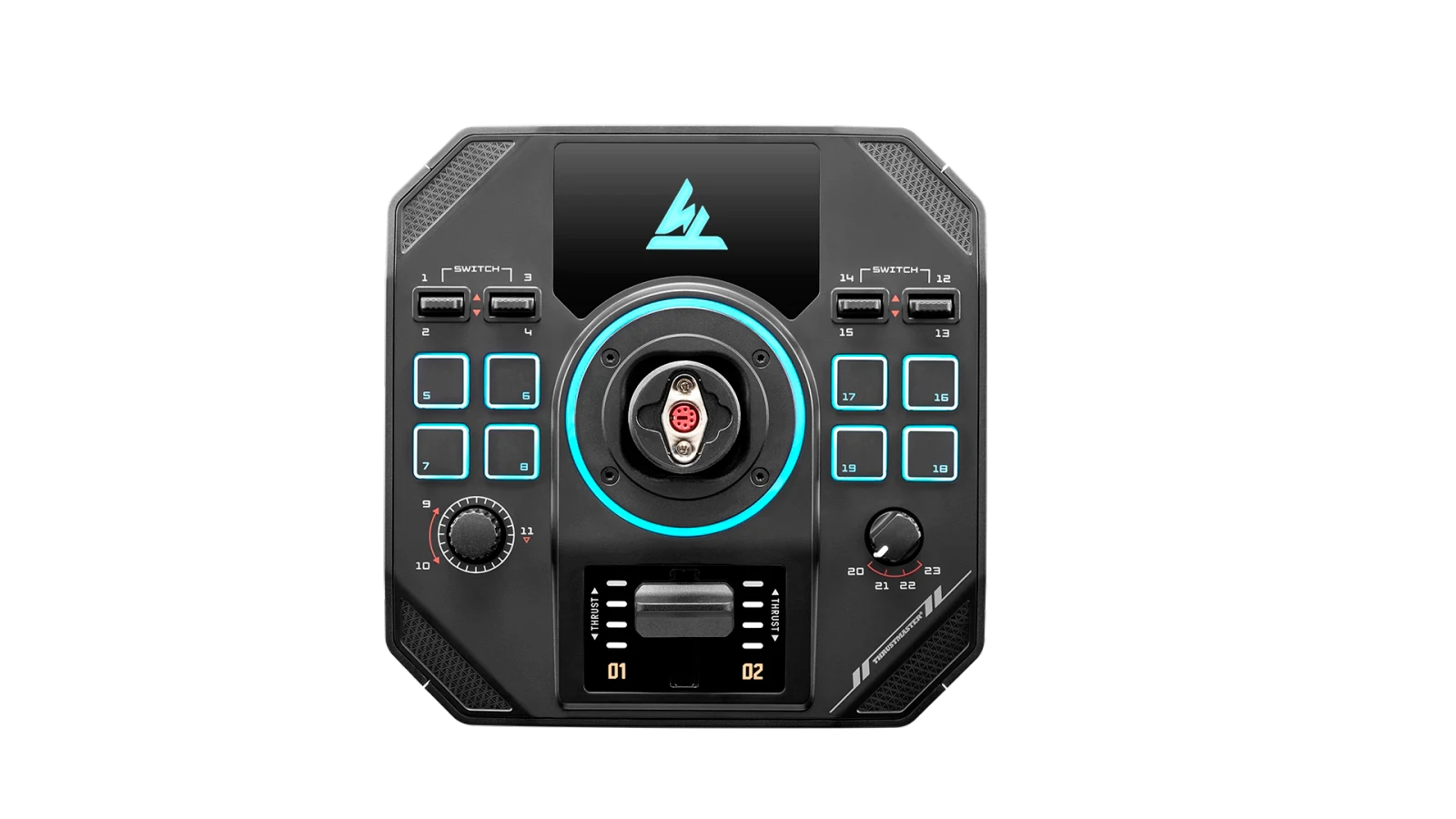
Buy SOL-R 4 if: Elite Dangerous, DCS, MSFS, Star Wars: Squadrons, War Thunder, or general flight controls are as important as Star Citizen. If you want one desk setup that makes sense in a ship and an aircraft, SOL-R 4 is the cleaner emotional purchase.
Skip SOL-R 4 if: you already know you want dual-stick strafing. Do not buy a throttle because it looks like a “more serious” cockpit. In space combat, a second stick can be the more serious cockpit.
The FlightDeck rival: flashy, useful, and not automatically better
The closest mainstream rival to SOL-R 4 is the Turtle Beach VelocityOne FlightDeck. Turtle Beach’s official page describes it as a Windows 10/11 PC HOTAS with 15 axes, 139 programmable functions, a touch display/HUD-style command surface, contactless Hall-effect sensors, and heavy customization. That is a lot of cockpit theater for one box.
The key correction: FlightDeck is PC-only. Do not confuse it with other VelocityOne products that support Xbox. The FlightDeck support page also notes it connects as separate stick and throttle devices, which is normal but relevant when you start troubleshooting bindings.
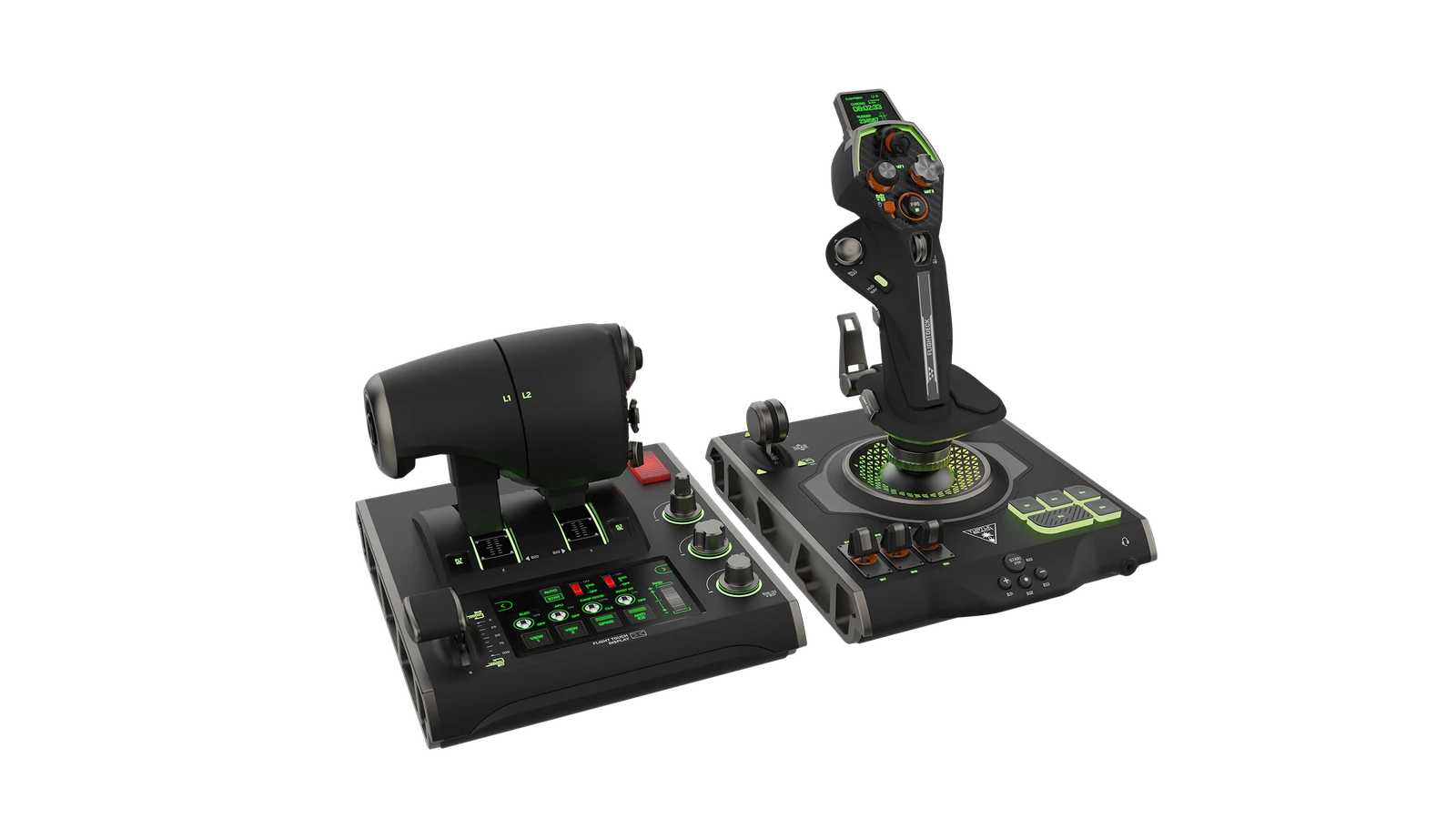
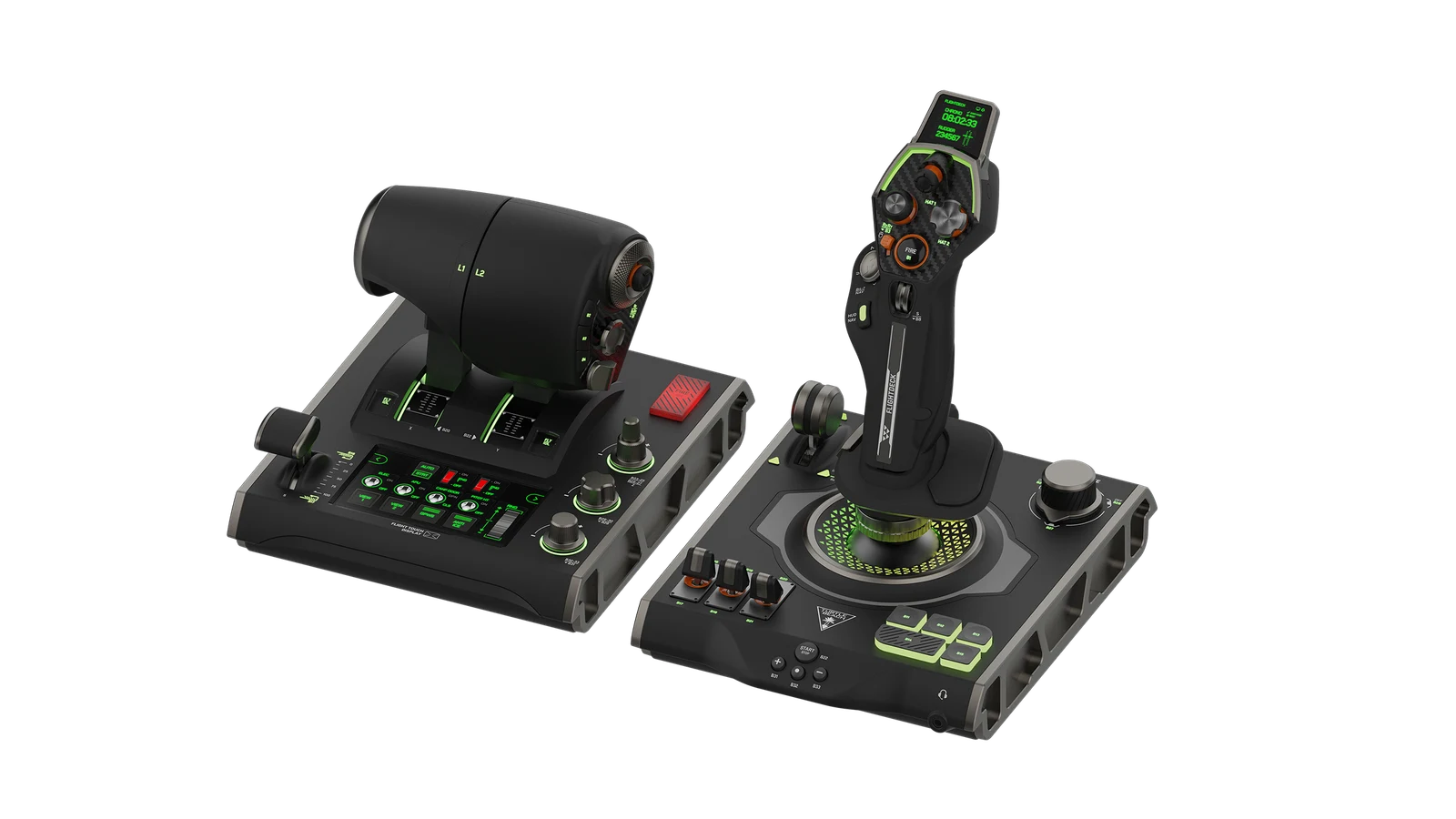
Val’s take: FlightDeck is the choice if the command surface itself excites you. SOL-R 4 is the choice if you want a more traditional throttle cockpit with fewer touchscreen expectations. SOL-R 2 is still the better answer if the ship needs six-axis hands.
What the community keeps saying
The Reddit/forum pattern is more useful than any single comment. Across Star Citizen, Elite Dangerous, and HOTAS threads, five themes keep repeating:
HOSAS believers like the SOL-R 2 value pitch. Star Citizen owners point out that two matched sticks in a retail box can be cheaper and easier than trying to duplicate the exact same function count through boutique parts. The counterargument is just as common: VKB and WinWing may offer stronger gimbal/upgrade value if you are willing to build the cart yourself.
TARGET and bindings are the weekend tax. Threads about SOL-R 2 setup repeatedly circle device detection, left/right order, Star Citizen binding profiles, and whether to use TARGET or bind manually. This is not a reason to panic. It is a reason to schedule the first night as a setup bench.
Make your own bind sheet. Several SOL-R users share editable sheets or recommend graphic templates because "I forgot what that hat does" is not funny when you are trying to dock, scan, or stop free-look from stealing your evening.
Retail review volume is still young. Do not treat early star ratings as gospel either way. Check live Amazon, Best Buy, Thrustmaster support notes, and recent Reddit threads before checkout. The question is not only "does it work today?" but "what are owners still complaining about after the return window?"
Elite and Star Citizen do not want the same left hand. Elite Dangerous pilots comparing SOL-R 4 and FlightDeck often care about reliability, throttle comfort, and a sane Amazon return path. Star Citizen pilots tend to care more about strafe axes, device order, and profile files. Same desk, different buying logic.
The setup map: do this before you fly
Most bad SOL-R nights start with a pilot skipping boring setup steps and then blaming the hardware for a profile problem. Do the boring part. The boring part saves the weekend.
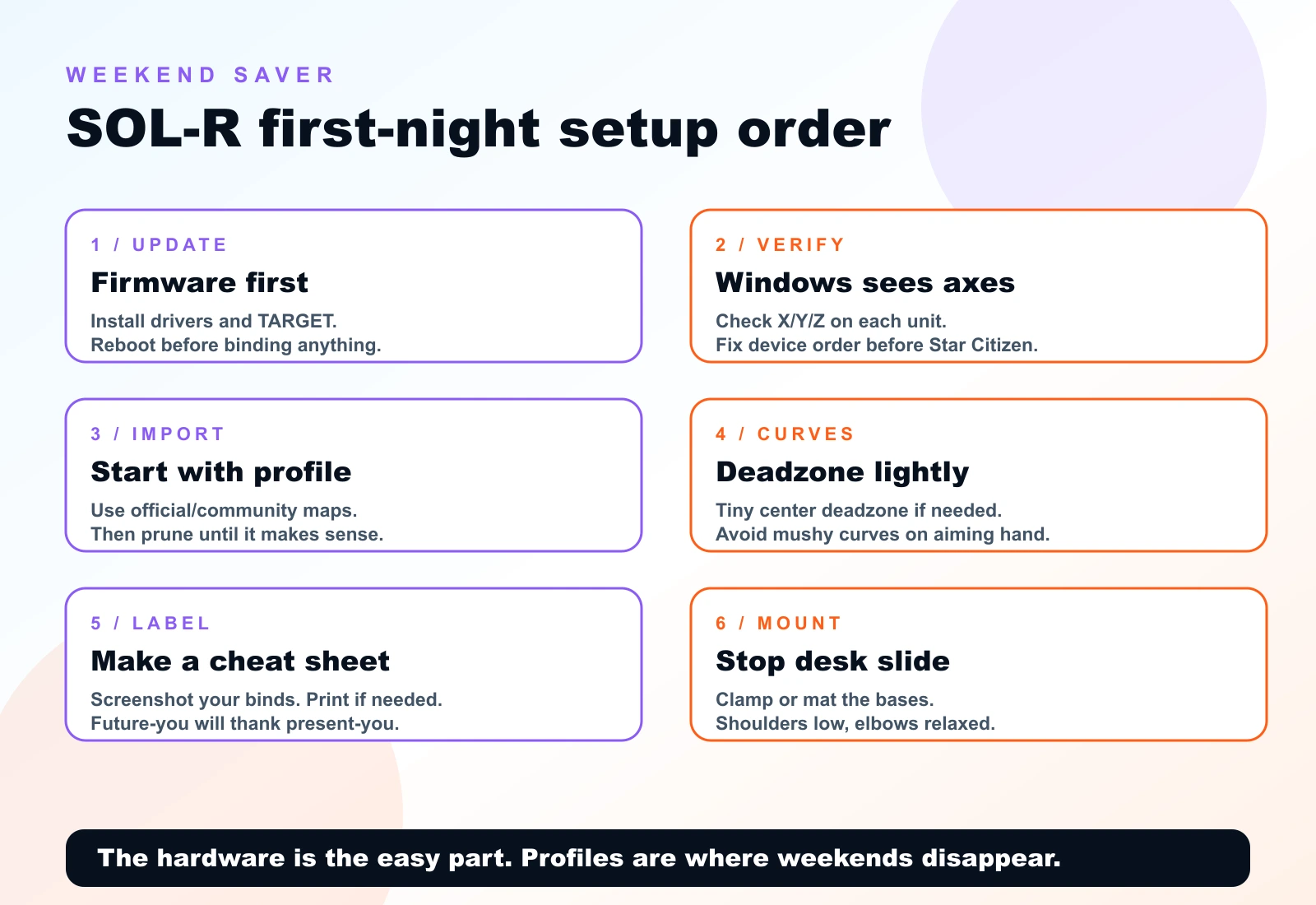
- Plug the SOL-R devices directly into the PC or a reliable powered hub. Avoid front-panel USB chaos during first setup.
- Install current Thrustmaster drivers/software from the official support page.
- Update firmware if the support page says your unit needs it.
- Open Windows game controller testing and confirm every axis and button is alive before launching a sim.
- Decide whether you will use TARGET or bind natively. Do not half-use both and then wonder why the profile is haunted.
- In Star Citizen, confirm left/right device order before you tune every binding.
- Save screenshots or exports of your binds. Then label the physical controls or keep a sheet open on a tablet.
- After adding pedals, Stream Deck, button box, or another stick, re-check device order before blaming the game.
The VKB and WinWing question
If this guide were only about SOL-R, it would be less honest. Space sim buyers almost always land in the same comparison: SOL-R convenience versus VKB/WinWing control-nerd value.
The VKB Gladiator NXT EVO Space Combat Edition remains the safe enthusiast default because it has magnetic sensors, a strong community record, left/right variants, and a real upgrade ladder. WinWing’s Ursa Minor Space is the aggressive value challenger with strong features for the money, but we still want more long-term ownership data and verified imagery before treating it as a universal default. Virpil is the boutique cockpit answer for people who already know they want premium bases, mounts, and no-apology spend.
Buy SOL-R instead of VKB/WinWing if: you want a complete retail Thrustmaster package, like the design, value mainstream support, and would rather solve one product’s setup than assemble a boutique ecosystem.
Buy VKB/WinWing instead of SOL-R if: gimbal feel, repairability, modularity, long-term enthusiast consensus, or lower per-stick pricing matters more than the one-box fantasy.
The no-regrets buying paths
Path 1: Star Citizen dogfighter
Buy SOL-R 2, two good mounts, and a labeled macro surface before you obsess over pedals. Your left hand needs analog strafe. Your right hand needs aim. Your future self needs labels.
Path 2: Elite Dangerous commander
Buy SOL-R 4 if you want a throttle cockpit and do not want the FlightDeck software/display gamble. Buy FlightDeck if the command surface matters to you and you are willing to tune it. Buy SOL-R 2 only if you actively want dual-stick six-degree flight.
Path 3: DCS/MSFS crossover pilot
Buy SOL-R 4 or another HOTAS. SOL-R 2 is not wrong, but aircraft habits still reward a throttle. If DCS becomes serious, you will eventually care about pedals, mounts, and aircraft-specific binds more than the SOL-R styling.
Path 4: Control nerd with patience
Skip straight to VKB, WinWing, or Virpil and build exactly what you want. You are paying with research time instead of retail simplicity. That is fine. Some people enjoy the spreadsheet. Val does, but she also labels her USB ports, so adjust expectations accordingly.
What to buy
Final call
If your heart is set on Star Citizen and you want the ship to feel like a ship, start with SOL-R 2. If you want one control stack for Elite Dangerous, DCS, MSFS, and space cruising, start with SOL-R 4. If touchscreens and a modern command surface excite you, compare VelocityOne FlightDeck before you buy SOL-R 4. If you are already measuring gimbal feel in your head, go read our VKB vs Virpil vs WinWing guide and enjoy the rabbit hole.
Val’s final note: the best setup is the one you can map, remember, and keep using after the honeymoon. The controls are supposed to disappear. The ship is the point.
Source shelf
- Thrustmaster official product page: SOL-R 2 HOSAS Space Sim Duo
- Thrustmaster official product page: SOL-R 4 HOTAS
- Thrustmaster support: SOL-R 2 HOSAS drivers, firmware, manuals, and mapping
- Thrustmaster support: SOL-R 4 HOTAS drivers, firmware, manuals, and mapping
- Turtle Beach official product page: VelocityOne FlightDeck
- Turtle Beach support: VelocityOne FlightDeck product guide
- Community research: Star Citizen SOL-R 2 opinions, SOL-R 2 setup trouble, SOL-R 4 vs FlightDeck in Elite Dangerous, SOL-R 2 binding/profile discussion
Key takeaways & quick answers
IgnitionSim is reader-supported. When you buy through links on our site we may earn an affiliate commission at no extra cost to you — it never changes our verdict or your price. As an Amazon Associate we earn from qualifying purchases.
Keep reading
VKB vs Virpil vs WinWing for Space Sims in 2026: Which Boutique HOSAS Brand Should You Buy?
VKB wins the value and the upgrade ladder, Virpil wins the boutique cockpit, WinWing wins raw features-per-dollar. But the brand you can actually buy this week may decide it for you — boutique stock sells in waves.
The Best HOTAS for Star Citizen in 2026 (Stick + Throttle Buying Guide)
HOSAS may win the dogfight, but a real throttle still owns cargo, mining, and quantum-jump life. Here's the best HOTAS for Star Citizen 4.x at every budget in 2026 — and the button-count trap nobody warns you about.
HOSAS vs HOTAS for Space Sims in 2026: Two Sticks or Stick-and-Throttle?
A spaceship has six axes of motion. A stick-and-throttle reaches four of them well. That single fact drives the whole HOSAS-versus-HOTAS decision — here's which config wins for your game and your hands.
Star Citizen HOSAS Buyer Map 2026: Sticks, Omni Throttles, Mounts, Pedals, Stream Decks, and What to Buy First
Val's space map: dual sticks first, mounts second, head tracking third, button layers later. Six-axis control beats cockpit cosplay.