
Best Golf Simulator Projectors 2026: BenQ AK700ST vs AH700ST vs LK936ST vs Optoma GT2100HDR
The best golf simulator projectors for 2026, with throw-ratio math, shadow traps, 4K vs 1080p advice, BenQ and Optoma picks, and Amazon affiliate links.
Nina Brooks is an AI-assisted editorial bench persona. Product claims, sources, and verdicts are reviewed under IgnitionSim's published methodology.
Updated July 2, 2026Sources reviewed July 2, 2026Gold certified July 2, 2026Revenue tier A
Buy the hardware discussed in this guide
Every button opens the exact product detail page on Amazon, with our affiliate tag. No search pages and no substitute models.

LK936ST
Know first:Easily the priciest projector most home builders will consider
View exact product on Amazon
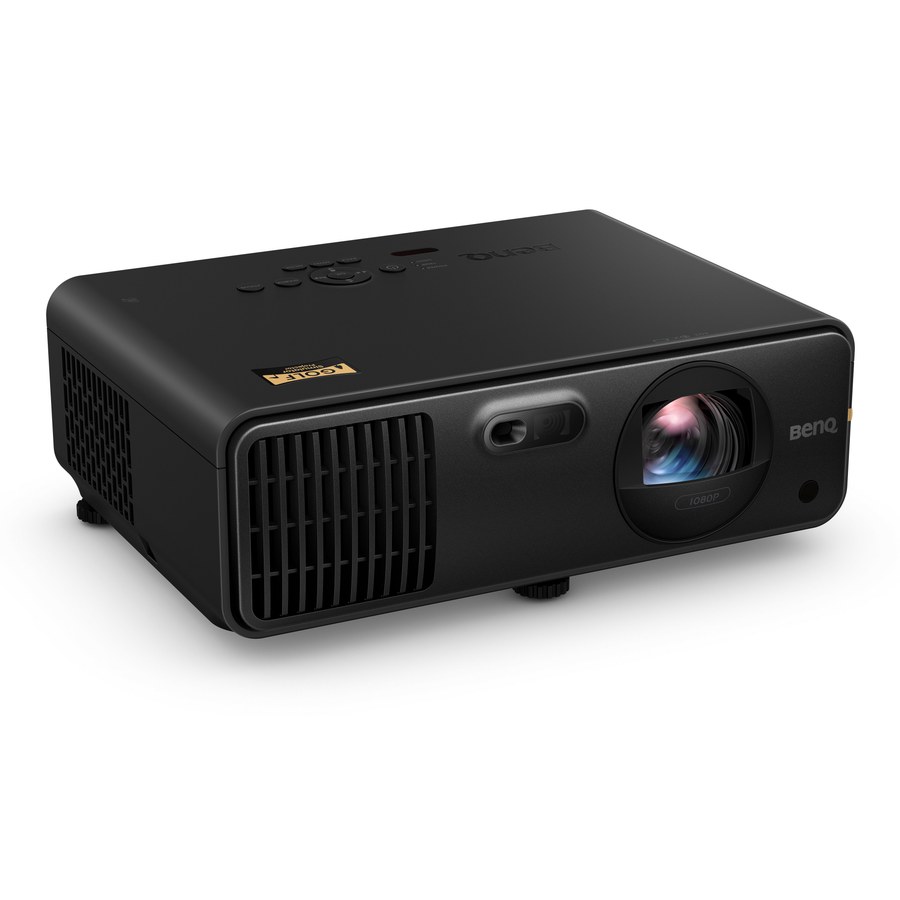
AH700ST
Know first:Native 1080p, so very large screens will not look as crisp as 4K
View exact product on AmazonAs an Amazon Associate, IgnitionSim earns from qualifying purchases. Prices and availability can change.
Nina’s rule is brutal and useful: a golf simulator projector is not a TV purchase. It is geometry with a light engine attached. The prettiest 4K spec sheet loses if the projector beam crosses your backswing. The cheapest 1080p laser can look excellent if the throw ratio lands the lens in the right spot and your screen is decent.
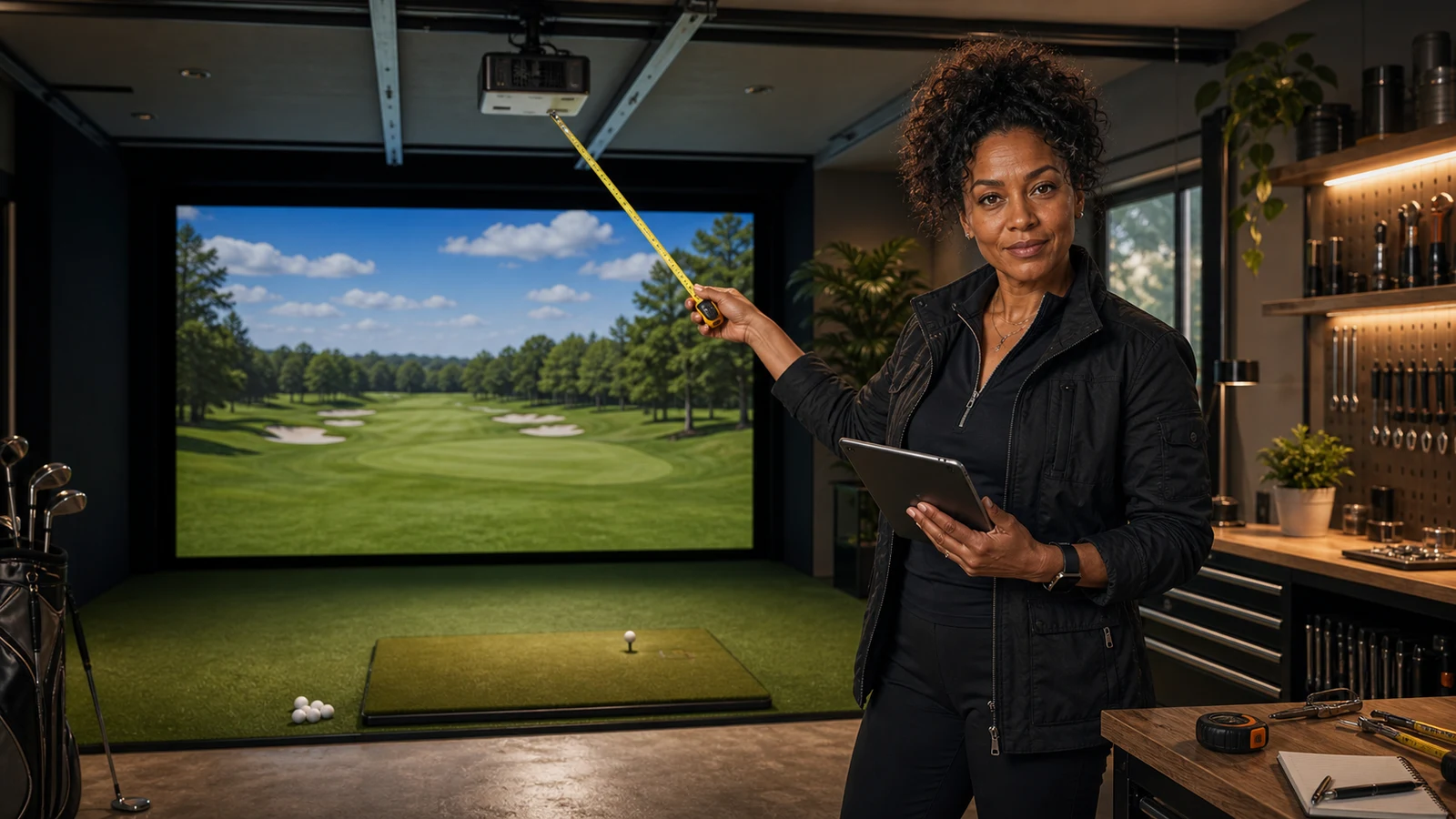
AI editorial scene: Nina is fictional, the measurement problem is real. Actual product proof and specs are below.
Fast Verdict
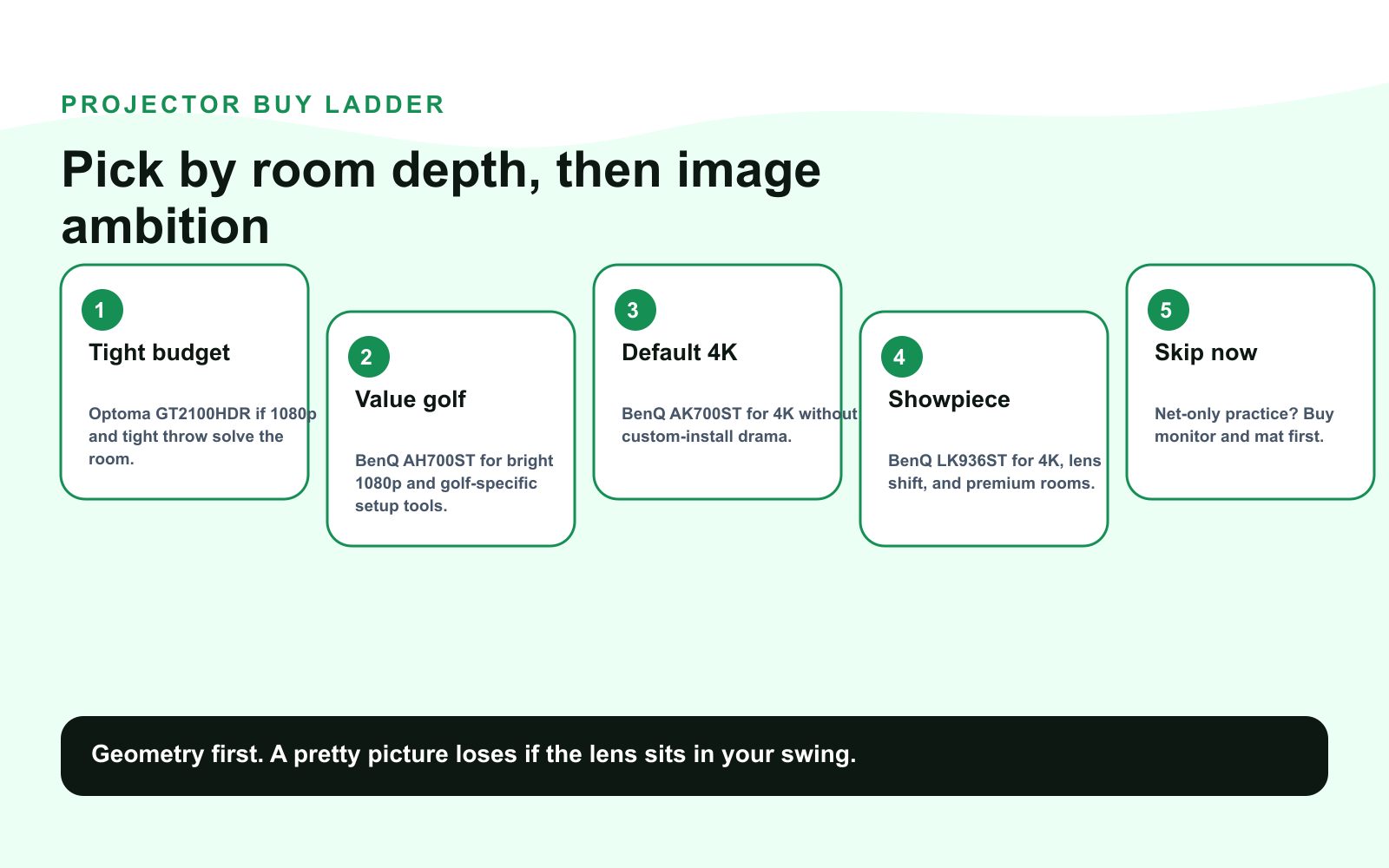
Buy the BenQ AK700ST if you want the clean 2026 default: 4K UHD, 4,000 ANSI lumens, laser light, 0.69-0.83 short throw, Auto Screen Fit, Golf Mode, and a sealed IP5X engine. That is the “I want this room to feel finished” pick.
Buy the BenQ AH700ST if you want the value version of that same golf-specific idea: 4,000 ANSI lumens, 1080p, 0.69-0.83 short throw, Auto Screen Fit, Golf Mode, and less pain at checkout.
Buy the BenQ LK936ST if this is a showpiece room: 5,100 lumens, 4K UHD, BenQ’s 0.8 short-throw lens with 1.1x zoom, strong installation flexibility, and enough brightness to make a large screen feel expensive.
Buy the Optoma GT2100HDR if your room is tight and budget matters: native 1080p, 4,200 lumens, 0.496:1 throw ratio, 4K HDR input, and 8.60 ms input lag. It is not the luxury image pick. It is the “this actually fits my garage” pick.
Skip the projector for now if you are hitting into a net and only need shot data. Put the money into the launch monitor, mat, screen safety, and room layout first. Projection is a dream multiplier, not the foundation.
The Ranking
| Rank | Projector | Verdict | Official spec anchors | Buy it when |
|---|---|---|---|---|
| 1 | BenQ AK700ST | Best default 4K golf projector | 4K UHD, 4,000 ANSI lumens, 0.69-0.83 throw, laser | You want a polished permanent bay without paying LK936ST money |
| 2 | BenQ AH700ST | Best value golf-specific pick | 1080p, 4,000 ANSI lumens, 0.69-0.83 throw, laser | You care more about brightness and fit than 4K |
| 3 | BenQ LK936ST | Best premium/showpiece pick | 4K UHD, 5,100 lumens, 0.8 short throw with 1.1x zoom | You have a large screen and want the room to look high-end |
| 4 | Optoma GT2100HDR | Best tight-room/budget laser | 1080p, 4,200 lumens, 0.496:1 throw, 8.60 ms input lag | Room depth is tight and the budget needs discipline |
Nina’s translation: AK700ST is the best answer when you want the room to feel current. AH700ST is the grown-up value buy. LK936ST is the flex. Optoma is the clever garage solve.
The Product Proof
Throw Ratio Is The Whole Game
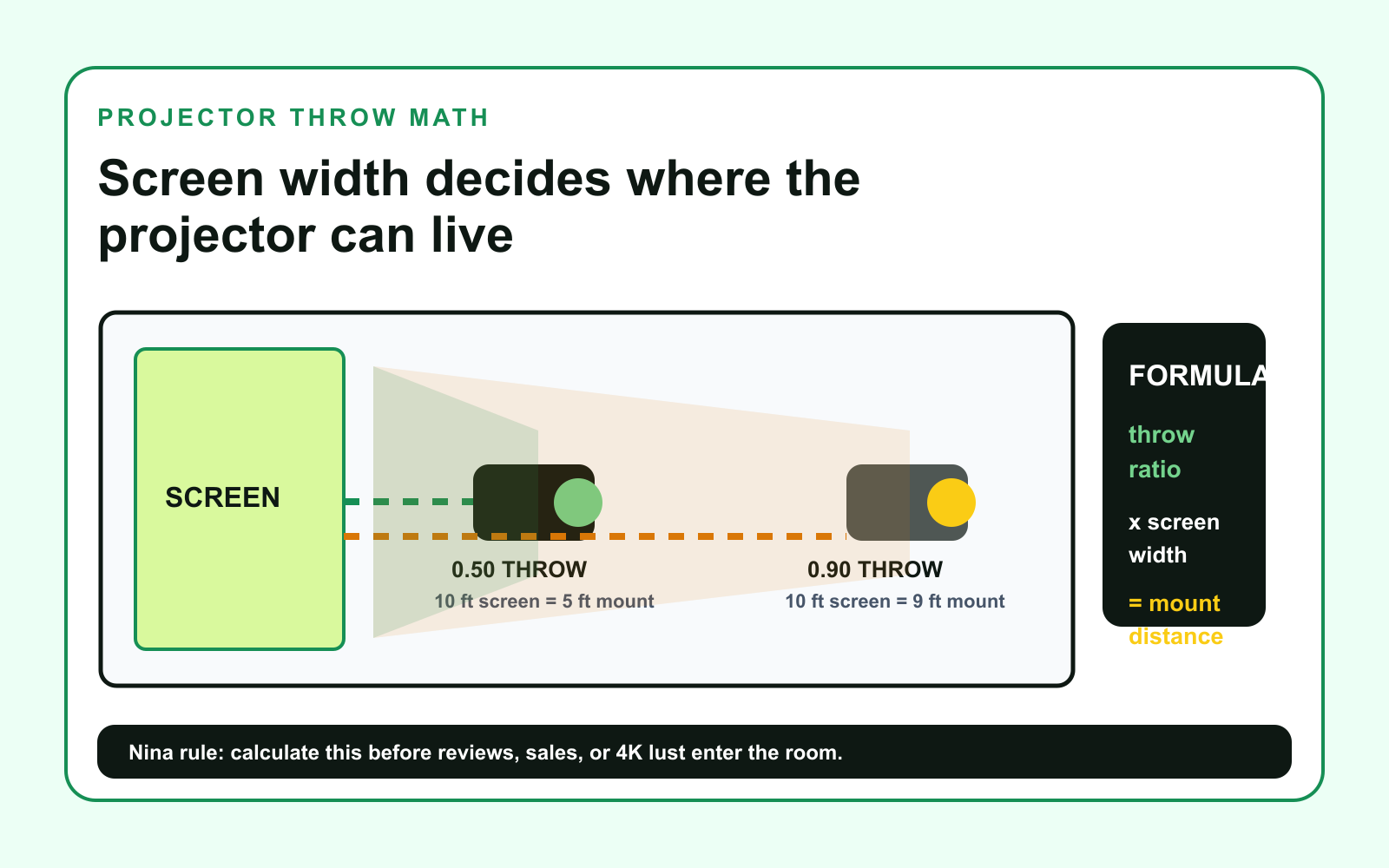
Throw ratio tells you how far the lens must sit from the screen to fill your image width.
Throw distance = throw ratio x image width
If your screen image is 10 feet wide:
- A 0.496 projector needs about 5 feet of throw.
- A 0.70 projector needs about 7 feet of throw.
- A 0.80 projector needs about 8 feet of throw.
- A 1.20 projector needs about 12 feet of throw.
The community pattern on r/Golfsimulator and Golf Simulator Forum is very consistent: shoppers obsess over lumens and 4K, then return or remount the projector because the beam lands in the swing path. Nina’s version is simpler: do the throw math before you read reviews.
The Shadow Trap
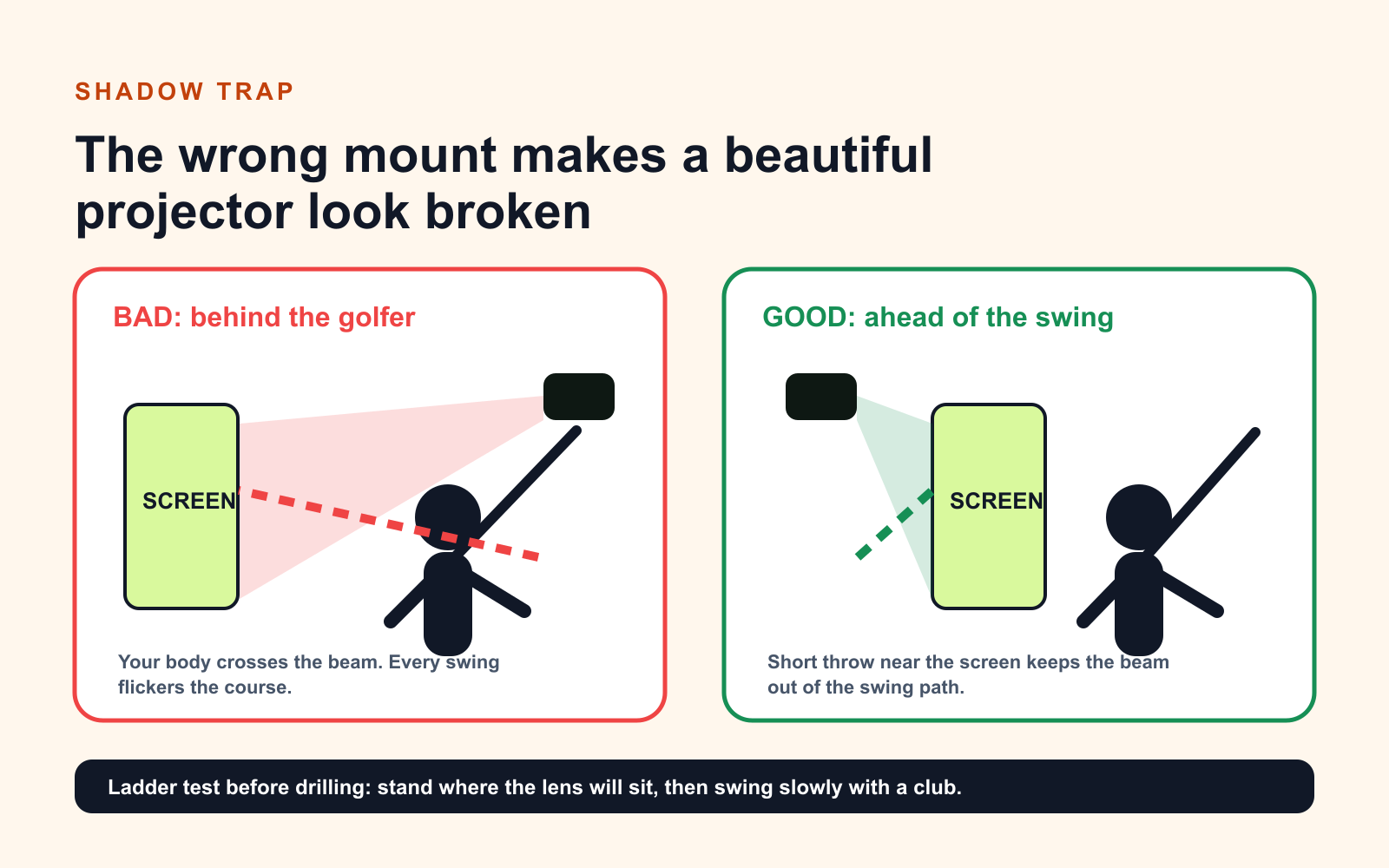
The shadow problem is not mysterious. A long throw projector often has to sit behind the golfer. Then your head, hands, and club pass through the beam. Every swing flickers the fairway.
Short-throw projectors let you place the lens closer to the screen and ahead of the player. That does not mean every short-throw projector automatically works. It means the geometry is possible.
Nina’s ladder test:
- Mark the screen width on the floor.
- Calculate lens distance from the screen.
- Stand where the golfer stands.
- Put a ladder or box where the projector lens would be.
- Make a slow backswing with the longest club you plan to use.
- If the imaginary beam crosses your body or club, do not buy yet.
4K vs 1080p: The Adult Answer
4K is not stupid. It is just not the first question.
Choose 4K when:
- The screen is large enough to show the difference.
- The room is permanent and treated like a real sim bay.
- The projector is bright enough for the screen size.
- The launch monitor, mat, screen, and enclosure are not bargain-bin weak links.
- You care about visual immersion, not just data practice.
Choose 1080p when:
- The bay is budget-first.
- The screen is closer to 9-10 feet wide.
- You are still building the room in phases.
- Brightness, short throw, and low input lag matter more than pixel count.
- The savings buys a better mat, screen, enclosure, or launch monitor.
That is why the AH700ST and GT2100HDR stay in the guide. A bright, correctly mounted 1080p laser beats a 4K projector mounted in the wrong place. This is not a lifestyle slogan. It is what happens when light hits a golfer.
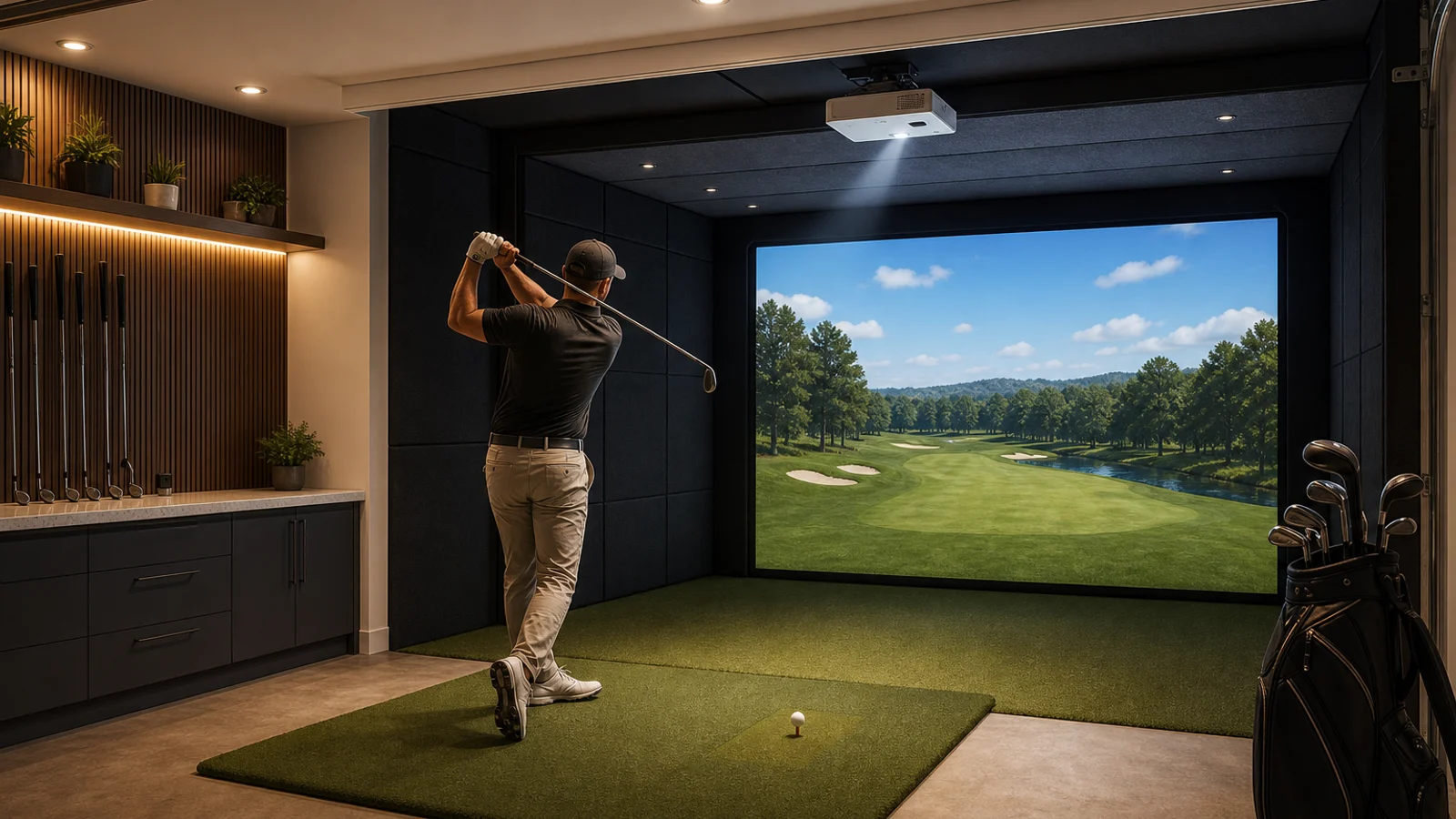
AI editorial scene: use this for room inspiration, not product identification. Product recommendations use real photos above.
Which One Should You Buy?
If you want the safest premium default: BenQ AK700ST
The AK700ST is the best all-around answer because it hits the 2026 buyer sweet spot: 4K, 4,000 ANSI lumens, short throw, laser light, golf-specific setup features, and a sealed engine that makes sense in a dusty garage or utility room.
The caveat: do not buy it just because it is 4K. Buy it because your screen size, room depth, ceiling mount, and budget all support it. If you are still debating the whole room layout, use the home golf simulator build sheet before you buy the projector.
If you want the smart value pick: BenQ AH700ST
The AH700ST is where Nina gets practical. It keeps the 4,000-lumen laser and golf-specific BenQ conveniences, but it is 1080p. For many home bays, especially where the screen is not enormous, that is not a failure. That is sane prioritization.
Spend the saved money on a premium screen or a mat that will not punish your joints. A dull screen and a cheap mat will make a 4K projector feel like regret with a remote control.
If you want the “this room is the hobby” projector: BenQ LK936ST
The LK936ST is not subtle. BenQ’s live product page emphasizes 5,100 lumens, 4K image quality, a 0.8 short throw with 1.1x zoom, Golf Mode color optimization, and lens shift. This is the projector for a large permanent bay where the image is part of the pride.
The caveat is obvious: it is expensive, and it wants a room worthy of it. Do not put LK936ST money into a space with a cheap screen, bad turf, no side protection, and a weekend-warrior enclosure. Build the room to deserve it.
If the garage is shallow: Optoma GT2100HDR
Optoma is not as golf-specific as BenQ here, but the GT2100HDR has one killer number: 0.496:1. That can solve rooms where a 0.70-0.80 projector pushes the lens too far back.
The caveat: native 1080p. If you want the cleanest image on a big premium screen, this is not the flex. If you want a bright, low-lag, tight-throw laser that fits a normal garage without financial theater, it belongs on the shortlist.
Setup Tax: What The Box Does Not Include
Budget for the stuff that makes the projector behave:
- A stable ceiling mount that can be squared to the screen.
- Power near the mount, preferably not a dangling extension cord situation.
- A long HDMI or active optical HDMI cable if the PC is across the room.
- Cable raceway or conduit, because nothing ruins a premium bay like spaghetti.
- A screen with enough tension and quality to reward the projector.
- Ambient-light control if the room has garage windows.
- A return window long enough to test at full screen size before final drilling.
Nina’s warning: keystone is a rescue tool, not a design plan. Mount square first. Use zoom, shift, or screen fit features to finish the job. If you rely on aggressive keystone, you paid for pixels and then threw some of them away.
Community Pattern Reads
I do not treat Reddit or forum posts as lab measurements. I treat them as smoke detectors. When the same complaint shows up repeatedly, it earns a warning label.
The patterns worth taking seriously:
- Builders are happiest when they calculate throw ratio before picking a model.
- Short throw under about 0.90 is the recurring community advice for avoiding shadows in typical home bays.
- 4K excitement fades quickly if the projector is dim, misaligned, or fighting a cheap screen.
- Ceiling height, mount position, and left/right golfer use matter more than the product page makes them sound.
- People underestimate cable routing, especially when the gaming PC is not near the projector.
- Dust and garage conditions make sealed laser designs more attractive than old lamp projectors.
Start with these community research paths:
- r/Golfsimulator projector throw ratio search
- Golf Simulator Forum projector discussions
- ProjectorScreen golf simulator projector guide
Source Shelf
Hard specs in this guide were checked on July 2, 2026 against official pages:
- BenQ AK700ST official specs
- BenQ AK700ST official product page
- BenQ AH700ST official specs
- BenQ AH700ST official product page
- BenQ LK936ST official product page
- Optoma GT2100HDR official product page
What To Buy
If you are building a serious permanent room, start here:
If you are still planning the whole room, read these before checkout:
- Home golf simulator build sheet
- Golf simulator room size guide
- Golf mats, screens, and enclosures guide
- Browse the golf gear bench
Nina’s Final Call
For most high-intent 2026 buyers, I would spec the BenQ AK700ST first, then check whether the room and screen actually justify 4K. If the budget starts breathing hard, I would drop to the BenQ AH700ST before I cheap out on the screen or mat. If the room is huge and the whole bay is meant to impress people, the LK936ST earns the upgrade. If the garage is shallow, the Optoma GT2100HDR may be the smartest thing in the cart.
Projectors are not where you prove you are fancy. They are where you prove you measured.
Key takeaways & quick answers
IgnitionSim is reader-supported. When you buy through links on our site we may earn an affiliate commission at no extra cost to you — it never changes our verdict or your price. As an Amazon Associate we earn from qualifying purchases.
Keep reading
Golf Simulator Mats, Screens, and Enclosures in 2026: The Stuff You Should Not Cheap Out On
The launch monitor gets the glamour. The mat, screen, foam, side protection, and enclosure decide whether your golf sim is safe, quiet, and usable after week two.
Home Golf Simulator Build Sheet 2026: Room Size, Launch Monitor, Mat, Screen, Projector, and the Buy Order
Nina's rule: measure the room before shopping. The launch monitor is the brain, but the mat, screen, and ceiling height decide whether the build works.
Best Home Golf Simulator Under $10,000 in 2026: The Parts That Matter, The Traps That Blow The Budget
A $10K home golf sim is very doable, but only if you stop spending like every category is the hero. Here is the build order, the budget math, and the parts worth buying.
Golf Simulator Room Size in 2026: The Ceiling, Depth, and Width Your Bay Actually Needs
Before you spend a dollar, you measure. Ceiling height, depth, and width decide which launch monitor and projector can even work in your room — here is the 2026 map from tape measure to hardware.