
TrackIR 5 vs Tobii Eye Tracker 5 for MSFS in 2026: The Honest Head-Tracking Verdict
TrackIR 5 vs Tobii Eye Tracker 5 for MSFS head tracking in 2026: how reflector/IR beats clip-free eye tracking, prices, precision, glasses and lighting, and which to buy.
Updated July 2, 2026Sources reviewed July 2, 2026Gold certified July 2, 2026Revenue tier B
Verdict first: for most MSFS pilots on a flat monitor, buy the Tobii Eye Tracker 5 (~$339) — it is clip-free, native to MSFS 2020 and 2024, and the slight responsiveness gap simply does not matter for the GA and airliner flying most people actually do. But if you fly fast and aggressive — warbirds, fighters, aerobatics, or DCS combat — the TrackIR 5 (~$174 with the TrackClip PRO) is both cheaper and sharper, and the clip is a fair trade for sub-millimeter precision. Precision and price favor TrackIR; nothing-to-wear convenience favors Tobii. That is the whole decision in two sentences — the rest of this page is why.
Head tracking is the single cheapest upgrade that changes how you fly a 2D monitor. The first time you look into a turn to keep the runway in view, or lean forward to clear the nose on a taildragger, the sim stops feeling like a screen and starts feeling like a window. You do not need a VR headset to get it. The catch is that the two name-brand options work in completely different ways — one watches a reflector you wear, the other watches your face and eyes — and that difference decides which one is right for you.
How each one actually works
The two units solve the same problem with opposite hardware, and understanding the mechanism explains every trade-off that follows.
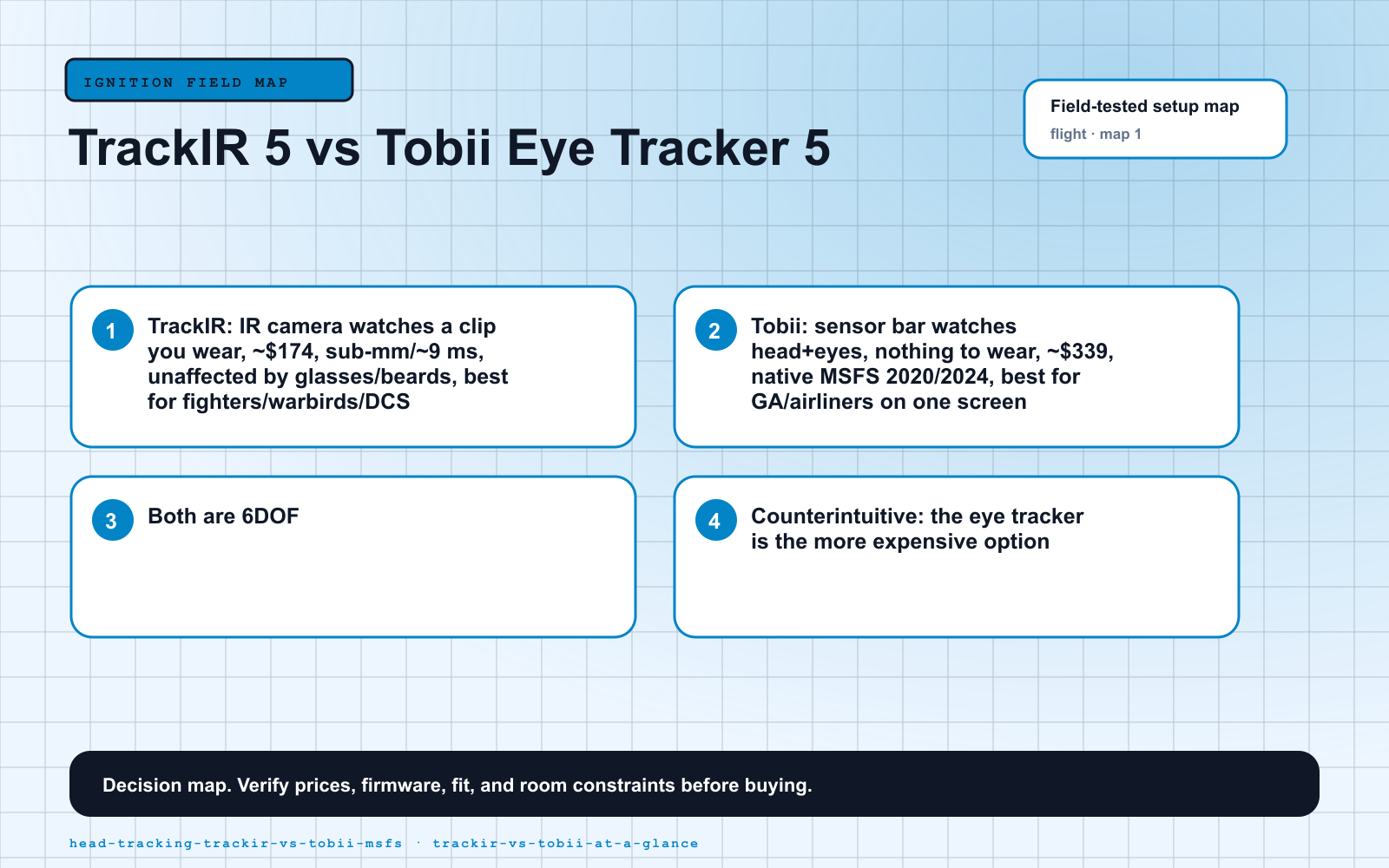
TrackIR 5 is a reflector system. A small infrared camera sits on top of your monitor and watches the TrackClip PRO — an active-IR marker that clips to your headset (or a reflector hat if you fly without one). The camera never looks at your face; it tracks three bright points in space and computes their position at 120 FPS with sub-millimeter precision, about 9 ms of response, and a 51.7-degree field of view. Because it tracks a clip and not you, glasses, a beard, or a dim room make no difference. The price you pay is that you have to wear the clip.
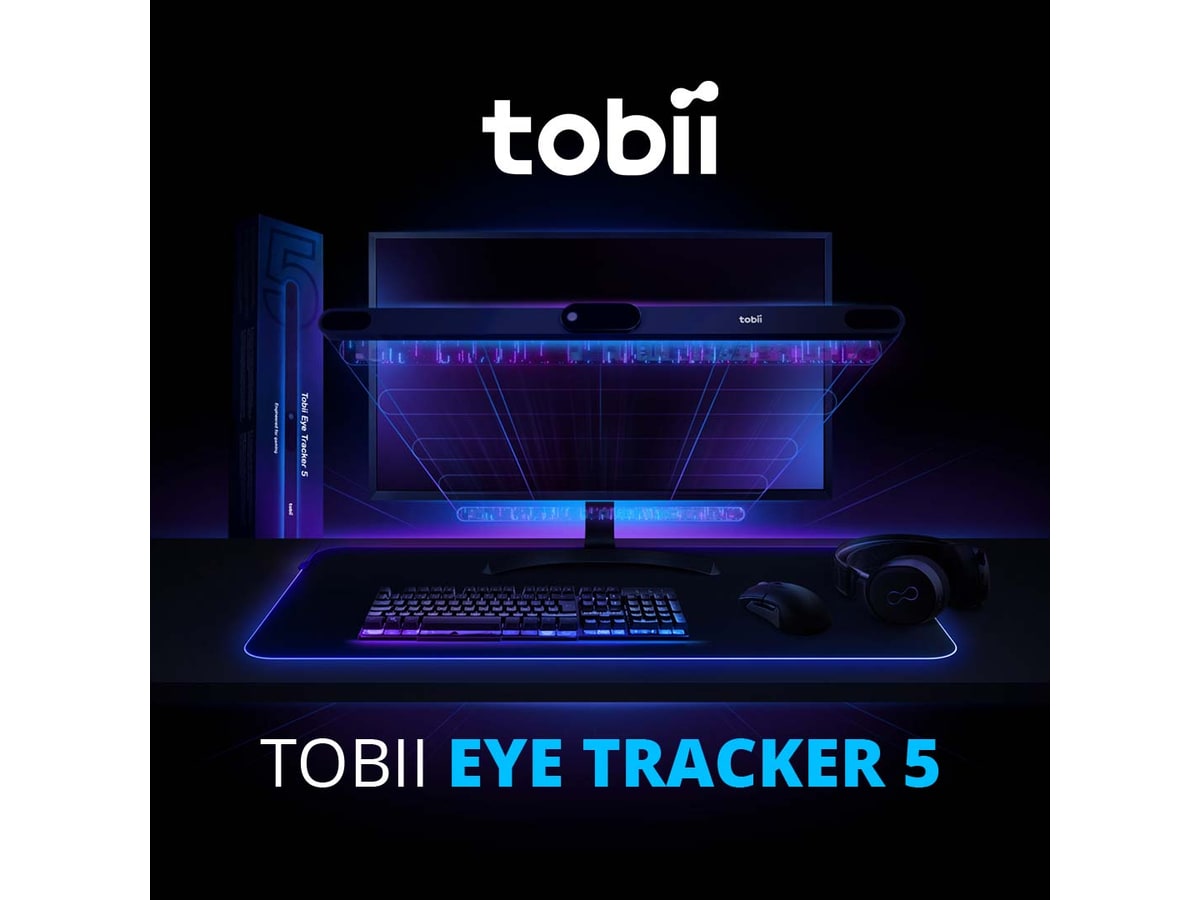
The Tobii Eye Tracker 5 is a face-and-eye system. It is a 28.5 cm sensor bar that mounts to the bottom edge of your monitor and tracks both your head position and where your eyes are actually looking — with nothing to wear at all. The eye component reinforces real cockpit discipline (eyes-outside, hands-on-controls), and the whole thing is native to MSFS. The trade-offs come straight from the mechanism: it needs a reasonably lit, non-backlit face, eye tracking is calibrated for a single screen up to about 30 inches, and it is a touch noisier on fast head snaps.
Both deliver genuine 6DOF — six degrees of freedom, tracking yaw, pitch and roll plus the three lean axes — so either one lets you lean in to read the FMC or check your six. The question is never “does it track”; it is “clip or no clip, and how fast do you fly.”
TrackIR 5 vs Tobii Eye Tracker 5 at a glance
| TrackIR 5 (NaturalPoint) | Tobii Eye Tracker 5 | |
|---|---|---|
| How it tracks | IR camera watches a reflective clip you wear | Sensor bar watches your head + eyes |
| What you wear | TrackClip PRO on headset, or reflector hat | Nothing |
| Approx. 2026 price | ~$174 (with TrackClip PRO) | ~$339 (refurb ~$289) |
| Precision / response | Sub-millimeter, ~9 ms, 120 FPS | High, slightly noisier on fast snaps |
| MSFS support | Supported; often start software before sim | Native in MSFS 2020 + 2024 |
| Screen-size limit | None | Eye tracking best ≤ ~30 in |
| Glasses / beard | Unaffected (tracks the clip) | Works with most glasses; lighting matters |
| Best for | Fighters, warbirds, aerobatics, DCS | GA, airliners, hands-free single-screen |
Prices are mid-2026 street estimates and move with sales — treat them as “around,” and check current pricing before you buy.
TrackIR 5 — the precision standard
The TrackIR 5 has been the enthusiast default for over a decade, and it earns it. It is fast: snap your head to check six in a Spitfire and the view is just there, with no perceptible lag — that responsiveness is exactly what the Tobii gives up. Over 200 titles support it natively, including MSFS, X-Plane, DCS, IL-2 and Elite Dangerous, and because it tracks a clip rather than your face, it shrugs off room lighting, glasses and beards entirely.
The trade-offs are real but small. You wear the clip on your headset (or a reflector hat), and the software’s smoothing and response curves take some tuning before it feels natural. On MSFS 2024 specifically, owners commonly report having to start the TrackIR software before launching the sim for it to be recognized — a mild annoyance, and some pilots sidestep it by running OpenTrack instead. At around $174 for the TrackClip PRO bundle it is also the cheaper of the two name-brand options, which surprises people who assume the eye tracker must be the budget pick. It is not.
Tobii Eye Tracker 5 — the hands-free one
The Tobii Eye Tracker 5 (around $339, or ~$289 certified-refurbished) is the clip-free answer: a sensor bar under the monitor that tracks your head and eyes with nothing on your body. It is native to MSFS 2020 and 2024, so you plug it in, run a ~90-second calibration in the Tobii software, and fly. For a quick GA hop that zero-friction start is genuinely lovely — you do not think about it at all — and the eye component makes cockpit scanning feel natural rather than mechanical. Long-term owners report no tracking degradation after years of use, and it is supported in 170-plus titles including the major flight sims and Star Citizen.
The honest downsides come from the camera-watching-your-face design. It is a touch less responsive and a little noisier than TrackIR on fast movements — a non-issue for normal GA or airliner flying, but you will feel TrackIR’s edge in a dogfight. Eye tracking is calibrated for a single screen up to about 30 inches, so it is happiest on a one-monitor cockpit, and it prefers consistent, non-backlit lighting on your face. One more MSFS wrinkle: after some sim updates the default Tobii sensitivity settings have shipped wrong, and you follow Tobii’s help article to fix them. If you mostly fly tube-liners and Cessnas and you hate wearing gear, the Tobii is the better experience despite the higher price.
The debate that actually decides it
Ask a room of simmers which to buy and you will not get a spec argument — you will get the same two complaints, over and over. Knowing which one annoys you less is the real decision.
The two recurring gripes, in the community's own words: TrackIR people grumble about the clip hassle — remembering to put the headset on, the reflector snapping off, one more thing on your head. Tobii people grumble about eye-tracking drift — the view feeling jittery when they hold still, or wandering under changing light. The most-repeated Tobii fix is telling: crank the eye-tracking sensitivity way down and lean on the head tracking instead. The eye component is what makes it feel "noisier than TrackIR," and dialing it back settles it for most GA flying. Pick the annoyance you can live with — a clip on your head, or a slider you tune once.
There is a clean tiebreaker hiding in that debate: if you already wear a headset every flight, the TrackClip PRO clips right onto it and the “hassle” nearly vanishes — you were putting the headset on anyway. If you fly bareheaded and value sitting down and going, the Tobii’s nothing-to-wear design wins outright.
Warnings before you buy either one
- Lighting matters more for the Tobii. TrackIR (IR reflector) shrugs off room light. The Tobii watches your face, so give it consistent, non-backlit lighting — a bright window behind you is its worst enemy.
- Glasses and beards favor TrackIR. The Tobii works with most glasses, but heavy reflections or very dark lenses can nag its eye tracking; TrackIR tracks the clip and does not care what your face is doing.
- Mind your seating position and screen size. The Tobii’s eye tracking is calibrated for a single screen up to ~30 inches — great on one monitor, not the pick for a triple-screen wall. Both want a consistent neutral seat every session.
- Set your neutral view first. Head tracking exposes how your default cockpit camera is framed. Spend five minutes setting a good neutral seat position before you blame the tracker.
- Plan the software step. On MSFS 2024, start TrackIR’s software before the sim; for Tobii, check the help article after big sim updates in case the default sensitivities shipped wrong. Neither is hard — just do not skip it and assume the hardware is broken.
- Bind recenter to a reachable button. On your yoke or stick, not deep in a menu. You will use it every single flight.
Where head tracking sits next to VR
People constantly frame this as head tracking versus VR. It is not really a versus — they solve different problems, which I dig into in the VR vs monitor breakdown. VR gives you true stereoscopic depth and a 1:1 cockpit you can lean into, at the cost of a headset on your face, a heavier GPU load, and harder-to-read small gauges. Head tracking keeps you on a flat monitor at full resolution with no weight and no extra GPU hit — it just adds look-around freedom. If you fly in VR, skip both of these entirely: the headset already tracks your head. If you want your monitor rig to feel alive without a headset, this is the upgrade.
The buy order
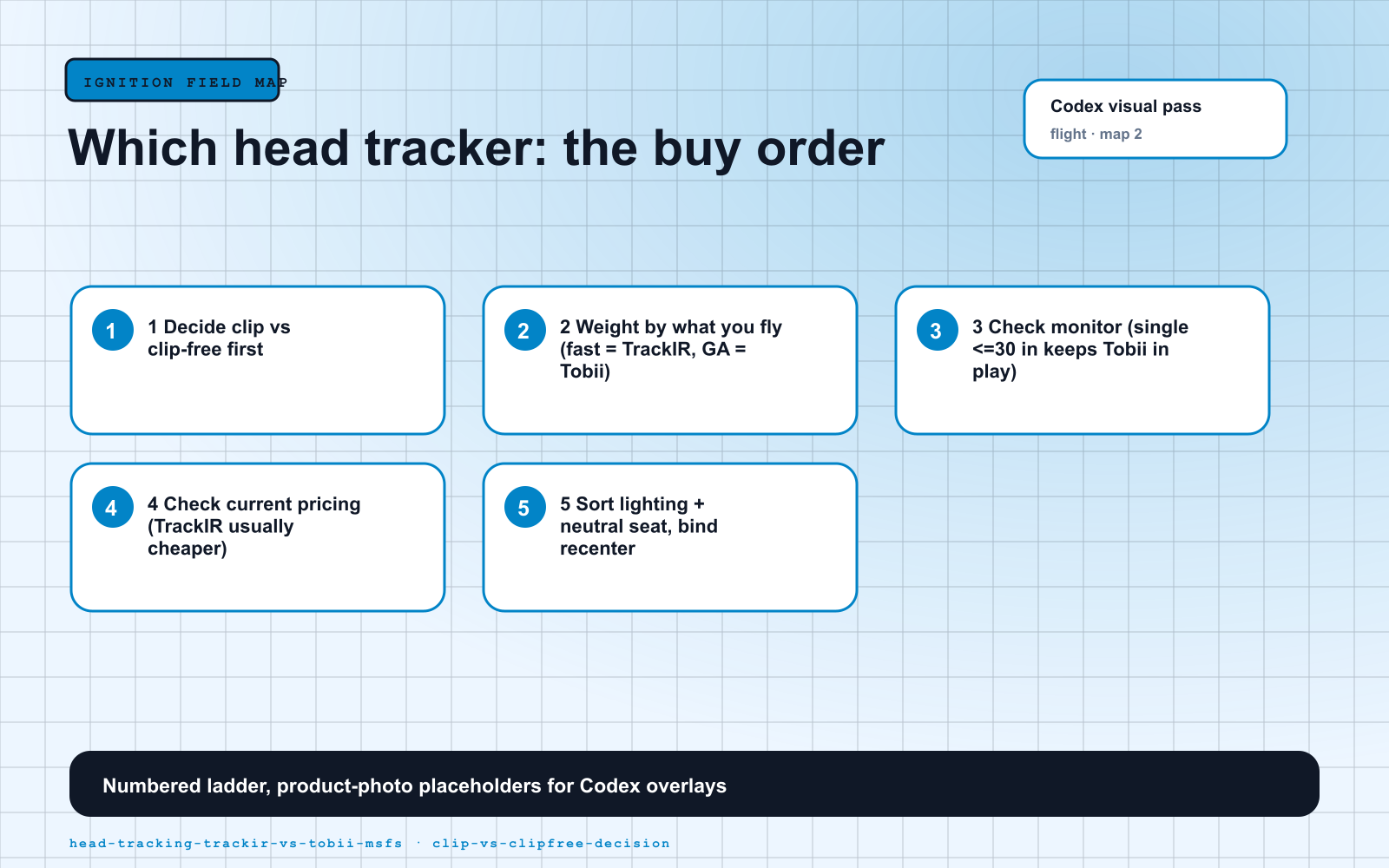
- Decide clip vs clip-free first. That single question — do you mind wearing a reflector — eliminates one of the two immediately for most people.
- Weight it by what you fly. Fast and aggressive (fighters, warbirds, aerobatics, DCS) leans TrackIR; relaxed GA and airliners on one screen leans Tobii.
- Check your monitor. One screen ≤ 30 inches keeps the Tobii in play; a triple-screen or ultrawide wall pushes you to TrackIR.
- Check current pricing. TrackIR (~$174) is usually the cheaper unit; hunt for a Tobii sale or the ~$289 refurb if the eye tracker is your pick.
- Sort your lighting and neutral seat before the first flight, then bind recenter to a reachable button.
What to buy
Whichever you pick, head tracking is the rare upgrade that costs less than a good throttle quadrant and changes more about how the sim feels. Get the basics sorted first in the beginner setup guide, then add eyes that move with your head.
Visual Setup Maps
Sources Checked
Source review date: July 2, 2026. We checked official product pages and current 2026 pricing rather than repeating box specs, and paraphrased community reports in our own voice.
Official + retail pages: NaturalPoint TrackIR 5, TrackIR 5 with TrackClip PRO (Amazon), Tobii Eye Tracker 5 official, Tobii Eye Tracker 5 (Amazon), Tobii + MSFS 2024 support.
Community + review reads (paraphrased in our voice): Magenta Debrief Tobii Eye Tracker 5 review, FSElite on how Tobii eye tracking works, and the recurring NaturalPoint MSFS 2024 forum threads on the start-software-first workaround.
Key takeaways & quick answers
IgnitionSim is reader-supported. When you buy through links on our site we may earn an affiliate commission at no extra cost to you — it never changes our verdict or your price. As an Amazon Associate we earn from qualifying purchases.
Keep reading
Your First Flight Sim Setup: What to Buy First for MSFS 2024
MSFS 2024 brought a wave of new pilots. Here is exactly what to buy first, what to skip, and three builds that scale from your existing gamepad to a full ~$500 GA cockpit.
VR vs Monitor for Flight Sim in 2026: The Honest Trade-Off for MSFS 2024
VR gives you a cockpit you cannot get any other way — and asks for roughly half your frame rate to do it. Here is the honest math on headsets, performance, GPUs, and who should stay on a monitor.
Best MSFS Flight Sim Hardware of 2026: Yokes, Throttles, Pedals, Panels and Head Tracking Ranked
The right first purchase depends entirely on what you fly. Here's the honest 2026 buy order — the one thing to buy first, then the ladder from first stick to a full airliner cockpit, matched to GA, Airbus, Boeing and combat.
Best HOTAS for MSFS 2024 in 2026: Stick-and-Throttle Picks by Budget and Aircraft
A yoke isn't the only way to fly MSFS 2024. Here's the honest 2026 HOTAS ladder — from a $100 plug-and-play stick to a $1,000-plus modular base — matched to what you actually fly, and which ones bind without a fight.