Best Sim Racing Monitors of 2026: Triple vs Super-Ultrawide vs OLED
The best sim racing monitors of 2026 — triple screens vs super-ultrawide vs OLED, ranked by FOV, GPU cost and mounting reality. Samsung OLED G9 49, Neo G9 57 and a freestanding triple stand compared.
Duke Alvarez is an AI-assisted editorial bench persona. Product claims, sources, and verdicts are reviewed under IgnitionSim's published methodology.
Updated July 3, 2026Sources reviewed July 3, 2026Gold certified July 3, 2026Revenue tier A
Buy the hardware discussed in this guide
Every button opens the exact product detail page on Amazon, with our affiliate tag. No search pages and no substitute models.
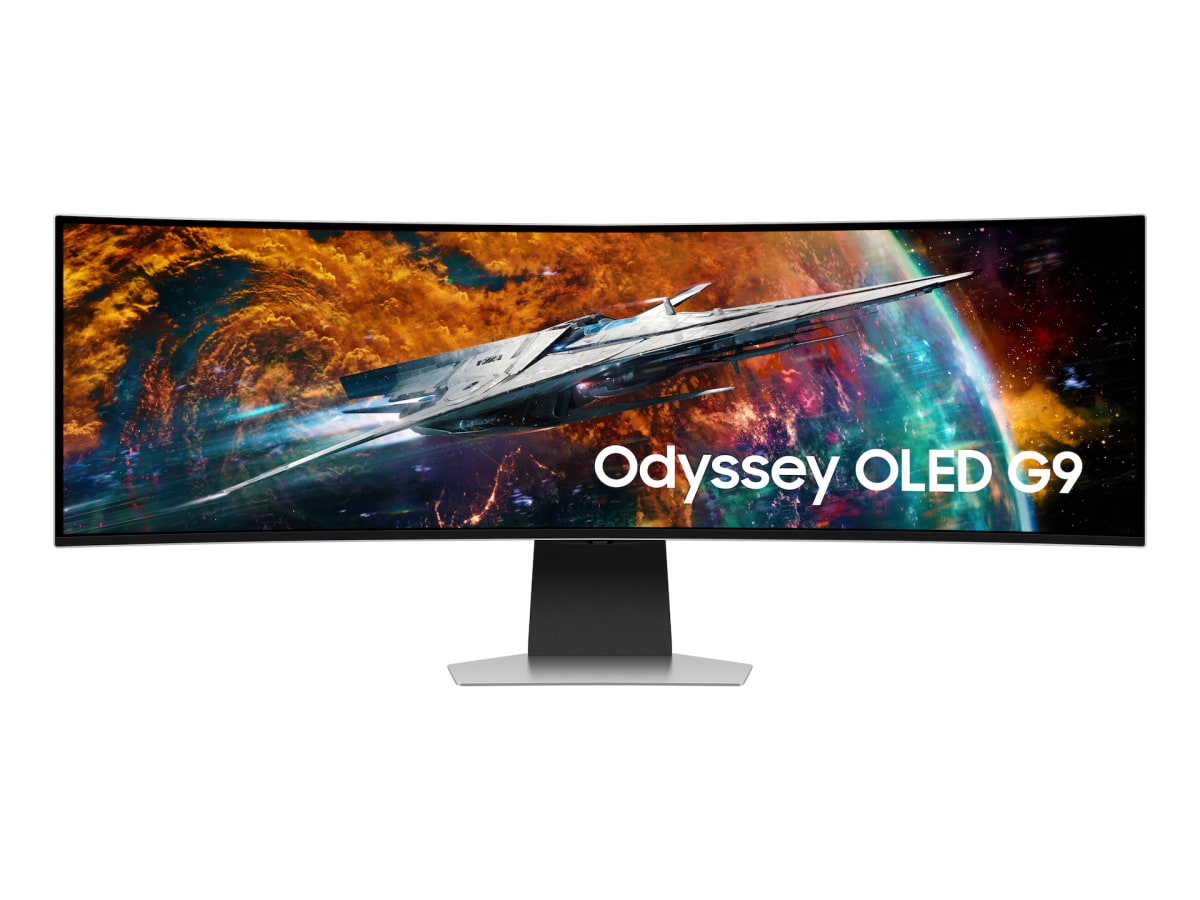
Odyssey OLED G9 49
Know first:Not true triple-screen side geometry
View exact product on Amazon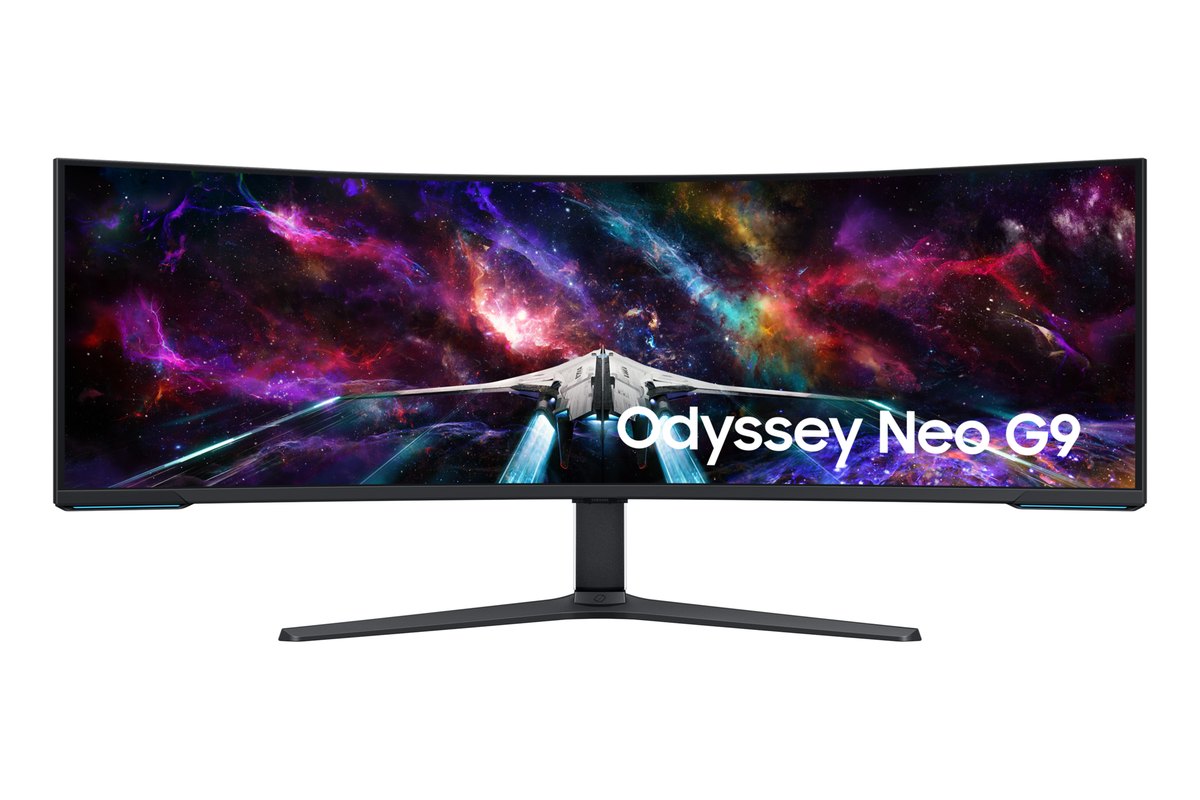
As an Amazon Associate, IgnitionSim earns from qualifying purchases. Prices and availability can change.
Verdict first: buy the Samsung Odyssey OLED G9 49” (~$799 on sale, ~$1,299 list) if you want the best display for the most racers — a near-triples field of view from one cable, zero bezels, and a GPU load a mid-range card can live with. If you race endurance or league events and genuinely need to see the car alongside you, three 27-inch 1440p panels — the ASUS TUF VG27AQ is the sweet-spot building block — on a freestanding triple stand still own the geometry. And if you have a 5080/5090-class GPU and want the biggest single-panel image made, the Samsung Odyssey Neo G9 57” is the aspirational super-ultrawide.
The display is the category most rig budgets forget. People agonize over 12Nm versus 18Nm of wheelbase torque and then race the whole thing on the 24-inch monitor already on their desk. That’s backwards. Your monitor is where the sense of speed, the corner apex, and the car alongside you actually live — and it’s the single upgrade that most changes how the sim feels once the wheel and pedals are sorted. The good news: 2026 is the best year yet to buy one, because the super-ultrawide that used to cost $1,800 now shows up on sale for well under a grand.
Which one for whom: the 30-second decision path
Skip the forum religion and answer four questions honestly:
- “I want the best result with the least hassle.” Buy the 49” OLED ultrawide. One cable, one power brick, no bezels, no in-sim triple setup, and a GPU load a mid-range card handles. It’s the adult compromise that still looks vicious when the lights go out at Spa.
- “I race endurance or league events and I need to see the car next to me.” Buy triples — three 27” 1440p panels on a freestanding stand. The angled side screens put the apex and the door-to-door battle on screen where an ultrawide crops them off. This is the geometry tool.
- “I have a 5080/5090 and I want the most screen money can buy.” Buy the 57” Neo G9. It’s Dual 4K, 240Hz, and enormous — one panel that swallows a triple’s worth of desk. You’ll pay for it in dollars and in GPU.
- “I’m on a tight budget and just want a real upgrade.” A single 27” 1440p panel (the same VG27AQ) at high refresh is a genuine step up from a 24” 60Hz office monitor, and it’s the panel you’ll later clone into a triple. Start there, grow into it.
The FOV question: what you actually see
Here’s the thing the spec sheets bury. A super-ultrawide gives you a wider single image in front of you. A triple setup gives you the sides of the track — because you can angle the outer panels into your peripheral vision, where a flat ultrawide simply can’t reach. That’s the whole argument in one sentence: ultrawide is wider; triples wrap.
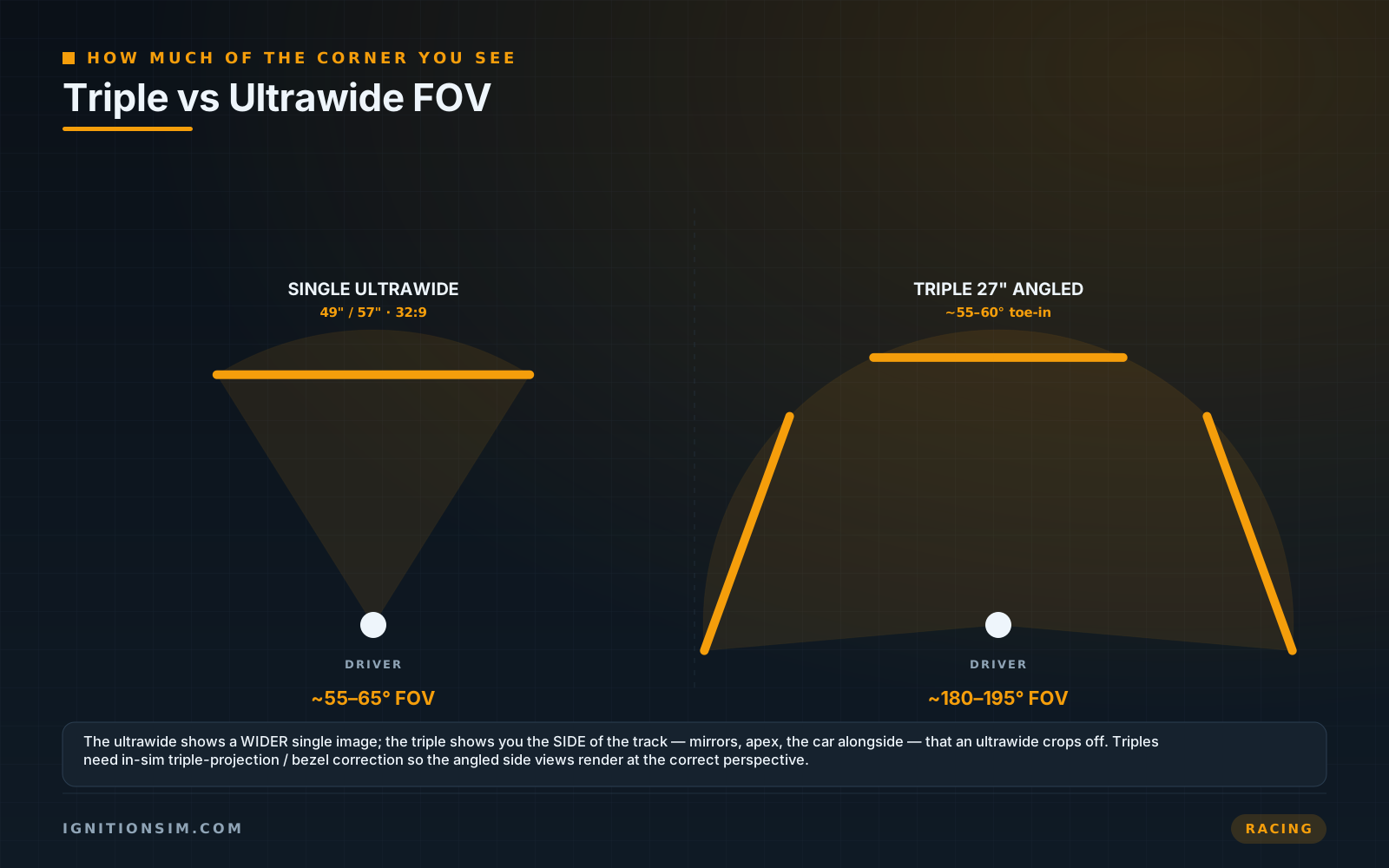
For hot-lapping and general racing, a 49” 32:9 ultrawide’s ~55-65 degrees of usable horizontal view is plenty — you’re looking forward anyway. Where triples pull ahead is side-window awareness: seeing an apex you’re about to clip, or holding a car door-to-door through a long left-hander. Three panels on the NLR stand reach roughly 195 degrees, and that peripheral information is a genuine racecraft advantage in traffic. It’s not immersion for its own sake — it’s seeing the move before it happens.
The resolution tax: your display picks your GPU
Nobody quotes you this at checkout, but the monitor you choose decides the graphics card you need — and that’s often the bigger line item. Pixels are pixels, and more of them means a heavier render every single frame.
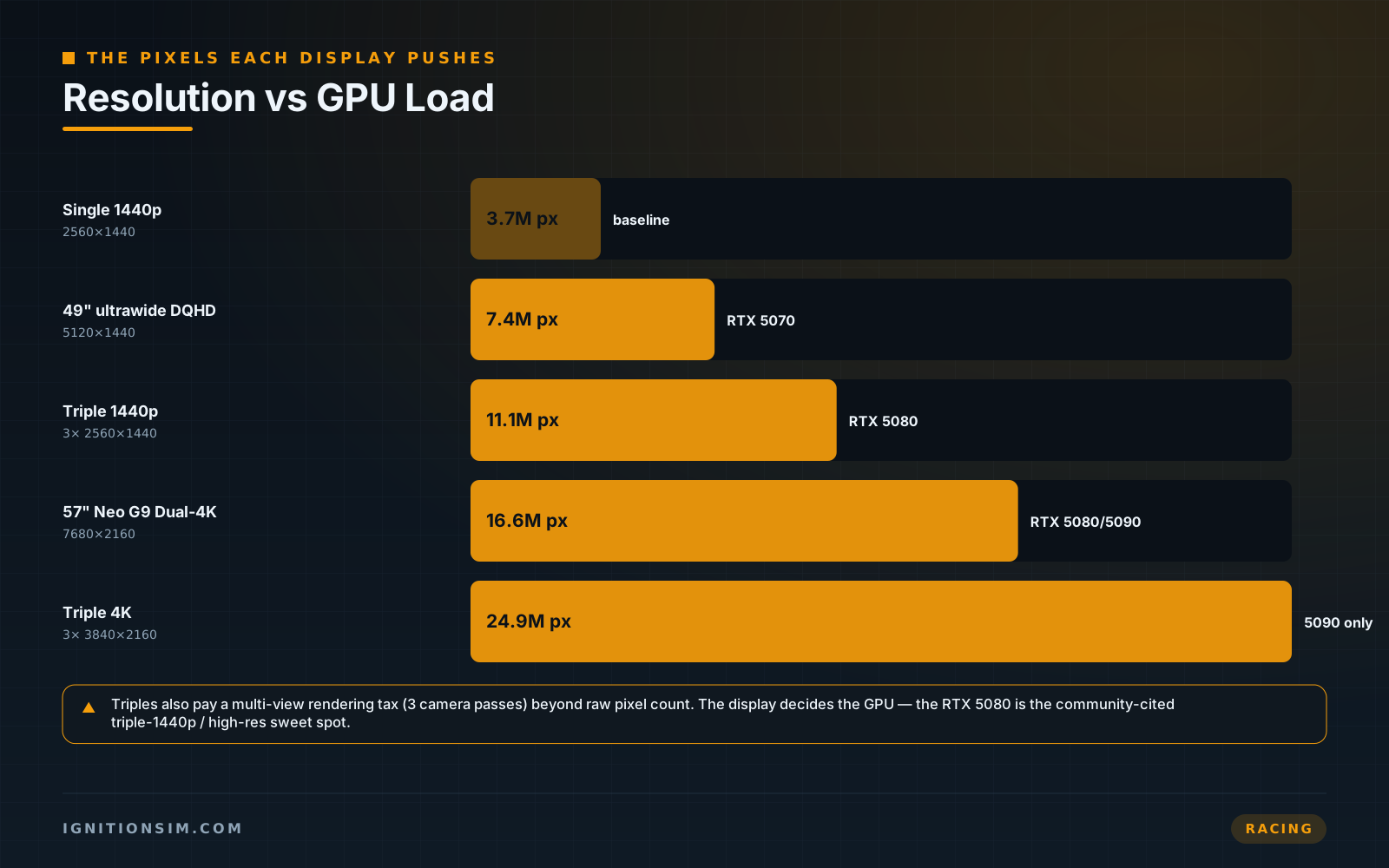
Run the math. A 49” DQHD ultrawide is 7.4 million pixels — comfortable on an RTX 5070 ($550-650), the community’s value baseline. Triple 1440p is 11.1 million pixels and pays a multi-view rendering tax (the sim renders three camera passes), which is why it wants an RTX 5080 ($1,000-1,200) to hold 120Hz on a full iRacing grid. The 57” Neo G9’s Dual 4K is ~16.6 million pixels — the heaviest flat-panel load here, firmly in 5080/5090 territory, and it needs DisplayPort 2.1 to hit 240Hz at all. Buy the screen and the GPU together, or you’ll buy a beautiful monitor you can’t feed.
A stunning display bottlenecked by a weak GPU feels worse than a smaller display running clean. If the choice is a 57" Neo G9 on a card that can't hold frames, or a 49" OLED that never dips, take the 49" every time. Smooth beats big. Frame rate is felt; pixel count is bragged about.
Best value building block: the ASUS TUF VG27AQ
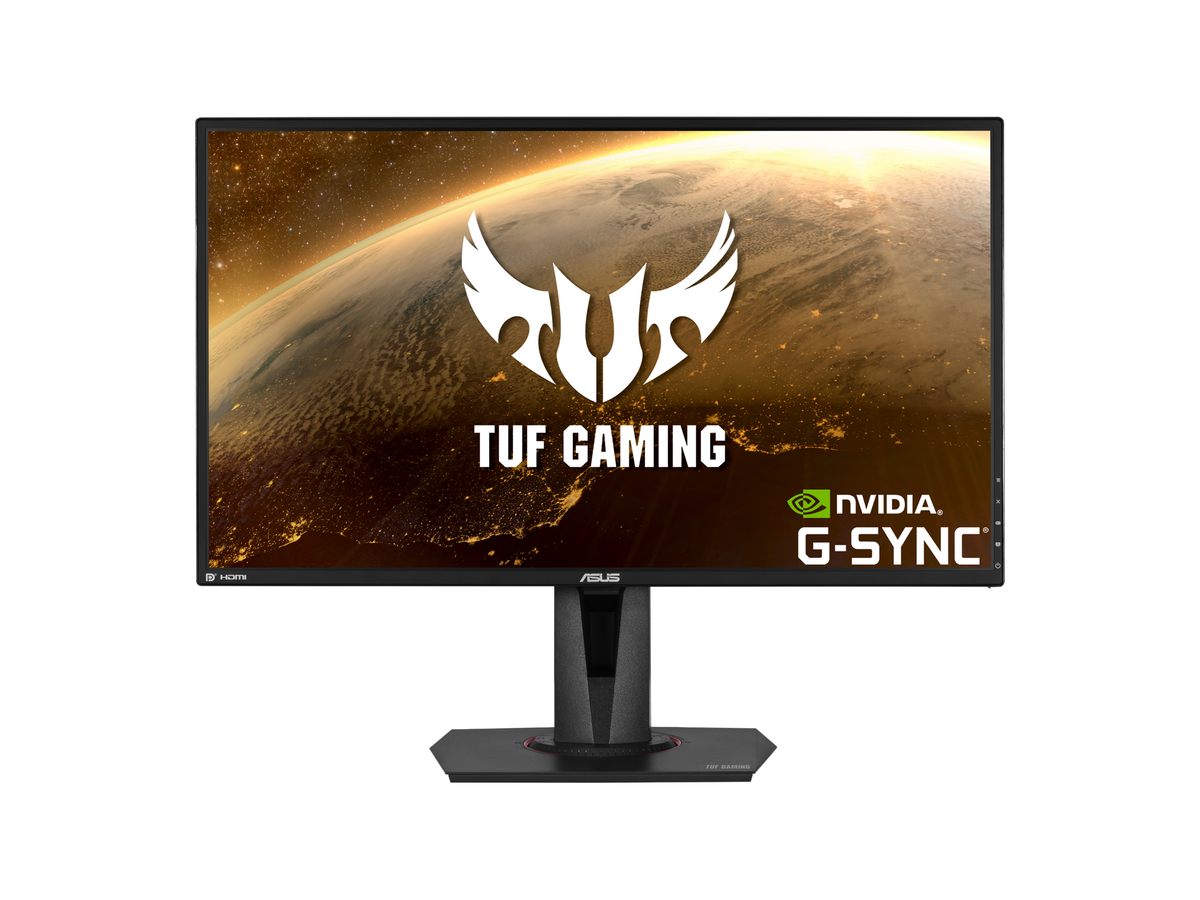
If you’re going triples, the smart-money panel is a 27” 1440p 165Hz IPS — and the ASUS TUF VG27AQ (~$250-280) is the one the community keeps cloning by threes. It’s not exotic: 2560x1440, IPS, 165Hz overclocked, G-Sync compatible, thin-ish bezels. But that’s exactly why it works as a triple. You want three identical, affordable, matched panels — not one hero screen. Three of these lands around $750-840, and every panel you add is another slab of side-window vision.
The honest catch: IPS blacks aren’t OLED blacks, and the bezels never fully disappear no matter how you angle them. But for the racer who values geometry over glow, three matched 1440p IPS panels remain the most rational triple build in 2026 — and far cheaper per-degree-of-vision than a single flagship super-ultrawide.
The recurring triples confession on r/simracing: the screens were never the hard part — the stand was. Owners repeatedly say a flexy or rig-bolted mount ruined an otherwise great triple setup, because every wheelbase jolt shivered the picture. The consensus that keeps surfacing: buy the freestanding stand that won't move, and buy it at the same time as the panels, not six frustrated months later.
The mounting reality nobody quotes you for
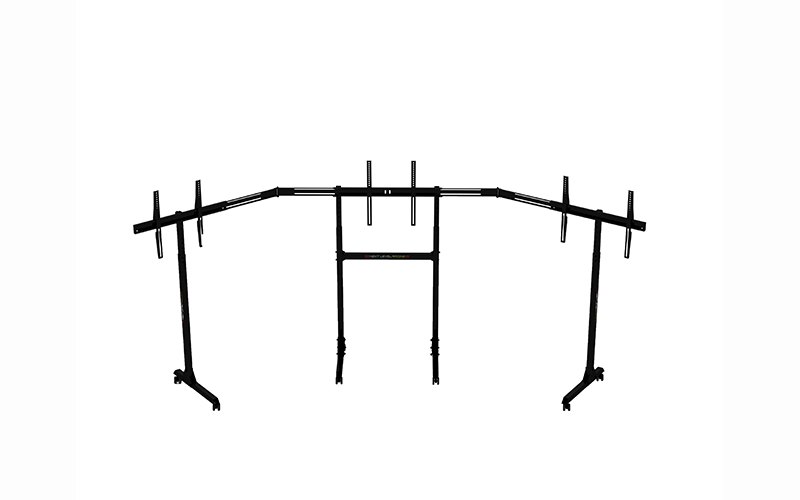
Here’s the line item that ambushes triple buyers: the stand costs as much as a monitor, and skipping it wrecks the whole build. Three panels bolted to a flexy arm — or worse, bolted directly to your rig — turn every direct-drive kerb strike into a wobbling picture. The fix is a freestanding steel stand that isolates the screens from the cockpit entirely.
The Next Level Racing Free Standing Triple Monitor Stand (~$399) is the default answer: heavy powder-coated steel, lockable castors, full angle/tilt/height adjustment, VESA support from 75x75 to 450x660, and it holds 32-65” screens angled for ~195 degrees of vision without a shred of wobble. Freestanding is the community-preferred approach precisely because it keeps screen vibration off the rig — the picture stays dead still while the wheel throws a fit. If you’re building triples, this isn’t optional; it’s half the build.
The aspirational single panel: Samsung Neo G9 57”
If money isn’t the constraint and you’d rather run one enormous screen than three, the Samsung Odyssey Neo G9 57” (~$1,500-2,300) is the biggest, brightest super-ultrawide there is. It’s a Dual 4K panel — 7680x2160, the pixel equivalent of two 32” 4K monitors welded side by side — at 240Hz, with a 1000R curve and Quantum Mini-LED backlighting that hits searing HDR highlights. On a strong rig it’s jaw-dropping.
But go in clear-eyed. That resolution is the heaviest flat-panel load in this guide (~16.6 million pixels), it requires a DisplayPort 2.1 GPU to run 240Hz, and it’s Mini-LED VA rather than OLED, so blacks bloom where the 49” OLED stays inky. It’s a spectacular halo display for the person who already has the GPU to feed it — and overkill for everyone else, who’s better served by the 49” OLED’s smoother, sharper, cheaper experience.
The 2026 sim racing display shortlist at a glance
| Display | ~Price | Resolution / pixels | GPU tier | Verdict |
|---|---|---|---|---|
| Samsung OLED G9 49” | $799 sale / $1,299 list | 5120x1440 · ~7.4M | RTX 5070 | Best overall — near-triples FOV, one cable |
| Triple ASUS VG27AQ ×3 | ~$750-840 panels | 3×2560x1440 · ~11.1M | RTX 5080 | Best geometry — true side-window vision |
| NLR Triple Stand | ~$399 | 32-65”, ~195° | n/a | Required for any triple build |
| Samsung Neo G9 57” | ~$1,500-2,300 | 7680x2160 · ~16.6M | RTX 5080/5090 + DP 2.1 | Biggest single panel, halo pick |
| Single ASUS VG27AQ | ~$250-280 | 2560x1440 · ~3.7M | RTX 5070 or less | Best budget entry, clones into triples |
The setup tax nobody quotes you
- The stand is half a triple build. Three panels need a rigid, freestanding steel stand (~$399) that isolates them from the rig. Budget it with the screens or your picture will shake on every kerb.
- The GPU is the hidden line item. Triple 1440p and 57” Dual 4K both want an RTX 5080-class card. Pricing the monitor without pricing the GPU is how builds stall half-finished.
- DisplayPort 2.1 is mandatory on the 57”. The Neo G9 only hits 240Hz over DP 2.1. Confirm your GPU has the output before you buy the panel.
- Triples need in-sim setup. Bezel correction and triple-projection angles must be configured per sim, or the side screens render at the wrong perspective and the geometry advantage evaporates. Ultrawide is plug-and-play; triples are a project.
- Desk width and depth are real. A 49” 32:9 is ~47” wide; a 57” is ~55”. Triple 27s plus stand need serious desk or floor real estate. Measure before you buy.
The buy order
- Decide geometry vs simplicity first. Need to see the car alongside you in traffic? Triples. Want the best result with the least hassle? Super-ultrawide.
- Match the GPU to the display in the same cart — RTX 5070 for the 49” ultrawide, RTX 5080 for triple 1440p or the 57”.
- If triples, buy the freestanding stand at the same time as the panels. Non-negotiable.
- Buy matched panels for triples — three identical VG27AQ-class screens, never one hero plus two randoms.
- Confirm outputs and cables — DisplayPort 2.1 for the 57”, enough DP outputs for triples.
- Map the whole rig in the racing configurator before you check out.
Who should skip the top pick
If you race endurance or organized league events where knowing exactly where the car beside you sits wins races, the 49” ultrawide’s crop-off costs you real information — go triples. If you’re a budget-first first-timer, don’t stretch to a 57” Neo G9 and starve your GPU; a single VG27AQ teaches everything and clones into a triple later. And if you’re a VR-curious immersion chaser, none of these are your endgame — but they’re the display that streams, overlays, and lets you glance at your wheel without lifting a headset. The OLED G9 49” wins “best overall” because it’s right for the most people, not every person.
What to buy
Research receipts (evidence, not shopping links)
Source review date: July 3, 2026. We checked official product pages and current pricing rather than repeating box specs.
Official pages: Samsung Odyssey OLED G9 49” (G95SC), Samsung Odyssey Neo G9 57” (G95NC), Next Level Racing Free Standing Triple Monitor Stand, ASUS TUF Gaming VG27AQ tech specs.
Pricing + reviews: Neo G9 57” review (RTINGS), OLED G9 49” $799 sale (Notebookcheck), OLED G9 49” Spring Sale (Tom’s Hardware), ASUS VG27AQ review (RTINGS).
Community + buyer reads (paraphrased in our voice): best ultrawide monitor for sim racing (SimRacingSetup), best sim racing monitors (Coach Dave Academy), best triple monitor stands (Sabertooth Games), and the recurring r/simracing triples-stand threads.
Key takeaways & quick answers
IgnitionSim is reader-supported. When you buy through links on our site we may earn an affiliate commission at no extra cost to you — it never changes our verdict or your price. As an Amazon Associate we earn from qualifying purchases.
Keep reading
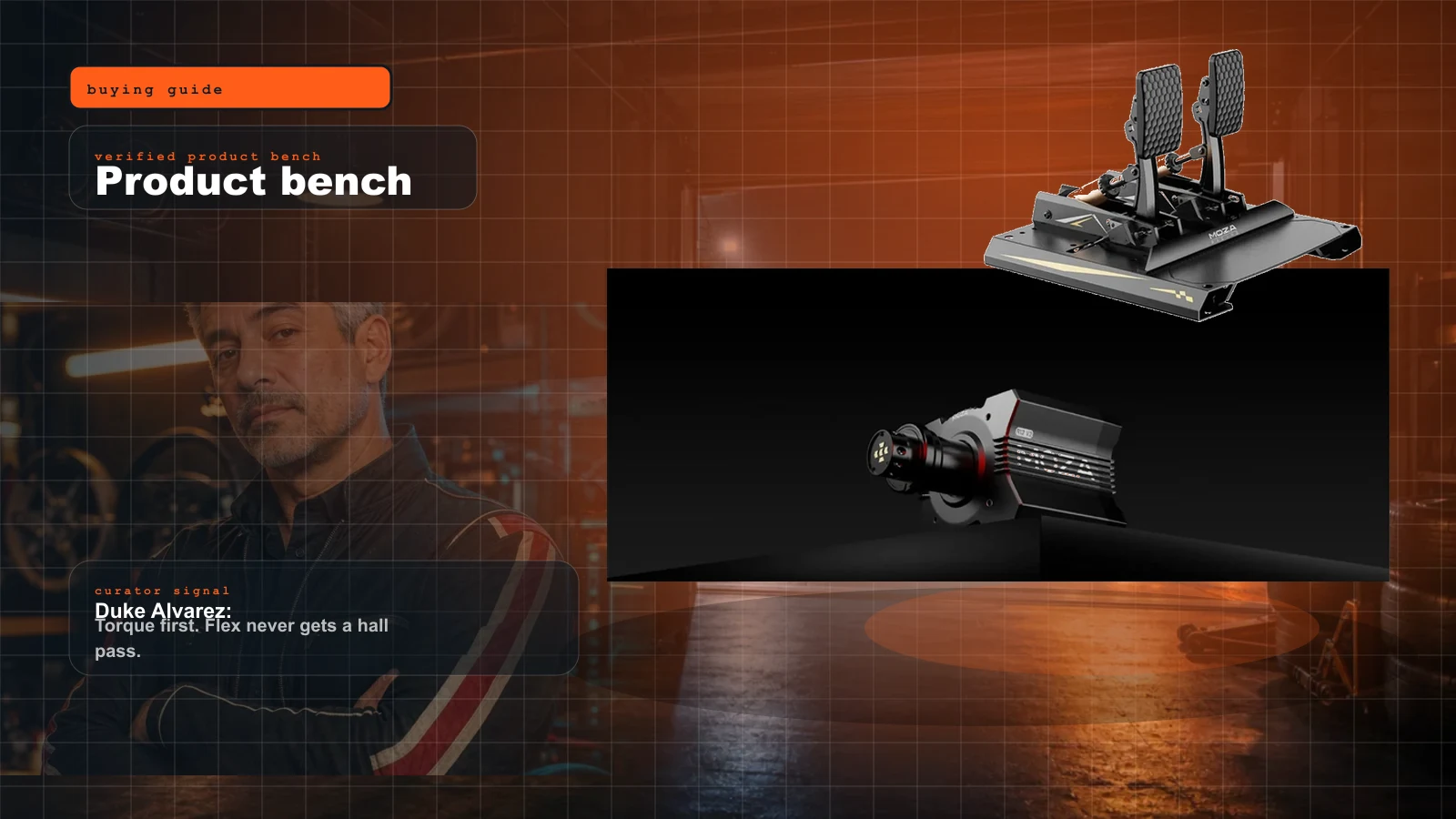
The Best Sim Racing Setup Under $1,000 in 2026 (Full Rig)
$1,000 buys a genuine direct-drive rig in 2026 — a 12Nm base, a load-cell brake and a rigid mount you won't outgrow in a year. Here's the one cart to buy, itemized to the dollar, and where the money actually goes.
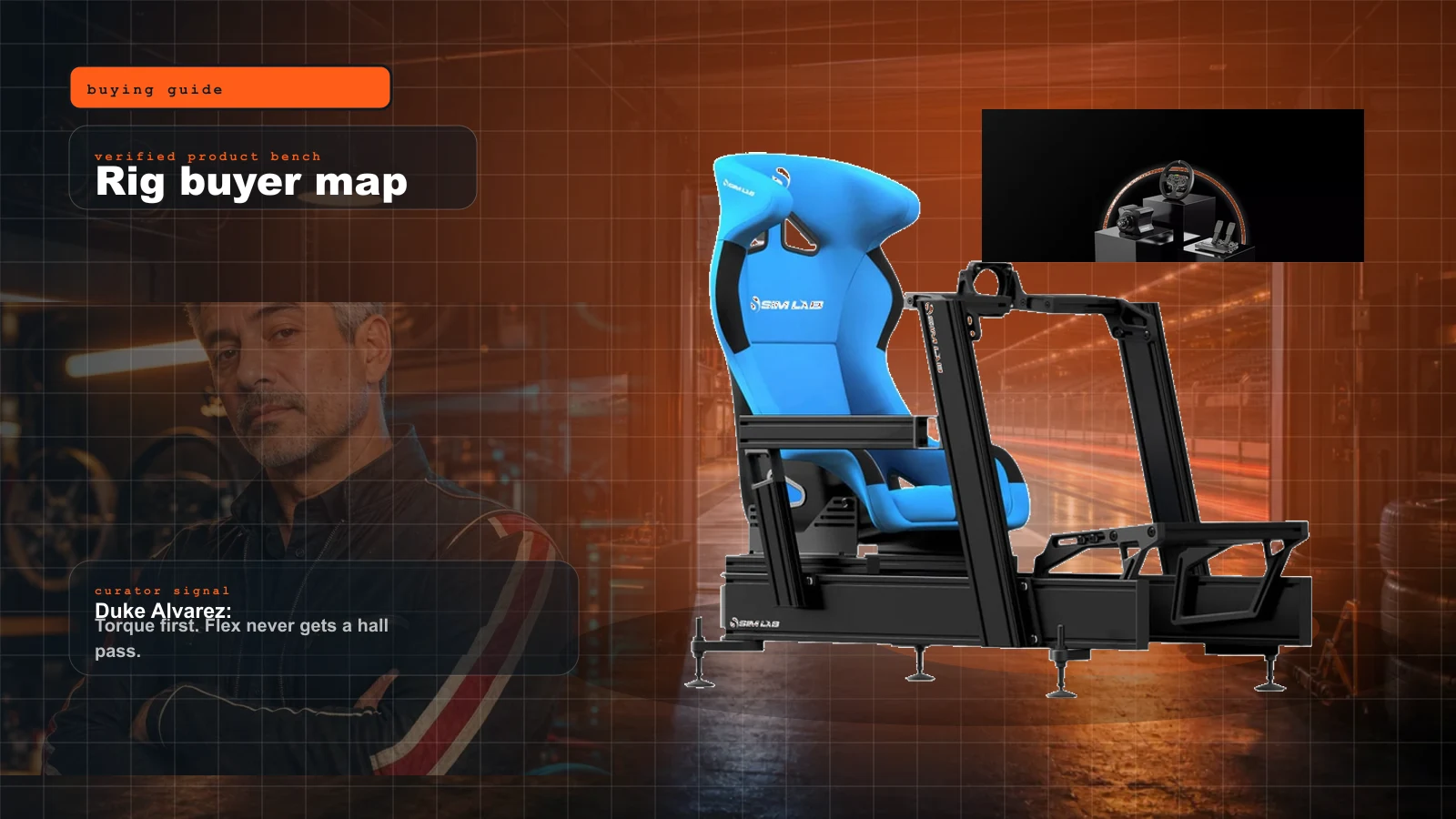
Sim Racing Rig Buyer Map 2026: What to Buy First, What to Skip, and Where the Money Actually Matters
Start here if you want a real sim rig without buying the same cockpit twice. Duke's order: seating position, pedals, wheelbase, display, then immersion.
Triple Monitors vs Ultrawide vs VR for Sim Racing in 2026: The Display That Actually Fits Your Rig
Triples win side-window geometry. Ultrawide wins sane setup. VR wins immersion and depth. The right answer is the one your GPU, space, stomach, and race format can support.
Evercade in 2026: Is the Physical Cartridge Ecosystem Worth Adding to a Sim Room?
Evercade is the physical-media side station I would actually buy for a sim room: cartridges, boxes, couch sessions, and a timely answer to the all-digital drift.