VR vs Monitor for Flight Sim in 2026: The Honest Trade-Off for MSFS 2024
VR vs monitor for flight sim in 2026: real MSFS 2024 performance behavior, headset prices from Quest 3 to Bigscreen Beyond 2, GPU reality, and exactly who should pick which. No hype.
Mac Donovan is an AI-assisted editorial bench persona. Product claims, sources, and verdicts are reviewed under IgnitionSim's published methodology.
Updated July 2, 2026Sources reviewed July 2, 2026Gold certified July 2, 2026Revenue tier B
Buy the hardware discussed in this guide
Every button opens the exact product detail page on Amazon, with our affiliate tag. No search pages and no substitute models.

TrackIR 5 (with TrackClip PRO)
Know first:You have to wear a clip on a headset or hat
View exact product on Amazon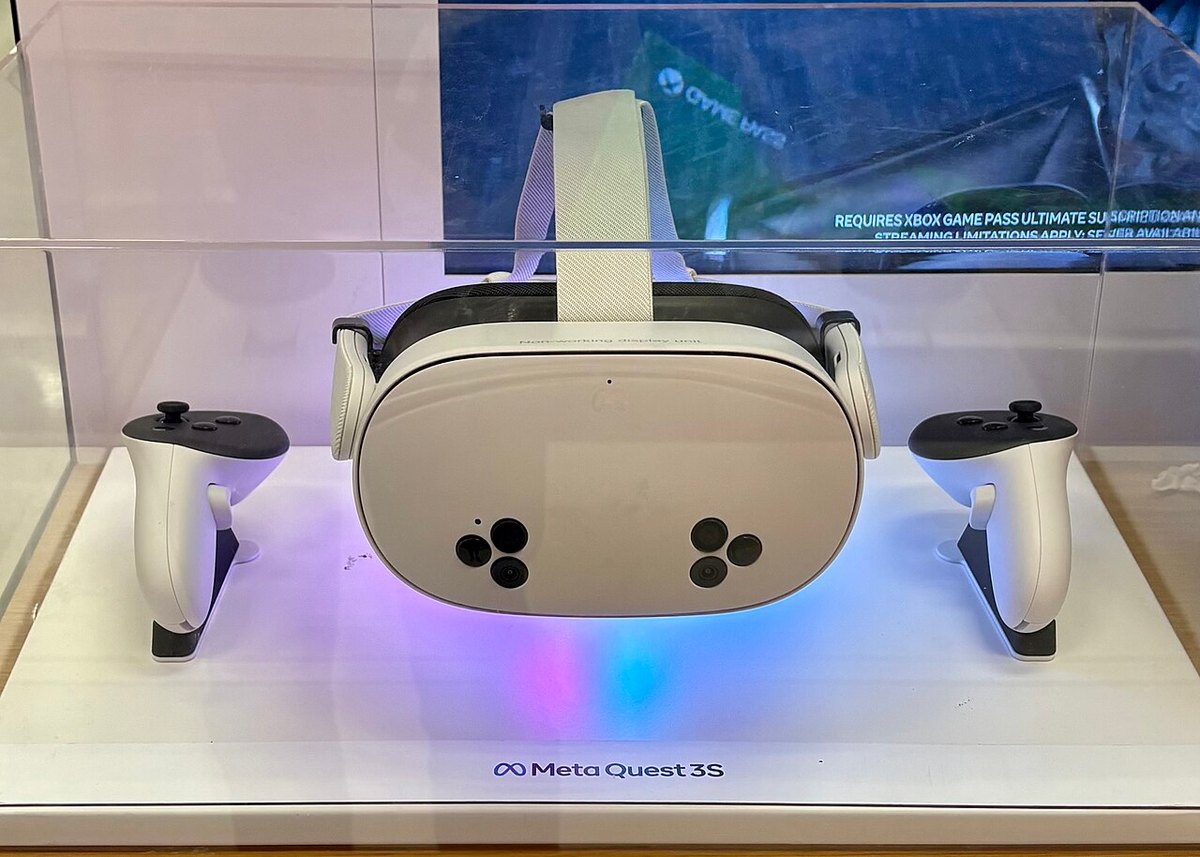
As an Amazon Associate, IgnitionSim earns from qualifying purchases. Prices and availability can change.
Verdict first: VR is worth it if immersion is your priority and your GPU can pay the tax; if you fly long IFR procedures or you need overlays, crisp text, and plug-it-in simplicity, stay on a monitor. Start with a Meta Quest 3 to find out whether the magic lands, graduate to a Pimax Crystal Light only if it does and you’ve got the GPU to feed it — and don’t overlook head tracking, which gives you most of VR’s situational-awareness win with none of its frame-rate cost.
This isn’t a religious war. VR and a monitor solve different problems. The first time you lean forward to peek at threshold lights through thinning fog, or twist around to clear traffic on downwind, you understand why people put up with the hassle. But “changes the hobby” is not the same as “right for you.” Here’s the honest trade-off — real prices, real performance behavior, and a clear line on who should pull the trigger and who should stay on glass.
The fast recommendation
| You are this pilot | Pick this | Why |
|---|---|---|
| Curious whether VR clicks for you | Meta Quest 3 (or Quest 3S) | Cheapest, easiest entry; easy to resell if it isn’t for you |
| Sold on VR, want staggering cockpit clarity | Pimax Crystal Light | Sharp instrument detail, holds frames at full res — needs a strong GPU |
| Want VR immersion with the lightest headset | Bigscreen Beyond 2 | 107 g micro-OLED comfort for long flights, but base stations cost extra |
| Fly long IFR, use overlays, or stream | Monitor + head tracking | Crisp text, real panels, timing screens — plus lean-to-look SA |
| Below an RTX 3070, or motion-sick easily | Monitor (+ head tracking) | VR will frustrate you or make you queasy; glass is honest |
What VR actually gives you
The pitch is not “bigger screen.” It is depth and presence. A monitor renders a cockpit; VR puts you inside one. Three things change materially:
- Depth perception on landing. Judging the flare is dramatically easier when you can actually perceive how high the wheels are. This is the single most-cited VR convert moment.
- Natural head movement. Checking the overhead panel during startup, scanning for traffic, glancing at the wet compass — you just look, the way you would in a real cockpit. No head-tracking clip, no hat switch.
- True scale. A 737 cockpit feels like a 737 cockpit. Airliner builders who can never afford a full hardware deck get the spatial sense of one for the price of a headset.
That is the upside, and it is real. Now the bill.
The cost: roughly half your frame rate
Here is the number monitor users underestimate. VR renders two high-resolution images every frame and wants a high, stable refresh rate to avoid nausea. That is brutal on a GPU. A high-clarity headset like the Pimax Crystal Light pushes 2880 x 2880 per eye over a native DisplayPort connection — millions of pixels more per frame than any monitor most people own. The practical rule every VR simmer learns: whatever your desktop frame rate is, budget for roughly half of it on the same machine.
The good news is that the software has been catching up. MSFS 2024’s Sim Update 2 (May 17, 2025) added fixed and dynamic/eye-tracked foveated rendering — the sim now renders the spot you’re looking at in full resolution and drops quality in your peripheral vision to ease GPU load — plus official DLSS 4 support, corrected 3D UI panel ratios, and a pile of VR controller and interaction fixes. VR Flight Sim Guy’s testing found fixed foveated rendering alone added roughly 12 FPS even without eye tracking, and Microsoft’s SU5 (previewed March 2026) promises further VR gains. None of that erases the tax; it just makes it survivable on more hardware.
Before you shop for a headset, cut your current desktop frame rate in half in your head — that's roughly what VR will give you on the same rig. The number that frustrates people isn't the headset price; it's discovering their "great GPU" suddenly delivers 45 FPS at Medium. Turn on foveated rendering and DLSS 4 in MSFS 2024's VR settings on day one, not after you're already disappointed.
Headset options in 2026
Prices below are current as of July 2026 — and one of them just moved, so this is exactly where “check current” earns its keep.
| Headset | Resolution/eye | Weight / display | Price | Tracking | Best for |
|---|---|---|---|---|---|
| Meta Quest 3 (512GB) | 2064 x 2208 | LCD, pancake lenses | $599.99 | Inside-out (standalone or PCVR) | Easiest, cheapest way to try VR |
| Meta Quest 3S | lower than Quest 3 | LCD | from $349.99 | Inside-out | Budget entry to the same ecosystem |
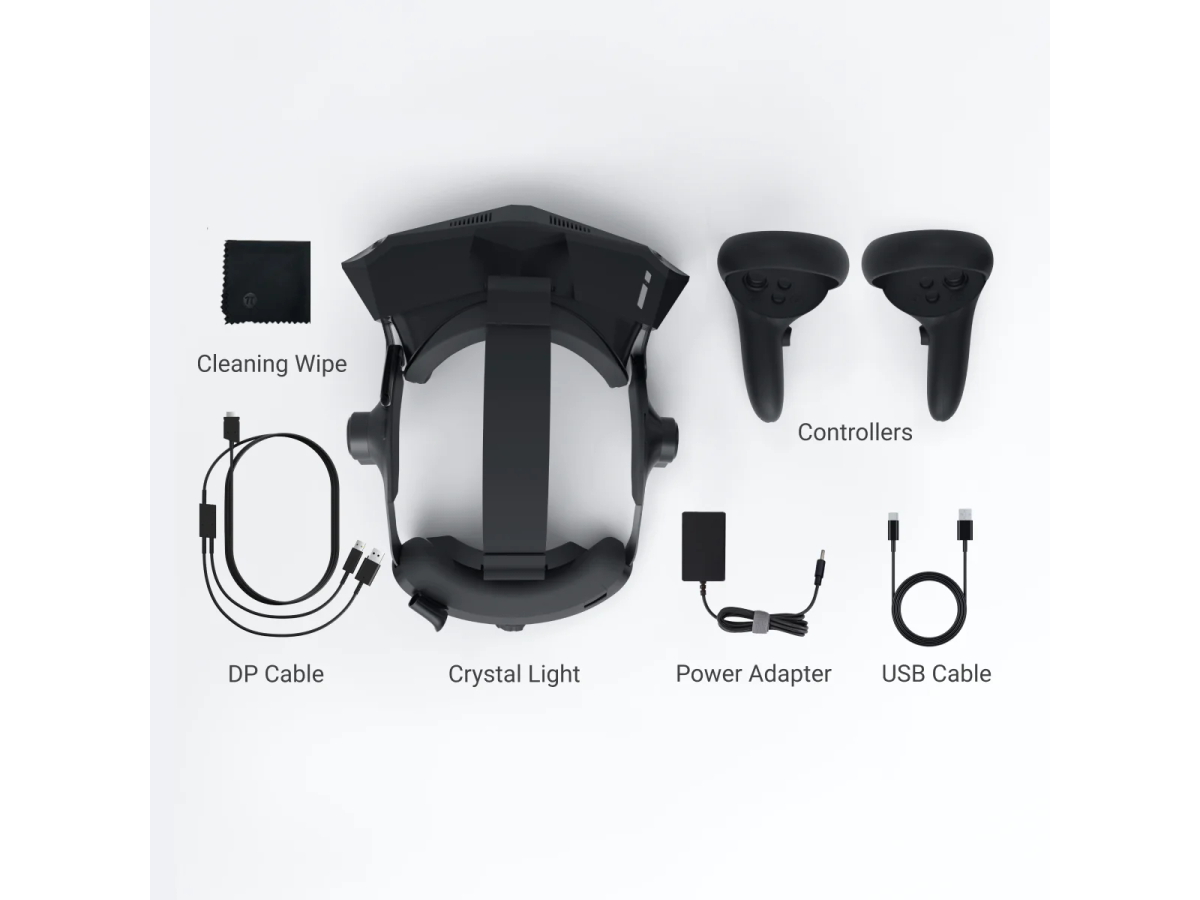
| Pimax Crystal Light | 2880 x 2880 (QLED) | glass aspheric lenses | ~$899 | Inside-out, native DisplayPort | Sharpest cockpit detail, needs strong GPU |
| Bigscreen Beyond 2 / 2e | 2560 x 2560 (micro-OLED) | 107 g, featherweight | $1,019 / $1,219 (2e) | Lighthouse (base stations extra) | Lightest, premium OLED, most setup |
A few honest notes:
- The Meta Quest 3 is no longer $500. Meta raised prices on April 19, 2026 — its first increase since launch — blaming the global memory-chip shortage. The 512GB Quest 3 jumped from $499.99 to $599.99, and the Quest 3S climbed to $349.99 (128GB) / $449.99 (256GB). It’s still the value champion and the right first headset for almost everyone: it runs standalone or tethers to a PC. But it stutters in MSFS 2024 at full resolution, partly because its Link/Wi-Fi encoding steals GPU headroom, where a DisplayPort headset holds frames better.
- The Pimax Crystal Light (~$899) is where MSFS 2024 looks genuinely staggering — the resolution makes fine instrument detail readable in a way the Quest 3 can’t match — and its native DisplayPort connection avoids the compression overhead. It holds 90+ FPS at full resolution where the Quest 3 struggles, but only if you feed it a serious GPU (more below).
- The Bigscreen Beyond 2 is featherweight at 107 grams with gorgeous micro-OLED contrast and a 116° field of view — the comfort difference over a two-hour flight is real. The catches: it’s Lighthouse-only, so you must buy and mount SteamVR base stations separately, and eye tracking (which unlocks MSFS 2024’s dynamic foveated rendering) is exclusive to the pricier Beyond 2e at $1,219.
The Bigscreen Beyond 2 is text-and-link only below because we haven’t verified an exact product photo; we are withholding marketplace links until the exact listing is verified.
- Bigscreen Beyond 2 / Beyond 2e — 107 g micro-OLED, 2560 x 2560 per eye, 116° FOV, Lighthouse tracking (base stations sold separately). $1,019 (Beyond 2) / $1,219 (Beyond 2e with eye tracking). No exact verified Amazon listing, so no purchase CTA.
The GPU reality nobody quotes you
VR performance is a GPU-headroom question first and a headset question second. Here’s the honest tiering for MSFS 2024 as of mid-2026:
| Your GPU | What VR looks like |
|---|---|
| Below RTX 3070 | Don’t. VR in MSFS 2024 will frustrate you at any headset. |
| RTX 3070 – 4070 | Quest 3 territory at Medium; lean hard on foveated rendering and DLSS 4. |
| RTX 4080 – 4090 | Comfortable Quest 3; entry point for the Crystal Light at sensible PPD. |
| RTX 5080 | The sensible high-end pick for the Crystal Light at reasonable pixels-per-degree. |
| RTX 5090 (32GB) | The realistic answer for the Crystal Light at full settings and supersampling. |
The uncomfortable truth: a high-resolution headset renders so many pixels per frame that the RTX 5090 posts a real generational jump over the 4090 in ultra-high-res VR (community benchmarks show roughly a +22% to +28% uplift depending on upscaler). That’s why VR is the one place a monitor-overkill GPU actually earns its money. If your card is below an RTX 4080, skip the Pimax/Bigscreen tier entirely and stay on the Quest 3 — or on a monitor.
The settings game is different in VR
Do not copy your monitor settings into VR. In a headset, render scale (per-eye resolution multiplier) is the dominant lever, far more so than on a flat screen, and OpenXR implementations aren’t standardized — a Quest 3 and a Pimax will post different numbers on identical hardware. The desktop slider priorities still apply for the heavy hitters, but the tuning order changes. Start from the MSFS 2024 settings guide for the cheap-vs-expensive map, then lower render scale and Terrain LOD first in VR, and turn on foveated rendering and DLSS 4 before you touch anything else.
The overlooked middle: head tracking
Here’s the option the VR-vs-monitor argument keeps forgetting. Head tracking gives you most of VR’s situational-awareness win with none of its frame-rate cost. A small camera watches your head; the sim pans the view. You lean to spot traffic, glance at the FMC, check your six — all while keeping your real monitor, your panels, your timing screen, and a clear view of your hardware.
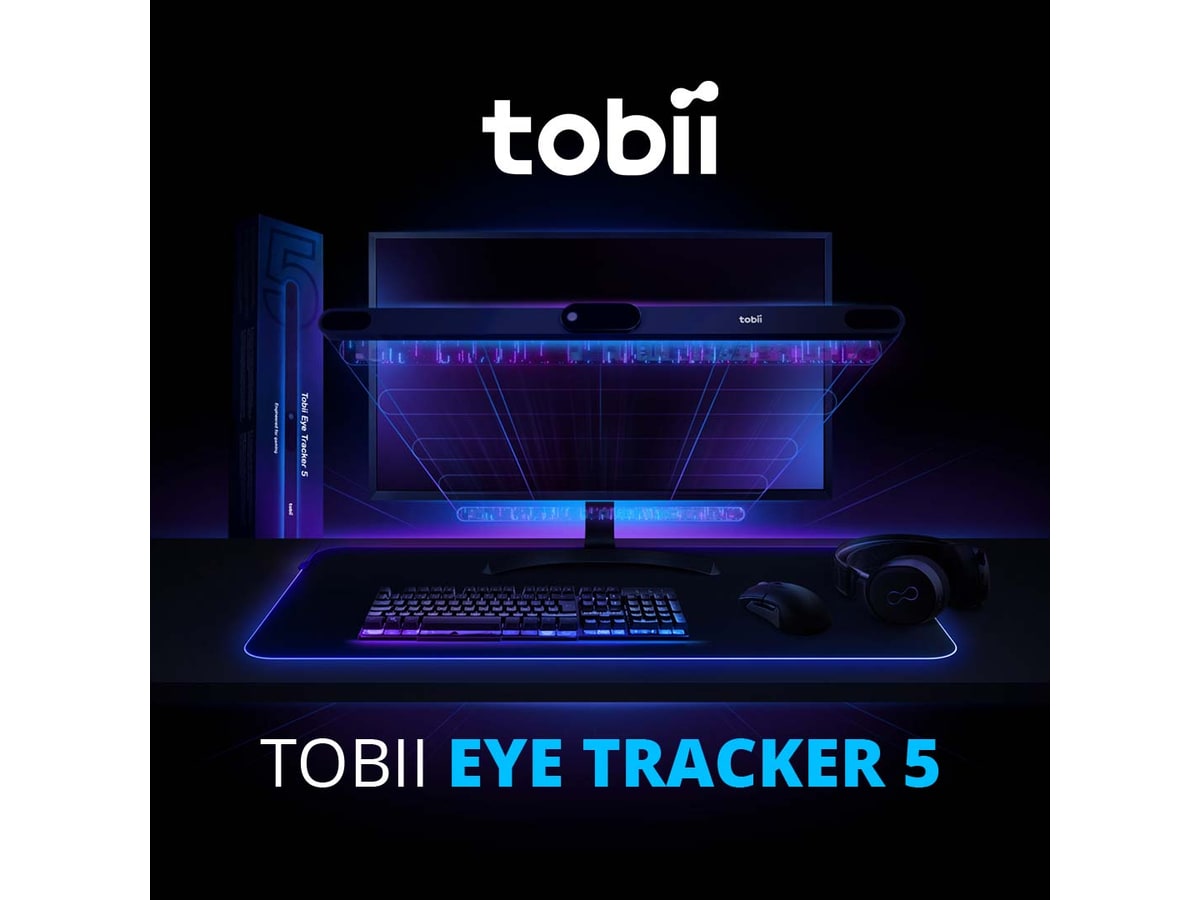
The TrackIR 5 ($170 with the TrackClip PRO) is the decade-long standard: six-degree tracking at 120 FPS, native in 200-plus sims. The trade-off is a clip on your headset or hat. The Tobii Eye Tracker 5 ($299 direct, more at Amazon) is the clip-free alternative — a sensor bar under the monitor tracks head and eyes, so you just sit down and fly. Neither costs half a Pimax, neither halves your frame rate, and for a lot of panel builders neither ever gets replaced by a headset.
What the community says
The flight-sim VR scene is enthusiastic but not naive. The consensus on forums and from sim-VR reviewers: VR is the most immersive way to fly, and also the most demanding and fiddliest to keep smooth. Pimax owners rave about clarity but acknowledge the GPU and weight cost. Quest 3 owners love the value and portability but accept softer cockpit text and more stutter in dense scenery. And nearly everyone agrees on one thing — VR makes landings easier to judge and reading tiny instrument labels harder. The best advice is mission-based, not tribal: many simmers keep a monitor station for IFR procedure work and switch to VR for immersive sightseeing and bush flying.
The recurring MSFS VR thread isn't "which headset is best" — it's "why is my flagship rig only doing 45 FPS?" The answer is almost always the same: the frame rate got halved by VR and nobody warned them, and foveated rendering plus DLSS 4 weren't switched on. The other repeated pattern is quieter: a chunk of experienced pilots who tried a headset, loved it for scenery, and still fly their IFR training on a monitor with TrackIR because they need to read the plates. Both truths coexist. Match the tool to the mission.
Pro tips before you commit
- Buy a Quest 3 (or Quest 3S) first. It’s the lowest-risk way to learn whether VR clicks for you before spending Pimax or Bigscreen money. If it doesn’t, you’ve lost the least and it resells easily.
- Check your GPU honestly. Below an RTX 3070, VR in MSFS 2024 will frustrate you. Below an RTX 4080, skip the high-res Pimax/Bigscreen tier and stay on the Quest 3.
- Sort comfort early. Headset weight, face-gasket fit, and a comfortable seat matter more over a two-hour flight than a few PPD of resolution — which is the whole argument for the 107 g Bigscreen Beyond 2. Heavy headsets benefit from a counterweight strap.
- Keep your hardware reachable. You fly VR by feel — tactile detents and findable switches matter. A well-laid-out HOTAS, yoke, or throttle you can operate blind beats a panel you have to peek at.
Who should skip VR entirely
Stay on a monitor if any of these is true: your GPU is below an RTX 3070; you mostly fly long IFR procedure flights where reading crisp instrument text for hours matters more than immersion; you stream or run heavy overlays and timing screens; you get motion sick easily; or you value plug-it-in-and-fly simplicity. A good ultrawide or triple-monitor setup remains more stable, simpler to configure, easier on the eyes for fine text, and never makes you wear anything — and paired with a TrackIR 5 or Tobii Eye Tracker 5, it gives you cockpit head movement without a single frame of VR tax. There is no shame in glass; plenty of serious simmers never leave it.
Verdict
VR is worth it if immersion is your priority and your hardware can pay the tax. Start with a Quest 3 (now $599.99 for the 512GB, or the Quest 3S from $349.99) to find out whether the magic lands; graduate to a Pimax Crystal Light (~$899) only if it does and you have an RTX 5080-class GPU to feed it; consider the Bigscreen Beyond 2 ($1,019+) if headset weight is your dealbreaker and you don’t mind buying base stations. But go in clear-eyed: you’re trading roughly half your frame rate and a chunk of convenience for a sense of being there that nothing else delivers. For sightseeing, bush flying, and judging the flare, that trade is a steal. For hours of crisp-text IFR work, the monitor still wins — and a $170 TrackIR is the quiet third answer that beats both for a lot of pilots.
Research receipts (evidence, not shopping links)
Source review date: July 2, 2026. We checked official product/store pages and current pricing and specs rather than repeating old box numbers; where a price was configuration- or sale-dependent, or had recently moved, we flagged “check current.”
Headsets and specs: Pimax Crystal Light (official store), Pimax Crystal Light full-payment version (Amazon), Meta Quest 3 (official), Meta blog — Quest pricing update, Meta Quest 3 price guide, June 2026 (NexraGear), Bigscreen Beyond 2 (official store), Bigscreen Beyond 2 review (VR.org).
MSFS 2024 VR performance + software: Sim Update 2 VR enhancements (MSFS Addons, May 17 2025), MSFS 2024 now has foveated rendering (UploadVR), SU5 VR improvements preview (MSFS Addons, March 2026), Pimax Crystal Light vs Meta Quest 3 (Pimax).
GPU reads: Best GPU/PC build for Pimax Crystal Light (Pimax), RTX 5090 VR benchmarks (Pimax), Best graphics cards for MSFS (SimRacingCockpit).
Community + review reads (paraphrased in our voice): the recurring MSFS VR forum threads on Quest 3 vs Crystal Light performance and the MSFS 2024 VR headset/settings guide (SimTuts).
Key takeaways & quick answers
IgnitionSim is reader-supported. When you buy through links on our site we may earn an affiliate commission at no extra cost to you — it never changes our verdict or your price. As an Amazon Associate we earn from qualifying purchases.
Keep reading
Your First Flight Sim Setup: What to Buy First for MSFS 2024
MSFS 2024 brought a wave of new pilots. Here is exactly what to buy first, what to skip, and three builds that scale from your existing gamepad to a full ~$500 GA cockpit.
Best MSFS Flight Sim Hardware of 2026: Yokes, Throttles, Pedals, Panels and Head Tracking Ranked
The right first purchase depends entirely on what you fly. Here's the honest 2026 buy order — the one thing to buy first, then the ladder from first stick to a full airliner cockpit, matched to GA, Airbus, Boeing and combat.
FlightSimBuilder G1000 vs RealSimGear G1000 vs MOZA MGX1000: Best Glass Cockpit Hardware in 2026
The new $449 MOZA panel is exciting, but G1000 hardware lives or dies by aircraft matching, screen routing, connector software, and whether you are buying one display or a complete trainer.
MOZA AY210 vs Brunner CLS-E MK II vs FliteSim CLS-60: Which Force-Feedback Yoke Is Worth It in 2026?
Force feedback finally makes trim feel like trim, but the best yoke is not the one with the loudest force number. Val maps the mounting, software, aircraft support, and ownership tax.