TCA Sky Yoke vs Honeycomb Alpha XPC vs VelocityOne vs MOZA AY210: Buy Now or Wait?
A 2026 platform-first flight yoke comparison: wait for the $199 TCA Sky Yoke, buy VelocityOne now, build around Honeycomb Alpha XPC, or jump to MOZA force feedback.
Val Chen is an AI-assisted editorial bench persona. Product claims, sources, and verdicts are reviewed under IgnitionSim's published methodology.
Updated July 15, 2026Sources reviewed July 15, 2026Gold certified July 15, 2026Revenue tier A
Verdict first: the new $199.99 Thrustmaster TCA Sky Yoke is the right wait for PS5 pilots and budget buyers, not an automatic reason for every PC or Xbox pilot to stop shopping. If you need a complete cockpit today, the Turtle Beach VelocityOne Flight remains the cleanest one-box purchase. If you care more about yoke feel and a modular desk than total price, the Honeycomb Alpha XPC is the better foundation when it is actually in stock. If what you want is control loading rather than another spring, the MOZA AY210 is the only one here making the aircraft push back.
The important distinction is access versus proof. PS5 owners have been asking for any credible yoke at all. They should wait for access. PC owners already have proven options; they should wait for production reviews only if the Sky Yoke’s price would materially change their build.
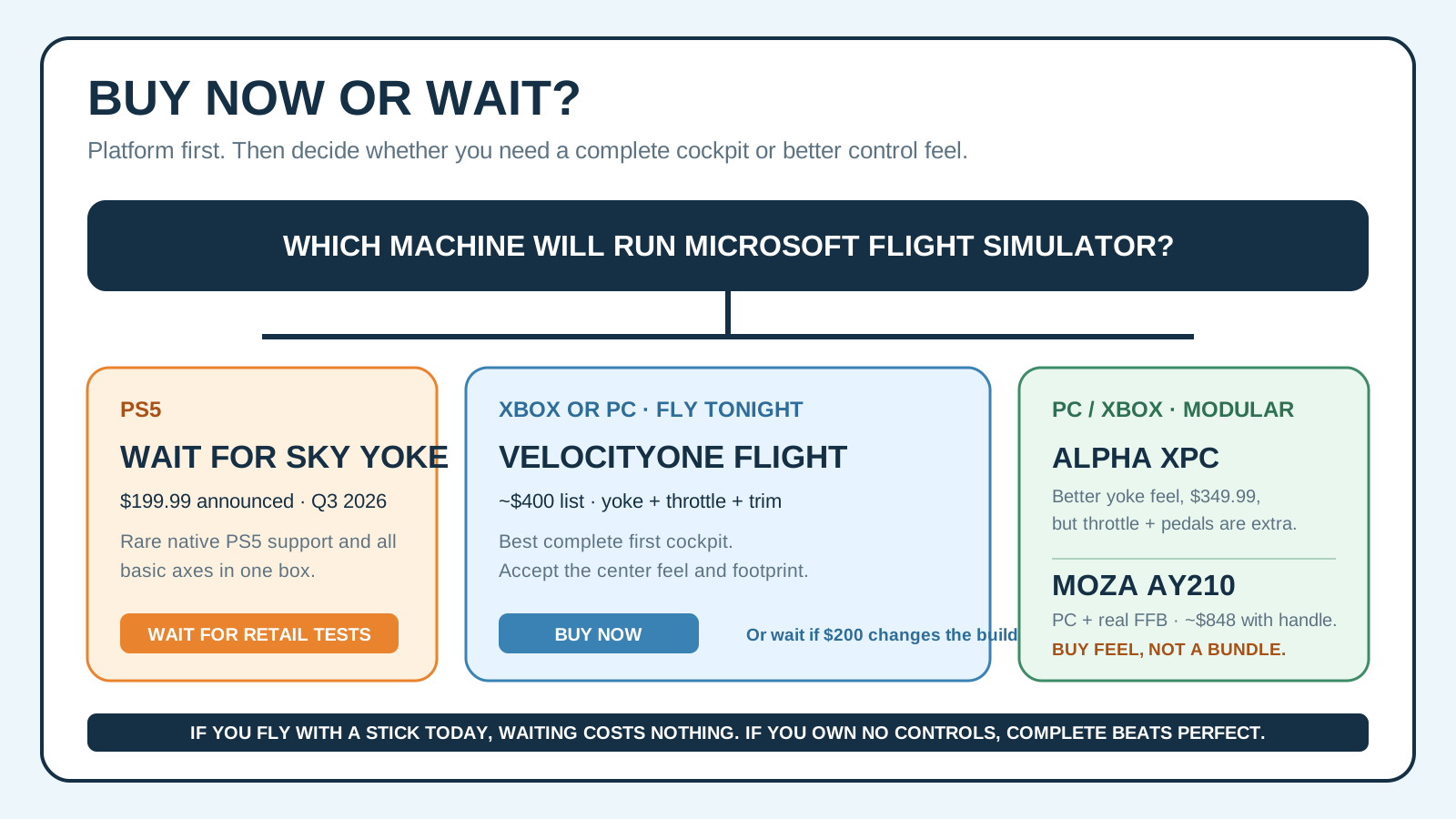
The short answer for each buyer
| Your situation | Best move | Why | The catch |
|---|---|---|---|
| PS5 + MSFS 2024 | Wait for TCA Sky Yoke | It is the first affordable, announced PS5 yoke path | Q3 2026 launch; retail precision and durability are unproven |
| Xbox or PC, no controls, want to fly now | Buy VelocityOne Flight | Yoke, throttle, trim, rudder/brake inputs in one box | Large footprint; center feel divides experienced owners |
| PC/Xbox, building a modular GA deck | Buy Alpha XPC if stocked | Better yoke feel, Hall sensors, useful switch panel | Throttle, pedals, and sometimes Xbox Hub are extra |
| PC, control loading is the dream | Buy MOZA AY210 with caveats | Real dual-servo force feedback | About $848 with handle before throttle, pedals, and mount |
| You already own a decent stick | Wait | You can fly tonight and let production reviews expose the weak points | A yoke is immersive, not required by the simulator |
Why this comparison suddenly matters
On June 8, 2026, a PS5 owner in the Microsoft Flight Simulator community said they had been waiting so long for a yoke that they were considering switching to PC. Four days later, Thrustmaster revealed the Sky Yoke at FlightSimExpo. The announcement thread quickly became a debate about whether the price was brilliant or suspiciously low, whether Thrustmaster’s consumer-grade durability would hold up, and whether the dual-instruction concept solved a real problem. That is buyer intent in its purest form: people were not comparing colors; they were deciding whether to replace a platform or wait three months.
The same forums keep surfacing a second question from parents and beginners: “What do I actually need?” The answer is not a cockpit catalog. It is pitch, roll, power, and yaw, with enough buttons to stop reaching for a controller every ten seconds. That is why an all-in-one $200 yoke can matter even if it never feels as refined as Honeycomb or MOZA.
TCA Sky Yoke: the $199 category reset
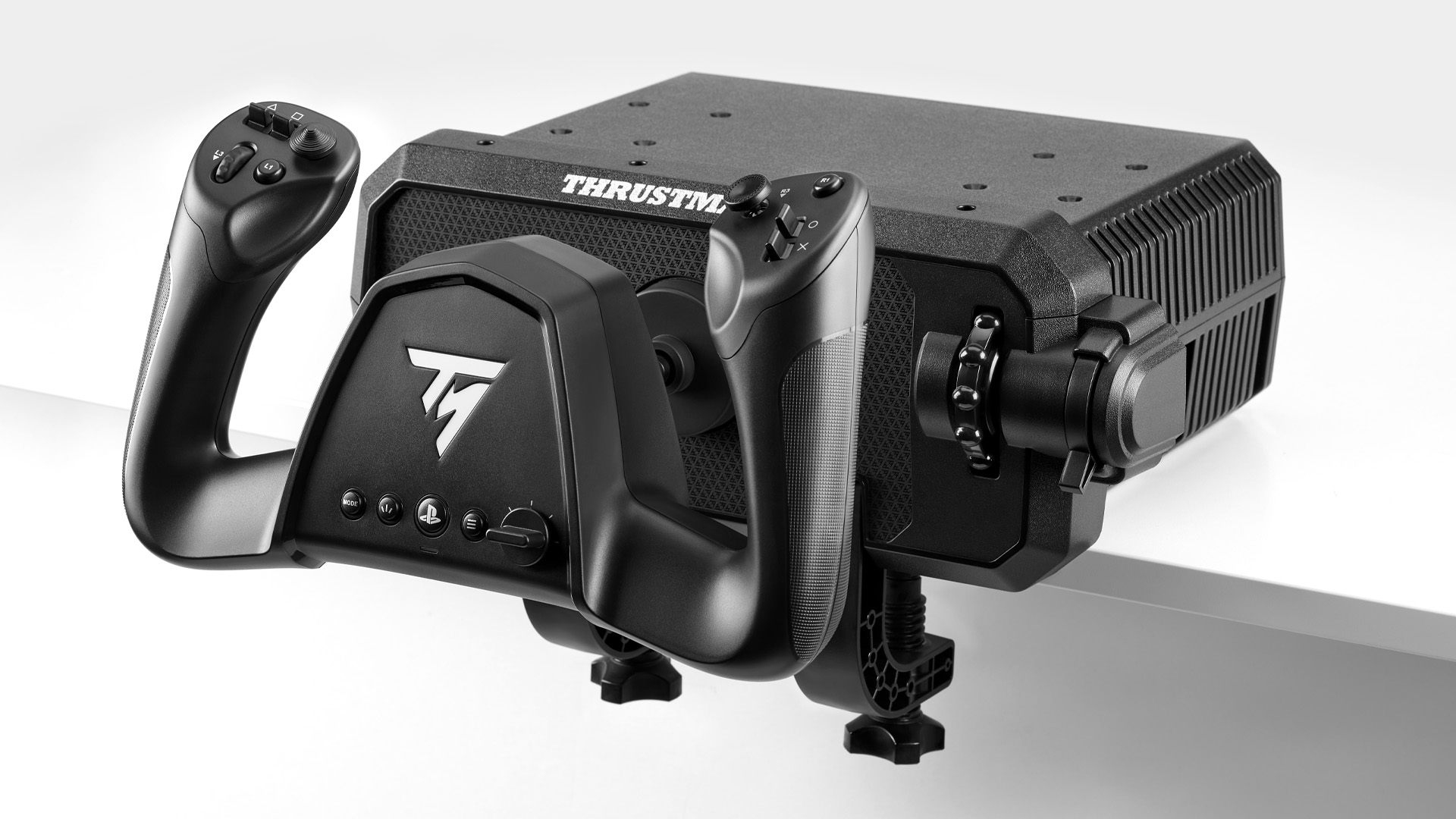
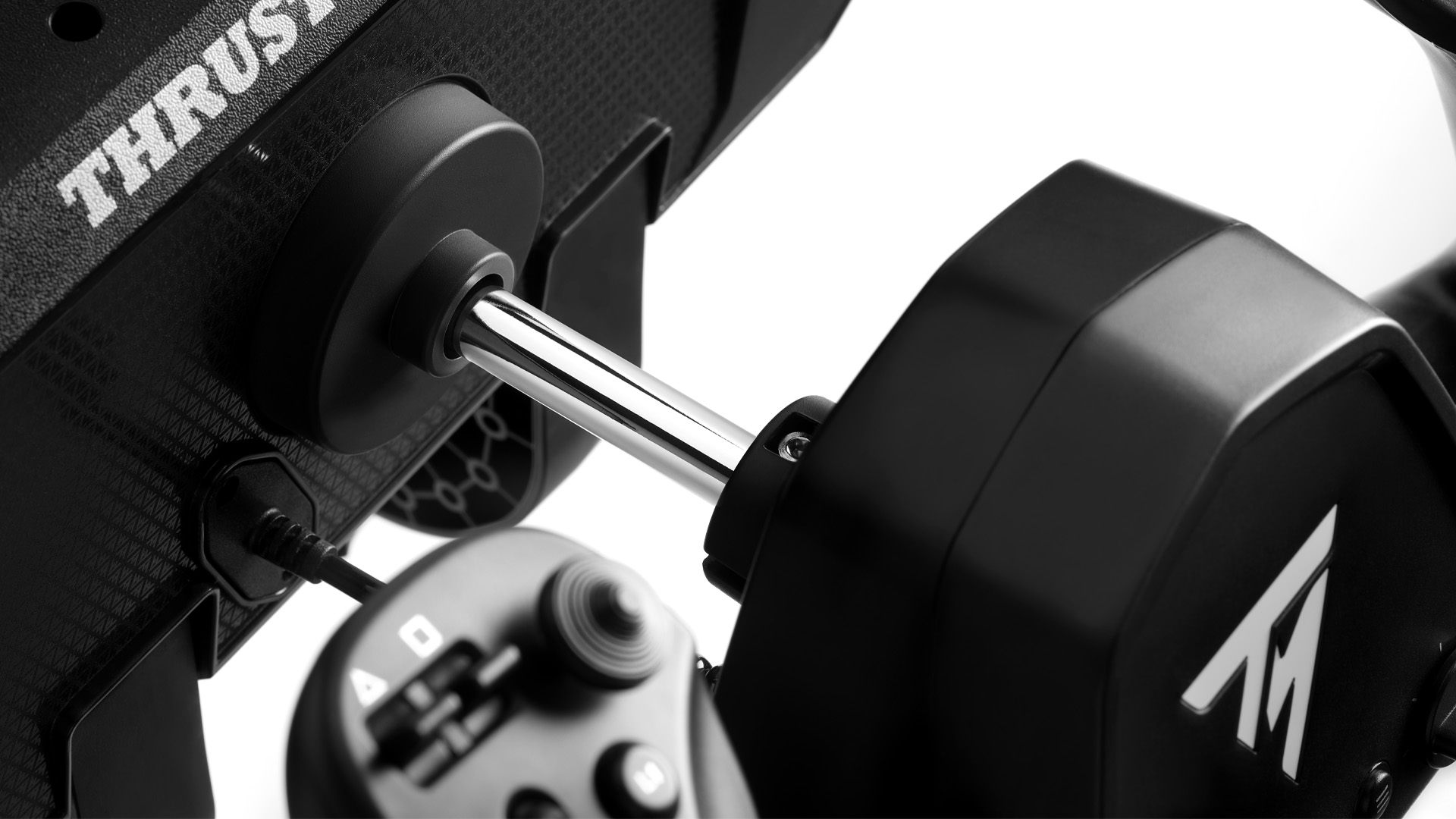
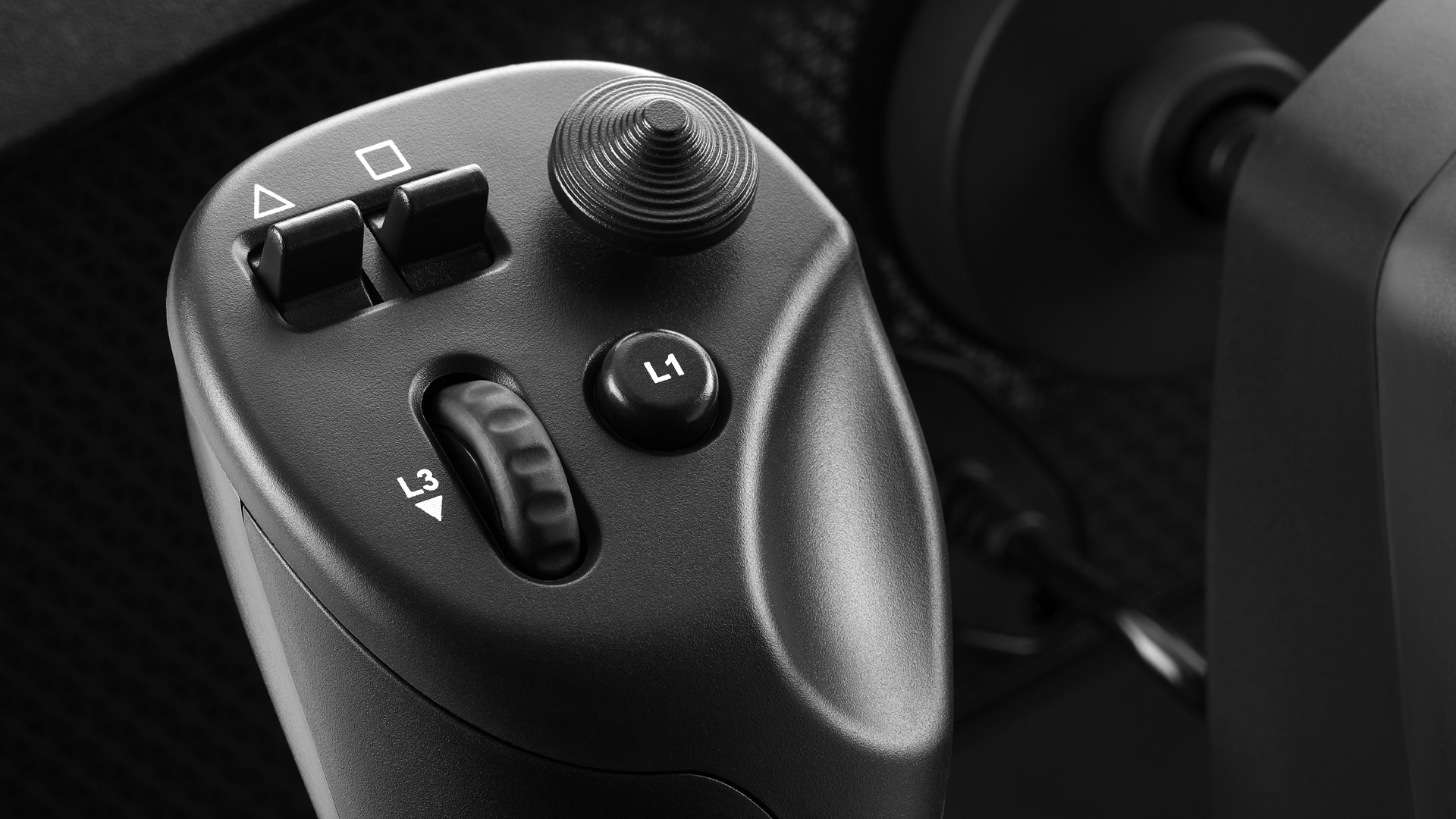
Thrustmaster calls this its first general-aviation yoke and an all-in-one flight control system. The announced hardware combines a steel pitch-axis shaft, seven axes, throttle, trim, and rudder controls, plus 24 action buttons, an eight-way POV hat, a mini-stick, and two analog triggers. It is announced for PC, Xbox Series X|S, and PS5 with native Microsoft Flight Simulator 2024 plug-and-play support.
That specification answers the beginner checklist in one clamp. You do not need pedals on day one because yaw is integrated. You do not need a separate throttle to leave the runway. You can look around with the POV hat and map wheel brakes to analog triggers. For a small desk, family room, or console, reducing the cable count is not a minor feature; it is the difference between a controller you use and one that lives in a closet.
What the specification does not answer is feel. Thrustmaster has not promised force feedback. We do not yet have production-unit measurements for center breakout, pitch resistance, hysteresis, deadzone, long-session heat, clamp flex, or the durability of the integrated axes. The official unit was available for hands-on demonstrations, which is useful, but event impressions are not a six-month ownership report.
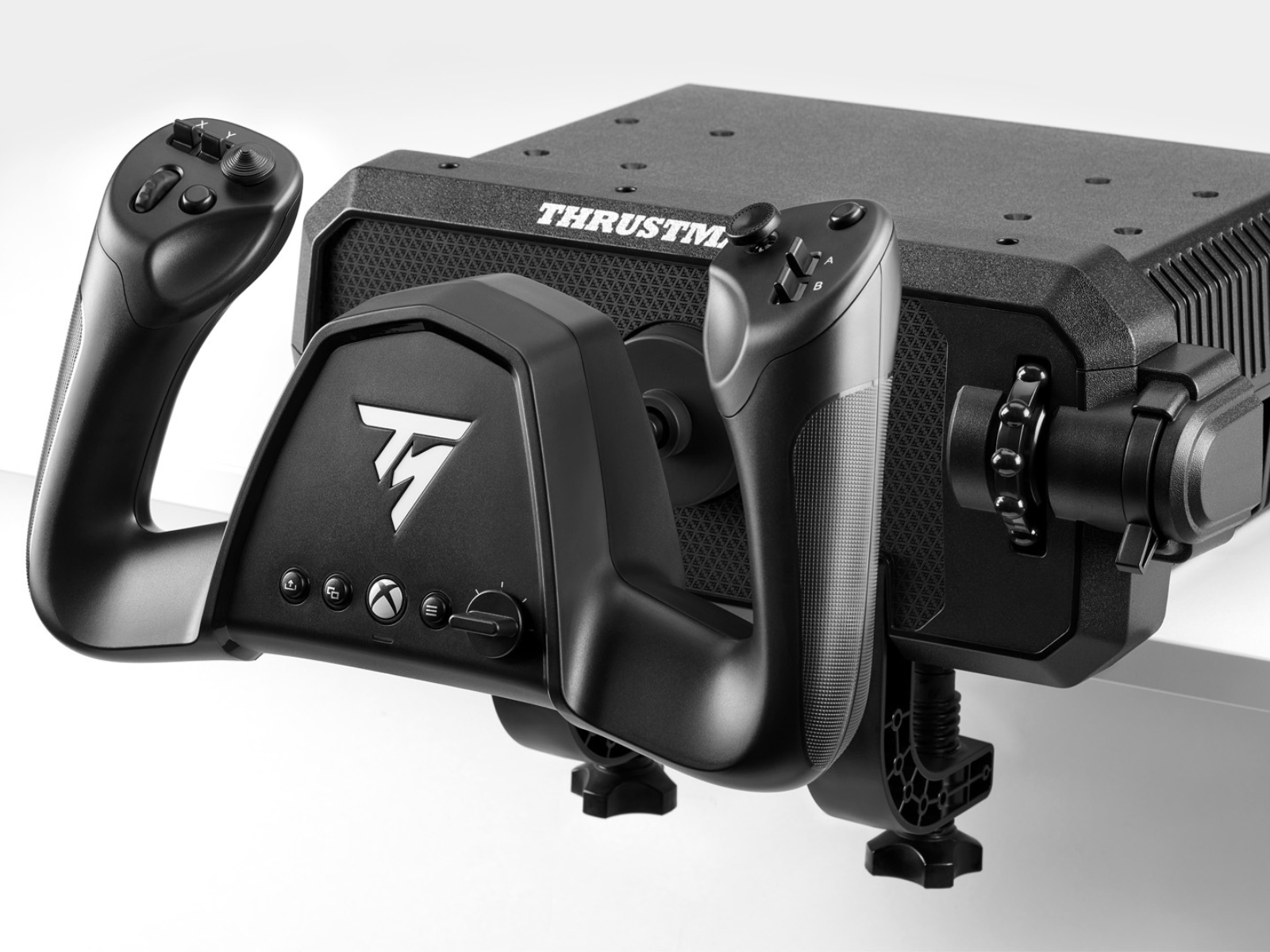
Buy, wait, or skip the Sky Yoke?
- Buy after launch reviews if you are on PS5, your total control budget is under $300, or you need a compact setup that disappears after a flight.
- Wait through the first production batch if smooth center response matters, you fly hand-flown approaches for hours, or you have been burned by potentiometer drift and plastic-axis wear.
- Skip it as an upgrade if you already own Alpha/Bravo or a force-feedback yoke. The Sky Yoke offers access and integration, not a higher performance ceiling.
Do not preorder a control surface because the render looks finished. A yoke earns trust at the center, where tiny corrections happen, and at the stops, where clamps and bearings confess. Wait for production hardware to fly an ILS, sit at center hands-off, and survive repeated full-travel inputs.
VelocityOne Flight: the complete cockpit you can buy now
The VelocityOne Flight remains the strongest answer for an Xbox or PC beginner who wants to open one box and fly. Turtle Beach includes a 180-degree Hall-effect yoke, modular throttle quadrant, dedicated trim wheel, integrated rudder and brake controls, 12 analog axes, a color flight-management display, and a status indicator panel. It mounts with built-in clamps, micro-suction strips, or cockpit screws.
That completeness is the product. A new pilot can practice power changes, trim, flaps, mixture, propeller control, and basic yaw without adding a second purchase. The configurable lever tops can represent a single-engine GA aircraft or a multi-engine layout. The display helps with device setup instead of making every change a software scavenger hunt.
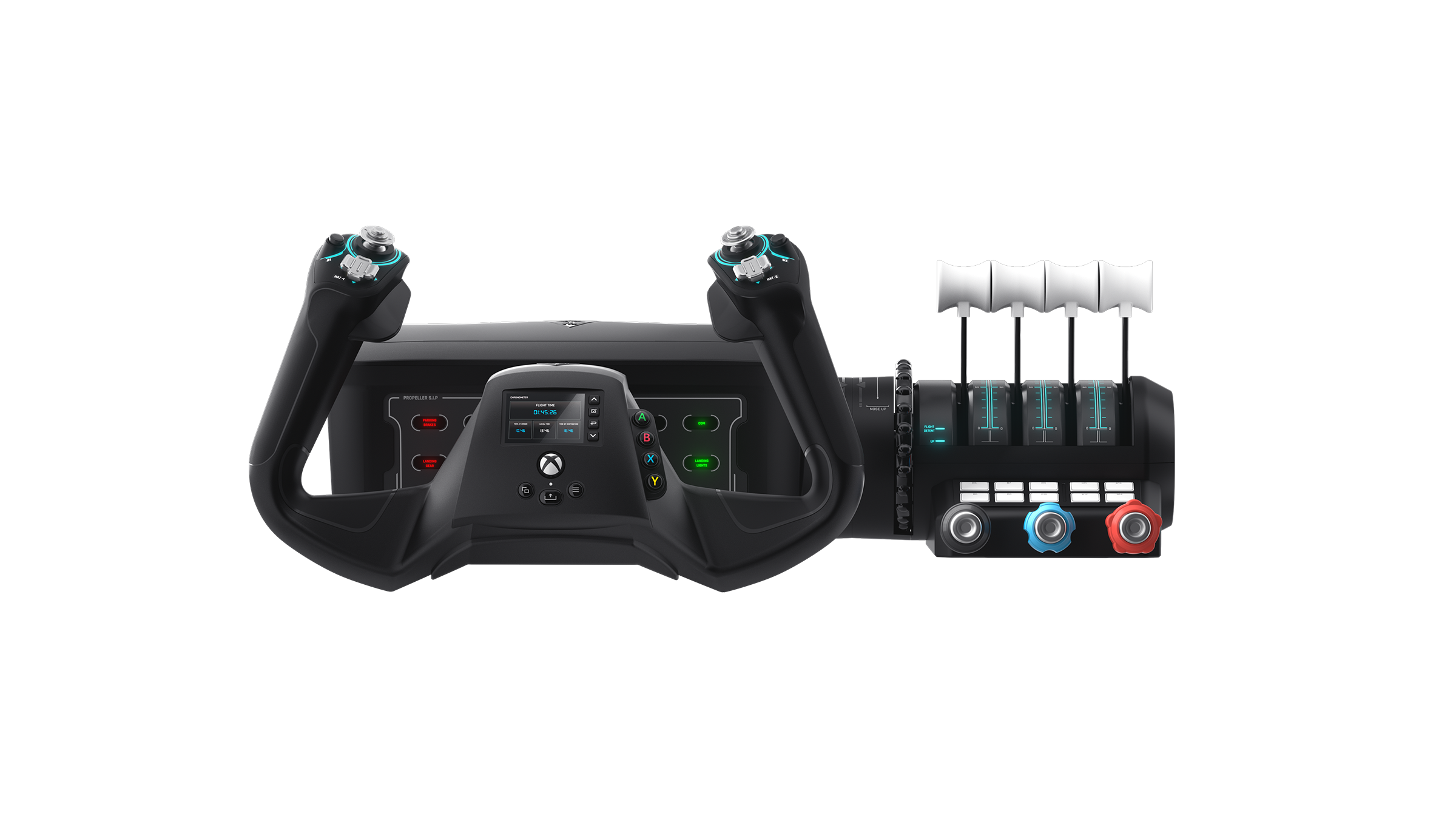
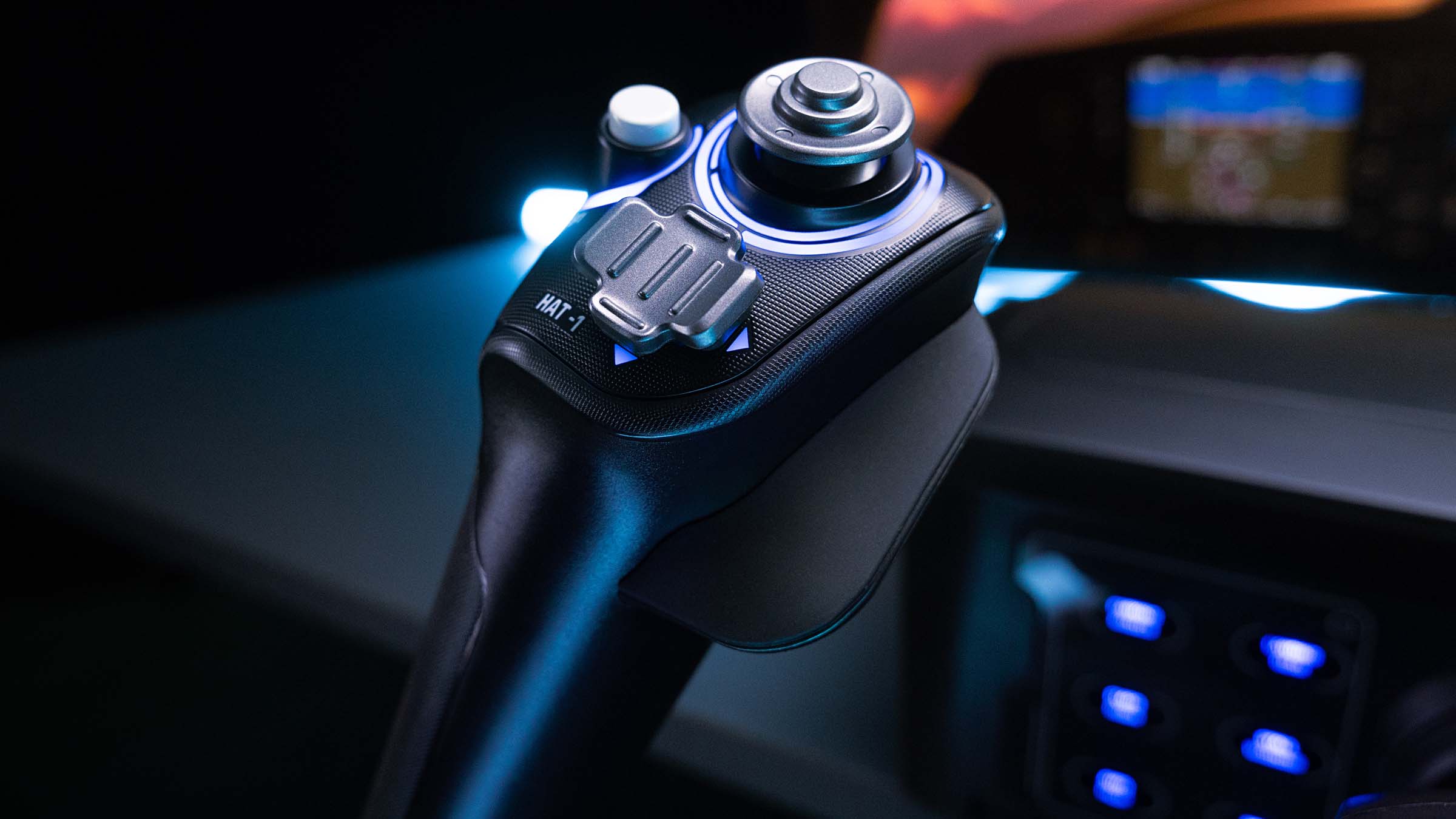
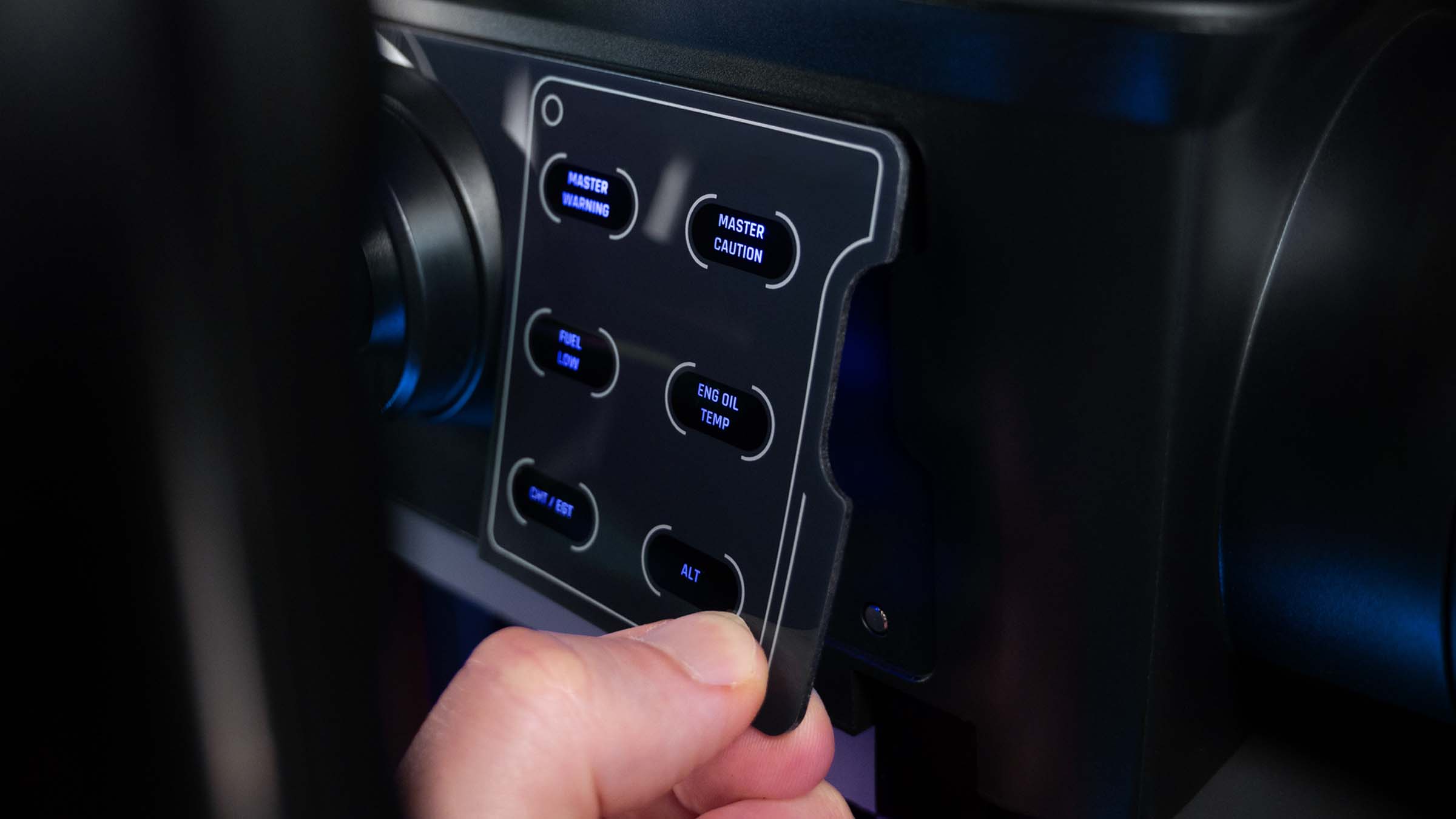
The owner caveats are consistent enough to plan around. Experienced users often describe a noticeable center transition or friction compared with the smoother Honeycomb mechanism. It occupies a lot of desk depth. The body is consumer plastic, not a metal instrument. Firmware and profile setup can also turn a first evening into maintenance if the device arrives behind current software.
None of those make it a bad first cockpit. They mean buy it for integration, not for boutique yoke feel. At a deep sale, it is extremely persuasive. At its $399.99 list price, compare the total build you actually want before assuming the bundle is cheaper forever.
Honeycomb Alpha XPC: better foundation, bigger invoice
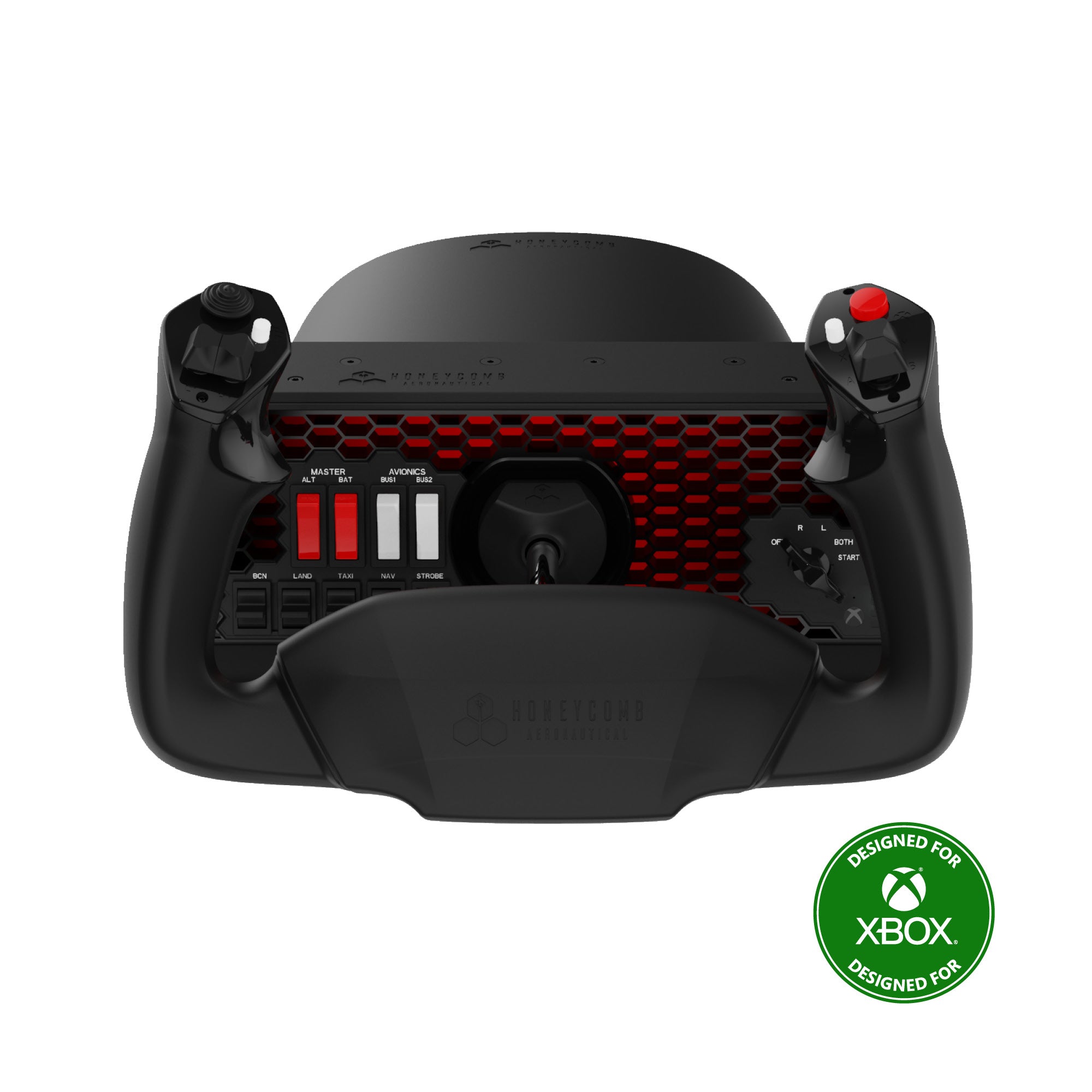
The Alpha XPC is a yoke for someone who already understands that “yoke” and “cockpit” are different invoices. At $349.99, it brings upgraded Hall-effect sensors, 180 degrees of roll, a damped self-centering mechanism without a hard center detent, red backlighting, and a useful GA switch/ignition panel. It supports PC, Mac, Xbox One, and Xbox Series X|S.
The reason owners stay loyal is not a screen or an RGB effect. It is the restrained center feel and the ability to make small corrections without fighting a pronounced notch. That matters on short final, in turbulence, and whenever you hand-fly an approach instead of steering the airplane around the center spring.
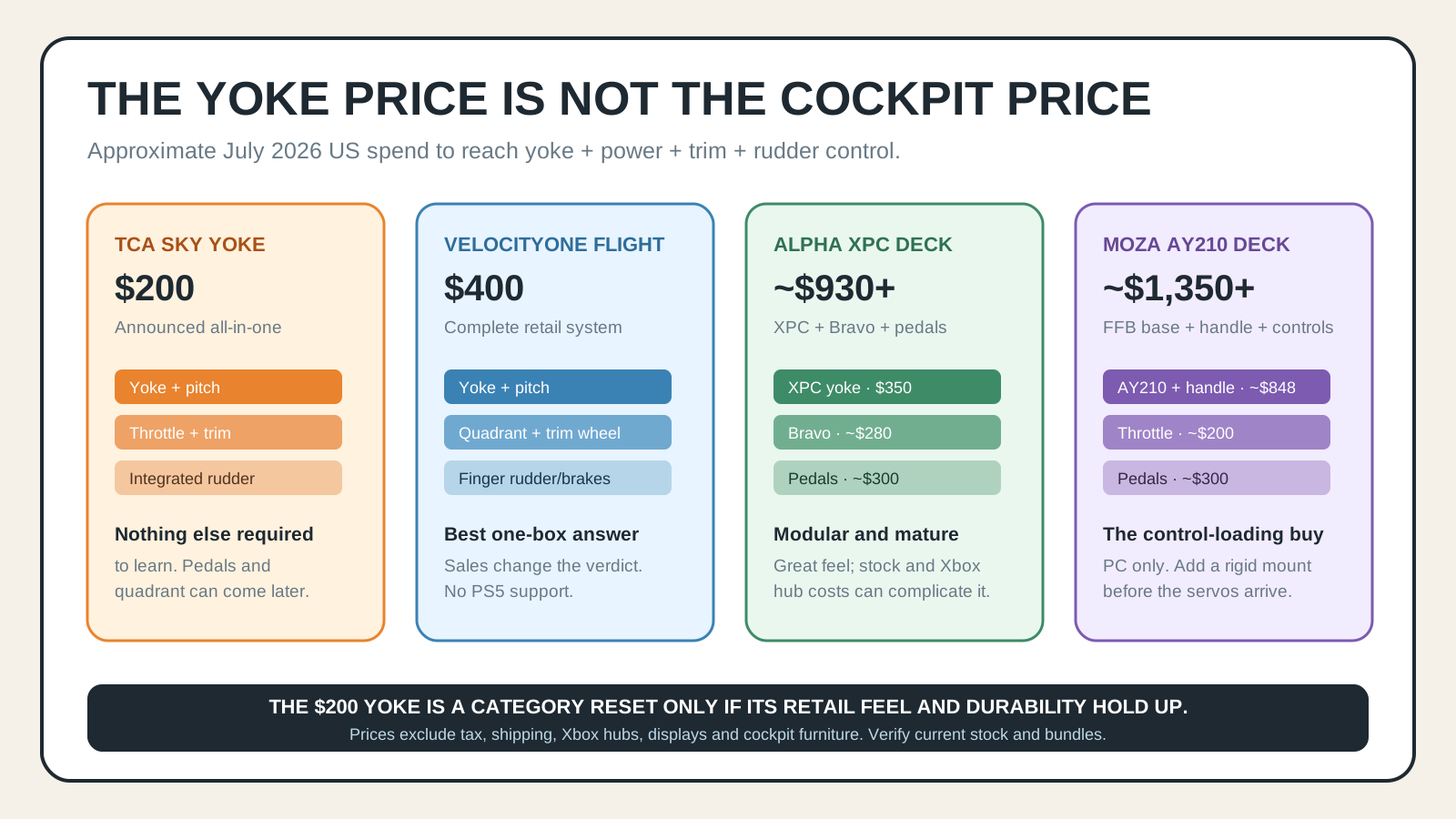
The invoice grows quickly. Add a Bravo throttle around $280 and serious pedals around $300, and the deck approaches $930 before shipping, furniture, or an Xbox Hub needed for some multi-device console chains. Availability remains the loudest owner complaint; the official product page itself contains frustrated stock comments, and recent community posts still ask where an XPC can actually be purchased.
Buy Alpha XPC if you know you want a modular GA deck, you care about smooth passive-yoke feel, and you can source the complete chain. Do not build a spreadsheet around it until the yoke is physically in stock. A theoretical $930 cockpit is not better than a $400 cockpit you can use.
MOZA AY210: stop comparing it on price alone
The MOZA AY210 belongs in this comparison because buyers will inevitably ask whether they should skip the consumer tier and buy once. The answer depends on whether you want force feedback or simply a nicer yoke.
The all-aluminum base uses dual servos, with a published 9 Nm of roll torque and 210 N of pitch force across 150 mm of travel. It can reproduce control loading, trim forces, stall buffet, and autopilot movement in supported aircraft. It uses a tool-free handle release and advertises native support for MSFS 2024/2020, X-Plane 12, and DCS.
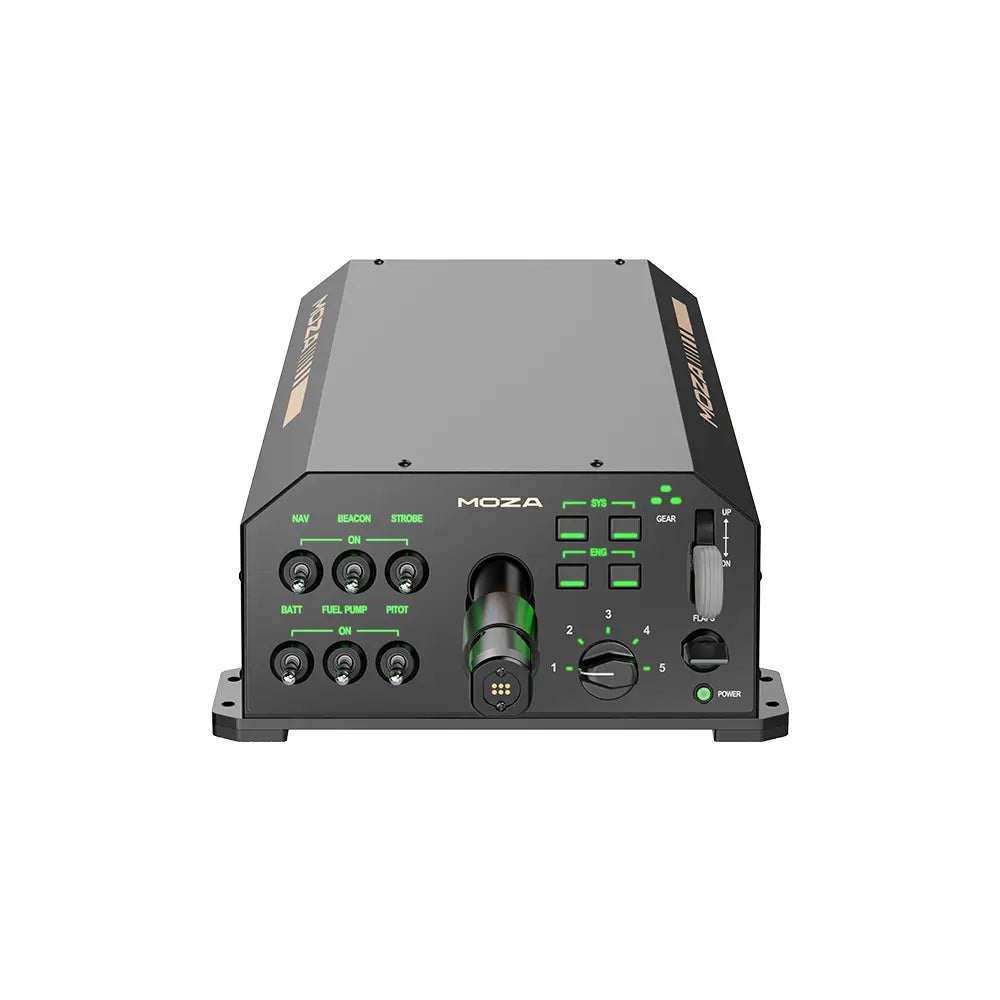
The base is about $699 and the required MFY handle brings the yoke bundle to roughly $848. Then add throttle, pedals, and a rigid mount. The software has improved, but force-feedback profiles still vary by simulator and aircraft. When the telemetry is good, trim becomes a physical event rather than a number. When it is not, you own an expensive motor waiting for a better profile.
This is why the AY210 is not “four times better” than the Sky Yoke. It solves a different problem. Buy it when the absence of control loading is the thing breaking immersion, not because it sits at the top of a price list.
The installation reality nobody puts in the headline
1. Measure depth, not just width
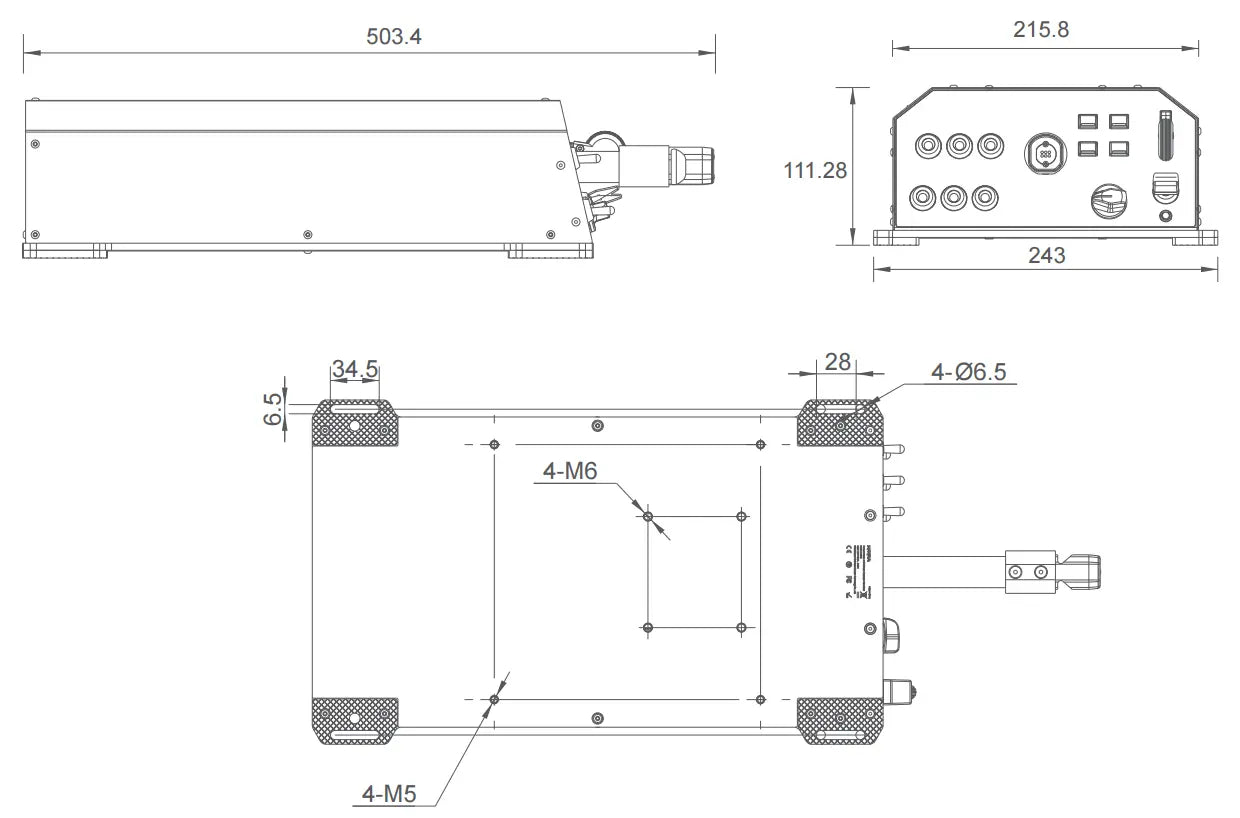
A yoke shaft comes toward your body while the base extends behind the desk edge. The VelocityOne needs roughly half a meter of working depth. The AY210 base is officially more than 500 mm deep. Check the monitor stand, keyboard tray, knees, and chair travel before you buy. A beautiful control that forces your monitor two feet away is a bad cockpit.
2. Keep the keyboard reachable
MSFS still needs search, ATC, avionics entry, camera management, and the occasional rescue command. Mount the yoke so a compact keyboard can slide under it or sit immediately to one side. Do not turn every airport change into a stand-up exercise.
3. Plan yaw honestly
Integrated fingertip yaw is enough to learn. It is not the same as pedals during taxi, crosswind correction, slips, or coordinated turns. Treat built-in rudder as a staged purchase strategy: start flying, then add pedals when your feet know why they want them.
4. Use a return window as a test instrument
Center feel is personal and difficult to quantify from a spec sheet. Test three things immediately: tiny corrections around center, a ten-minute hand-flown approach, and whether the clamp moves during full pitch travel. If your shoulders tense or the desk walks, the system is not “something you will get used to.”
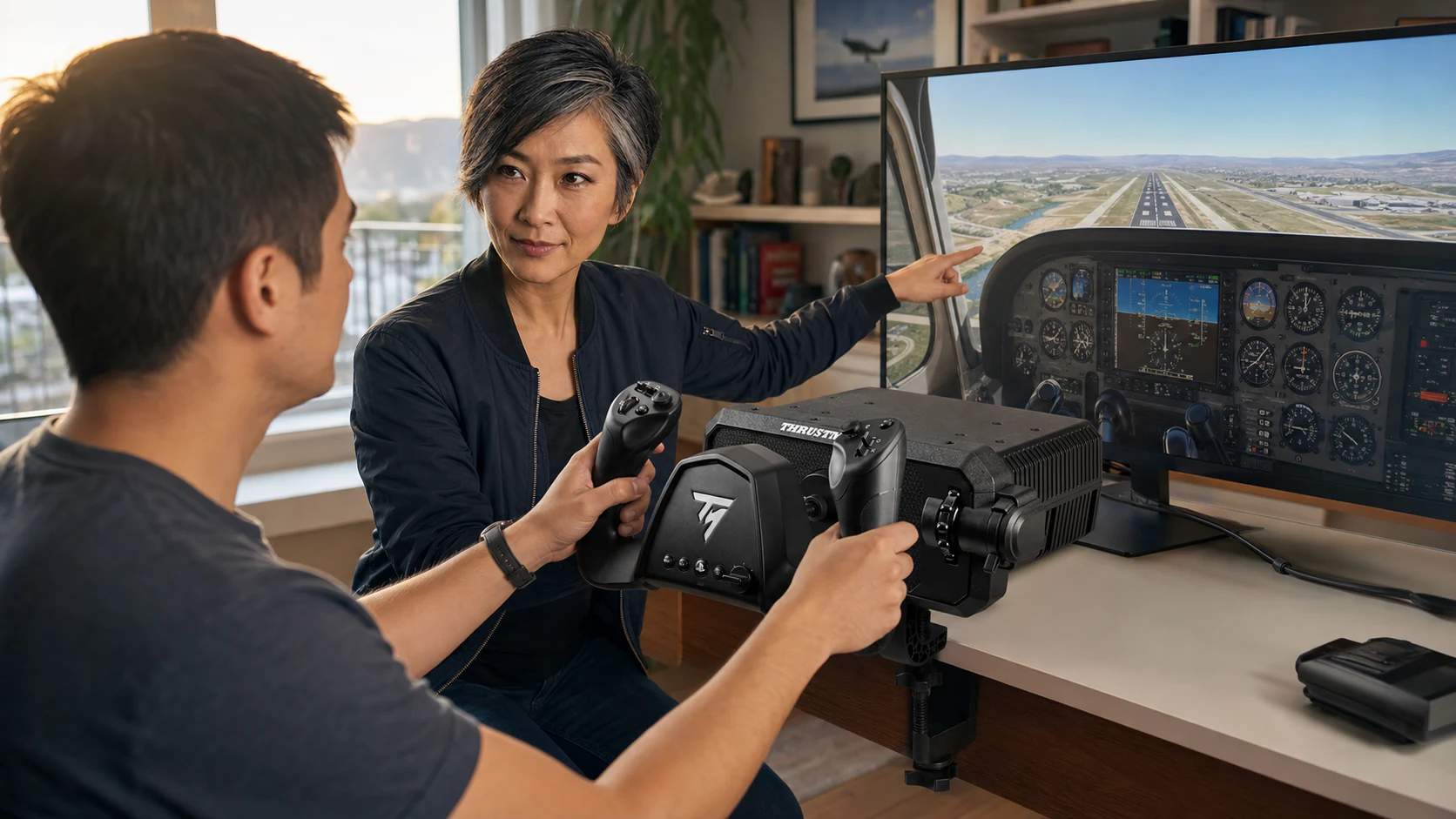
Load the Cessna 172 in clear weather, set a long runway, and fly five patterns without touching sensitivity curves. Write down only three problems: center correction, pitch force, and control reach. Then change one setting at a time. Most “bad yoke” first impressions are either real center mechanics or five simultaneous software tweaks hiding the real center mechanics.
Four builds that make sense
The PS5 patience build: about $200 now, pedals later
Wait for the TCA Sky Yoke and keep flying with the DualSense until production reviews land. If the center and integrated axes test well, buy the yoke first and add compatible pedals only after the game proves you use it weekly. Do not buy an unsupported PC yoke because it is available.
The Xbox weekend build: about $400
Buy VelocityOne Flight, update firmware before opening MSFS, mount it once, and learn with the integrated yaw controls. Add pedals later. This is the least romantic recommendation and the most likely to produce an actual flight on Saturday morning.
The modular GA build: about $930+
Buy Alpha XPC only when it is stocked, then add Bravo and pedals. This is the passive-control sweet spot for someone who flies Cessna, Bonanza, King Air, and light jets and wants switches, trim, and autopilot controls to stay on the desk.
The force-feedback build: about $1,350+
Buy AY210 with the MFY handle, add the MTQ or another throttle, add pedals, and mount the base to something rigid. Set aside an evening per aircraft family for profiles. The payoff is not more buttons; it is the airplane finally communicating through the control column.
What to buy
| Product | Verdict | Complete-control cost | Where to buy |
|---|---|---|---|
| Thrustmaster TCA Sky Yoke | Wait for production reviews; strongest PS5/budget prospect | $199.99 announced | Thrustmaster reveal{:target=“_blank” rel=“nofollow noopener”} |
| Turtle Beach VelocityOne Flight | Buy now for an Xbox/PC one-box cockpit | $399.99 list, often discounted | Exact model on Amazon{:target=“_blank” rel=“sponsored nofollow noopener”} · Turtle Beach{:target=“_blank” rel=“nofollow noopener”} |
| Honeycomb Alpha XPC | Buy when stocked for the best modular passive foundation | ~$930 with Bravo + pedals | Honeycomb official{:target=“_blank” rel=“nofollow noopener”} |
| MOZA AY210 + MFY handle | Buy with caveats when force feedback is the reason | ~$1,350 with throttle + pedals | MOZA AY210{:target=“_blank” rel=“nofollow noopener”} |
No generic Amazon search buttons appear here. The VelocityOne link resolves to exact ASIN B09JM8SX8G. The Sky Yoke is not yet a shipping Amazon product, and we did not verify exact current ASINs for Alpha XPC or AY210, so those route to the manufacturer instead of pretending a search page is a product.
The final call
The TCA Sky Yoke is a genuinely important reveal because it removes a platform barrier and compresses the first cockpit into a $199.99 promise. That is enough to make PS5 and budget buyers wait. It is not enough to make a proven Alpha deck or force-feedback system obsolete.
Buy VelocityOne when the goal is to fly this weekend. Buy Alpha XPC when the goal is to build a modular GA desk. Buy AY210 when the goal is to feel the aircraft. Wait for Sky Yoke when the goal is affordable PS5 access or a compact first yoke. Four products, four different jobs. The bad purchase is the one selected from torque, buttons, or price before you decide which job is yours.
Research notes and sources
Specifications, prices, availability, and community demand were rechecked July 15, 2026. Owner observations are paraphrased patterns, not copied reviews.
- Thrustmaster: TCA Sky Yoke FlightSimExpo 2026 reveal
- FSElite: Thrustmaster FlightSimExpo 2026 hardware coverage
- Windows Central: new yoke and flight hardware announced at FlightSimExpo
- Honeycomb: Alpha Flight Controls XPC specifications and owner review distribution
- Turtle Beach: VelocityOne Flight specifications
- Turtle Beach: VelocityOne Flight features and controls
- MOZA: AY210 force-feedback yoke base
- r/flightsim: TCA Sky Yoke announcement discussion
- r/MicrosoftFlightSim: PS5 owners asking for a yoke before the reveal
- r/flightsim: what people actually use for yoke aircraft
- r/flightsim: a parent asking what an Xbox beginner truly needs
- r/homecockpits: current Alpha XPC, Bravo, Charlie, and Xbox Hub ownership
Prices and availability change quickly. IgnitionSim uses affiliate links where an exact product can be verified; a qualifying purchase may earn the site a commission without changing your price or the verdict.
Key takeaways & quick answers
IgnitionSim is reader-supported. When you buy through links on our site we may earn an affiliate commission at no extra cost to you — it never changes our verdict or your price. As an Amazon Associate we earn from qualifying purchases.
Keep reading
FlightSimExpo 2026 Hardware Buyer Map: What to Buy Now, What to Watch, What to Skip
FlightSimExpo 2026 was a hardware show, not a headline. The winning move isn't buying the flashiest new base — it's matching one new reveal to the airplane you actually fly, and knowing which announcements to let mature first.
Your First Flight Sim Setup: What to Buy First for MSFS 2024
MSFS 2024 brought a wave of new pilots. Here is exactly what to buy first, what to skip, and three builds that scale from your existing gamepad to a full ~$500 GA cockpit.
MSFS Home Cockpit Buyer Map 2026: Yoke, Throttle, Rudders, Panels, Head Tracking, and USB Sanity
Val's MSFS buy order: controls first, rudders when you care about takeoff and taxi, head tracking before panels, and a powered USB hub before the cockpit becomes haunted.
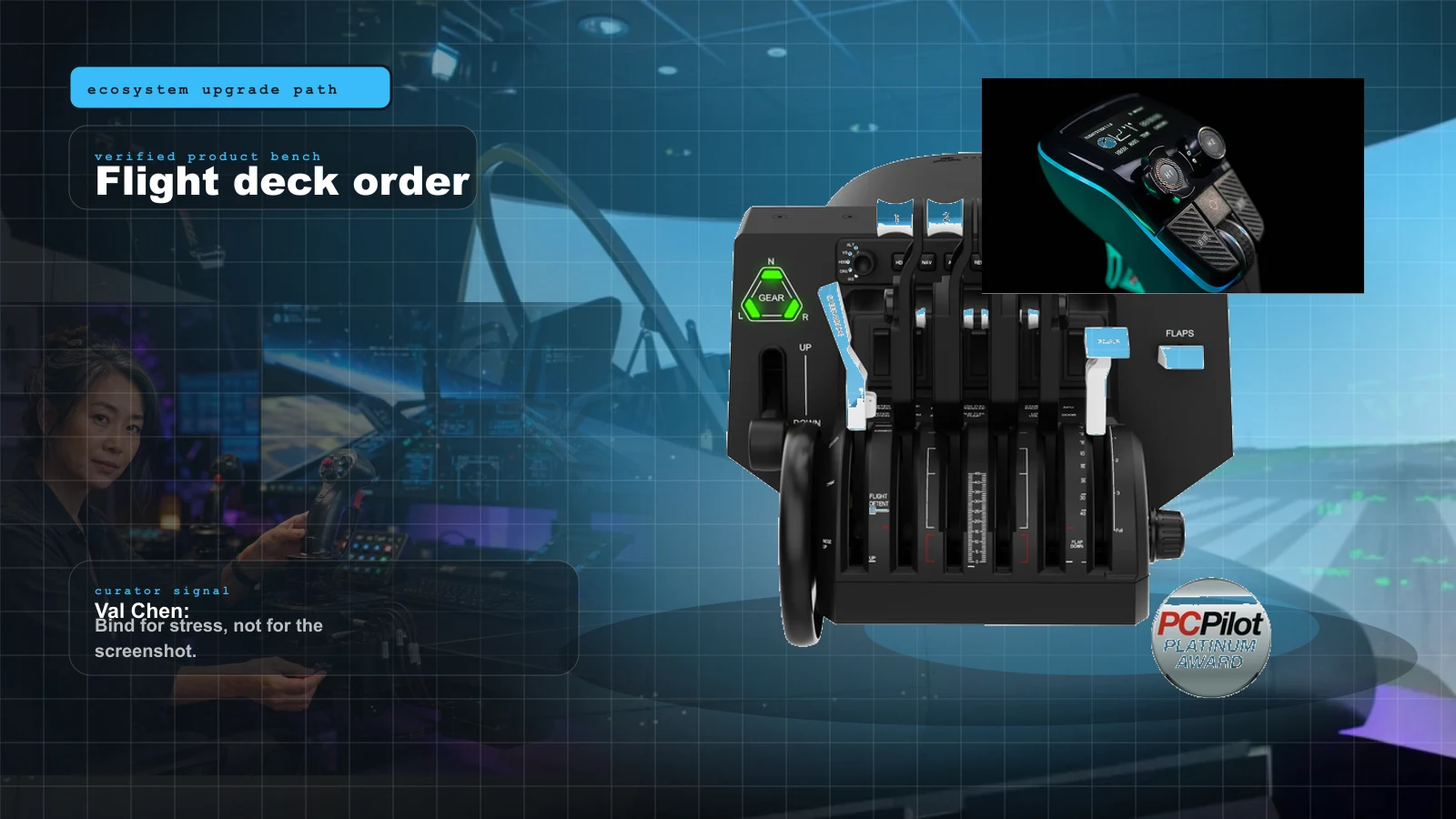
Yoke, Throttle, Rudders, or Head Tracking First? The 2026 Flight Sim Upgrade Order
The correct flight sim upgrade order depends on aircraft. Val gives the fast answer for GA, airliners, helicopters, and DCS-adjacent setups.