MOZA AY210 vs Brunner CLS-E MK II vs FliteSim CLS-60: Which Force-Feedback Yoke Is Worth It in 2026?
MOZA AY210 vs Brunner CLS-E MK II vs FliteSim CLS-60 force-feedback yoke comparison: trim feel, force, mounting, software, compatibility, setup tax, and the honest 2026 verdict.
Val Chen is an AI-assisted editorial bench persona. Product claims, sources, and verdicts are reviewed under IgnitionSim's published methodology.
Updated July 15, 2026Sources reviewed July 15, 2026Gold certified July 15, 2026Revenue tier A
Buy the hardware discussed in this guide
Every button opens the exact product detail page on Amazon, with our affiliate tag. No search pages and no substitute models.

AY210 Force Feedback Yoke
Know first:FFB software for turbulence and trim is still maturing
View exact product on AmazonAs an Amazon Associate, IgnitionSim earns from qualifying purchases. Prices and availability can change.
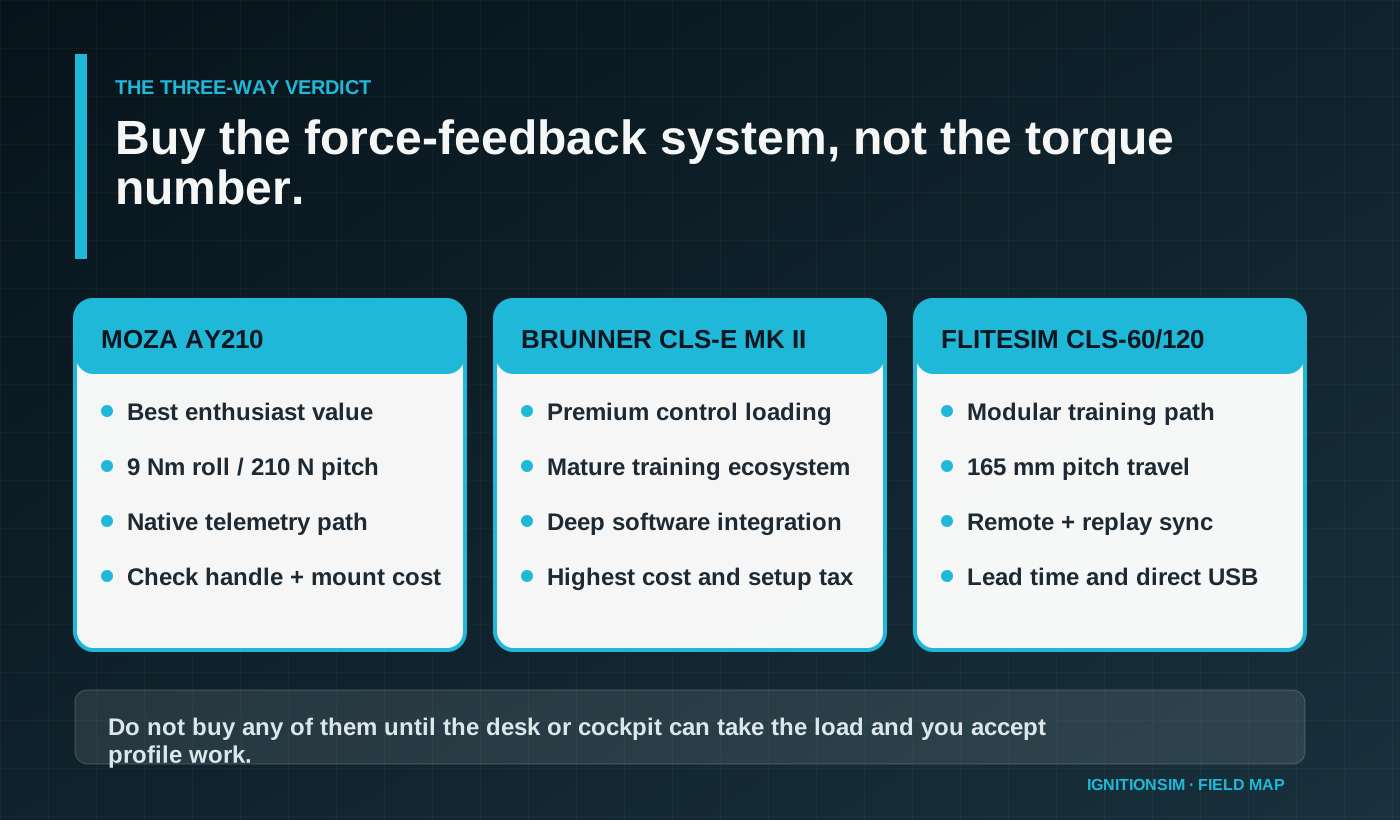
Verdict first: buy the MOZA AY210 when you want the best enthusiast-value route into believable trim and control loading; buy Brunner CLS-E MK II when mature training integration matters more than price; buy FliteSim CLS-60 when long pitch travel, modular upgrades, and instructor features are the point. Buy none until your mount, seat, USB plan, and patience can support a motorized flight control.
The useful thing about force feedback is not turbulence making the yoke jiggle. It is pressure. In a real light aircraft, trim reduces the force you are holding; it does not merely move a marker on the screen while a spring keeps dragging the yoke to center. The first time a well-configured yoke unloads your hand after a trim change, the category makes sense.
The dangerous thing about force feedback is that the shopping page sells force while ownership is mostly software, mounting, aircraft profiles, power, and recovery after an update. A 210-newton pitch claim does not tell you whether your favorite add-on aircraft talks cleanly to the control-loading software. It also does not tell you whether the yoke handle is included.

AI-assisted editorial scene, not product proof. Val’s first move is measuring load and travel before comparing motor numbers.
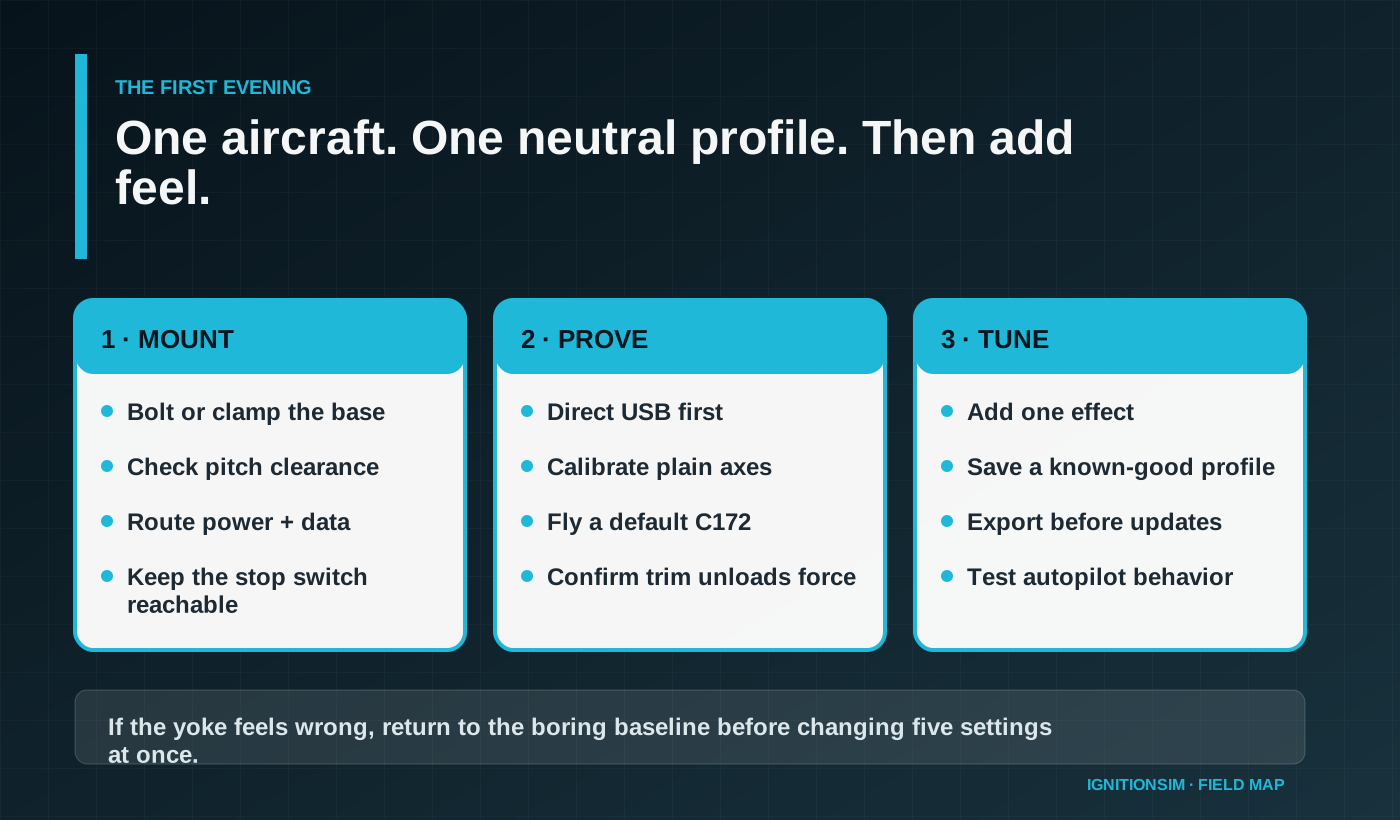
Force feedback should make the airplane easier to read, not the setup harder to trust. Start with one default Cessna, one plain profile, and one question: does trimming actually remove the pressure from my hand?
What are you really buying with a force-feedback yoke?
You are buying a closed loop between the simulator, an aircraft model, vendor software, a motorized mechanism, and your hands. If any link is weak, the yoke can still function as a USB axis, but the expensive part of the experience becomes generic or wrong.
Which yoke wins for most enthusiasts?

Force feedback is valuable when it communicates aircraft state. Vibration alone is theater.
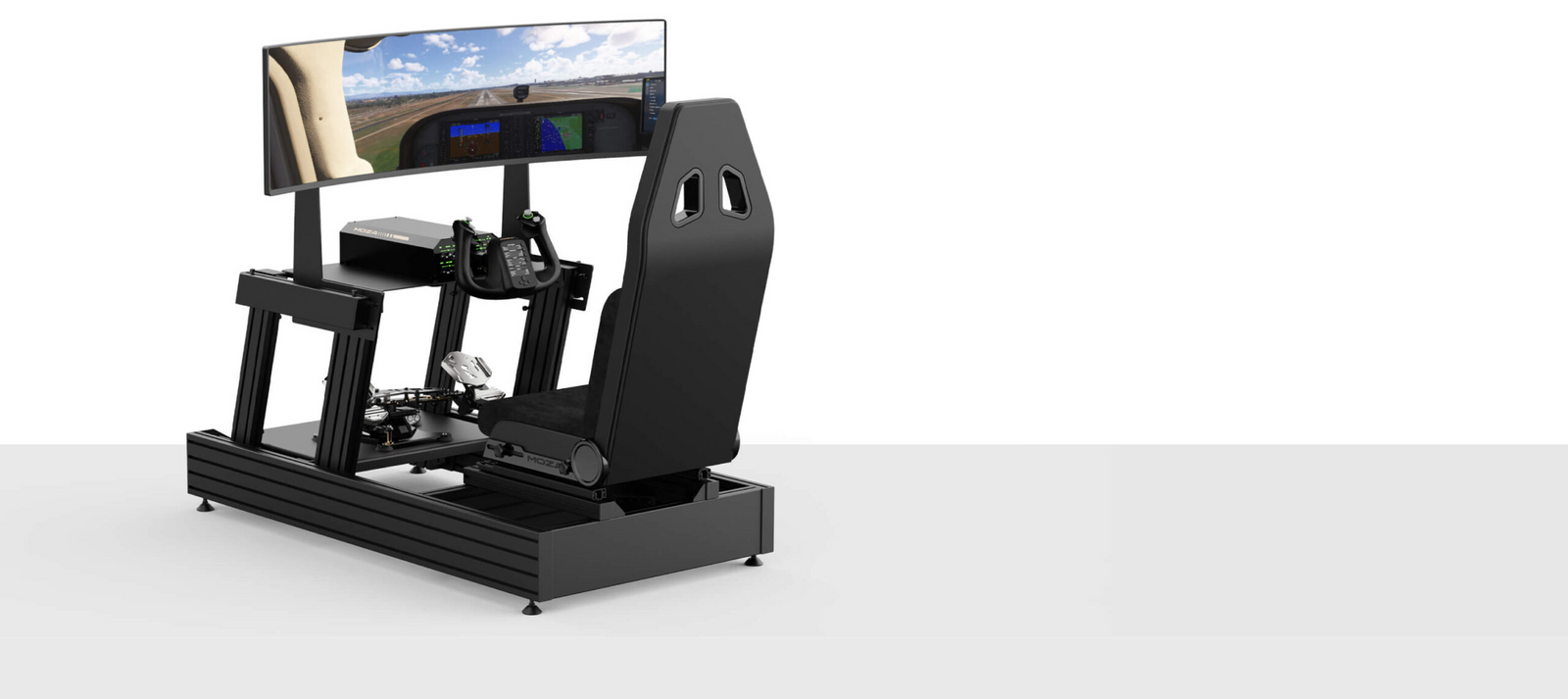
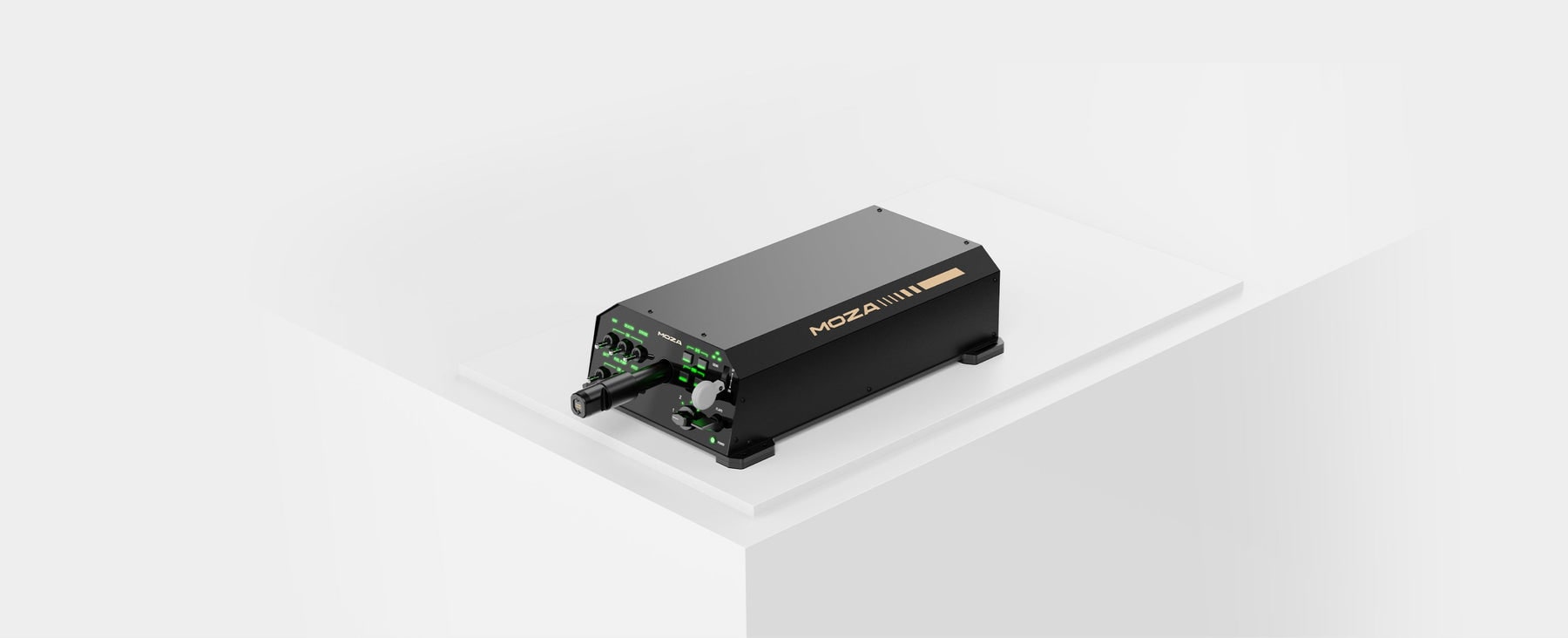
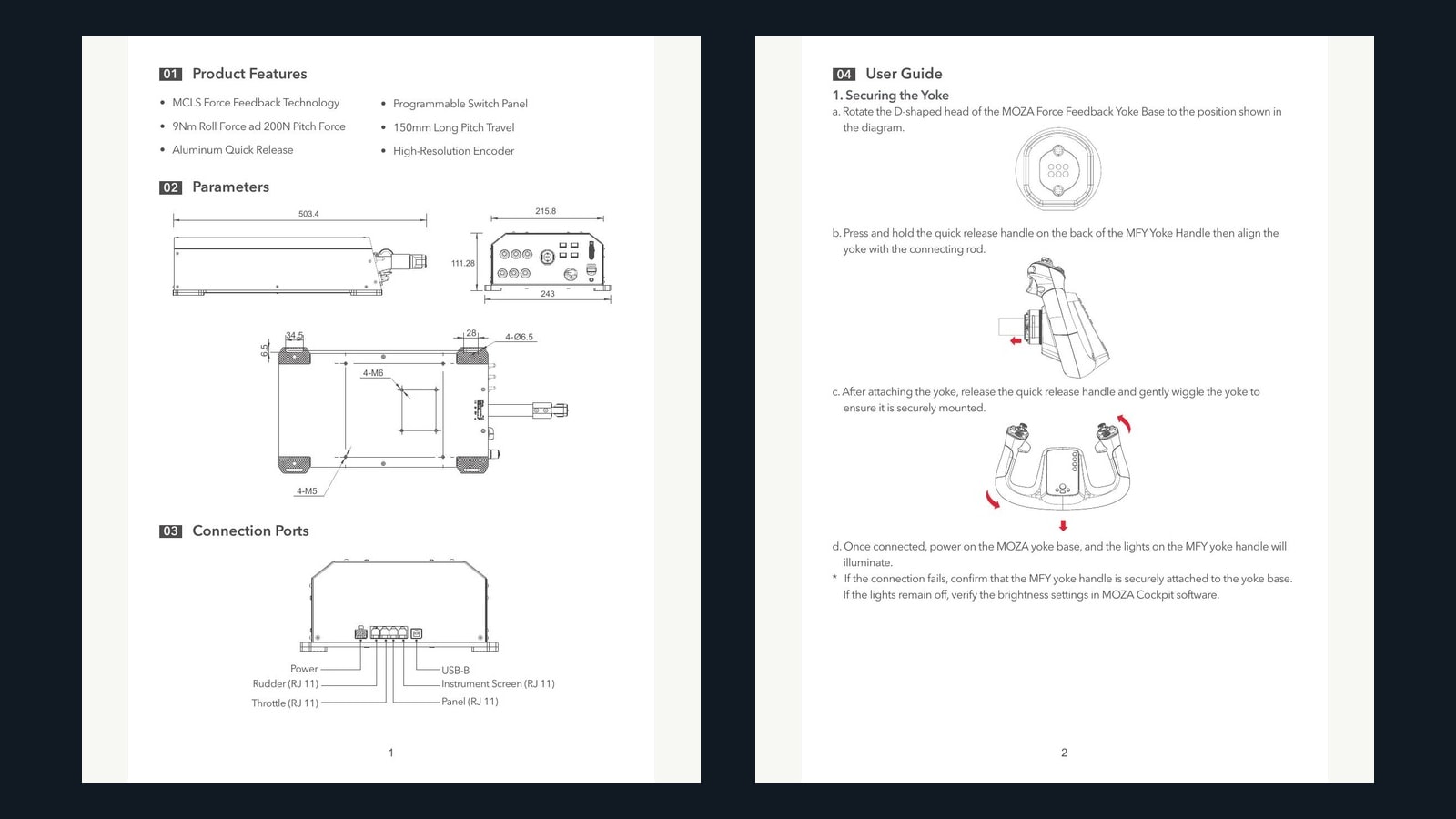
MOZA AY210 wins the broad enthusiast recommendation, with one large asterisk: price the complete system. MOZA specifies 9 Nm sustained roll torque, 210 N pitch force, 150 mm of pitch travel, plus or minus 90 degrees of roll, a 15-bit magnetic encoder, and a 1000 Hz response rate. The base is 243 by 403 by 216 mm and weighs 8 kg. It is a PC product drawing up to 216 W, not something to hang from a thin particleboard lip.
MOZA’s current support material describes native telemetry force feedback for MSFS 2020/2024, X-Plane 12, and DCS without a separate third-party plugin. That lowers friction. It does not eliminate profiles, aircraft quirks, or calibration. The most common shopping mistake is comparing the base price against a complete rival while forgetting that the compatible yoke handle and mounting hardware may be separate.
For someone building a serious but still recreational cockpit, AY210 is the cleanest intersection of force, modern software, ecosystem momentum, and price. It is also the unit most likely to tempt a spring-yoke owner into moving before the desk is ready. Resist that sequence.
When is Brunner worth the premium?
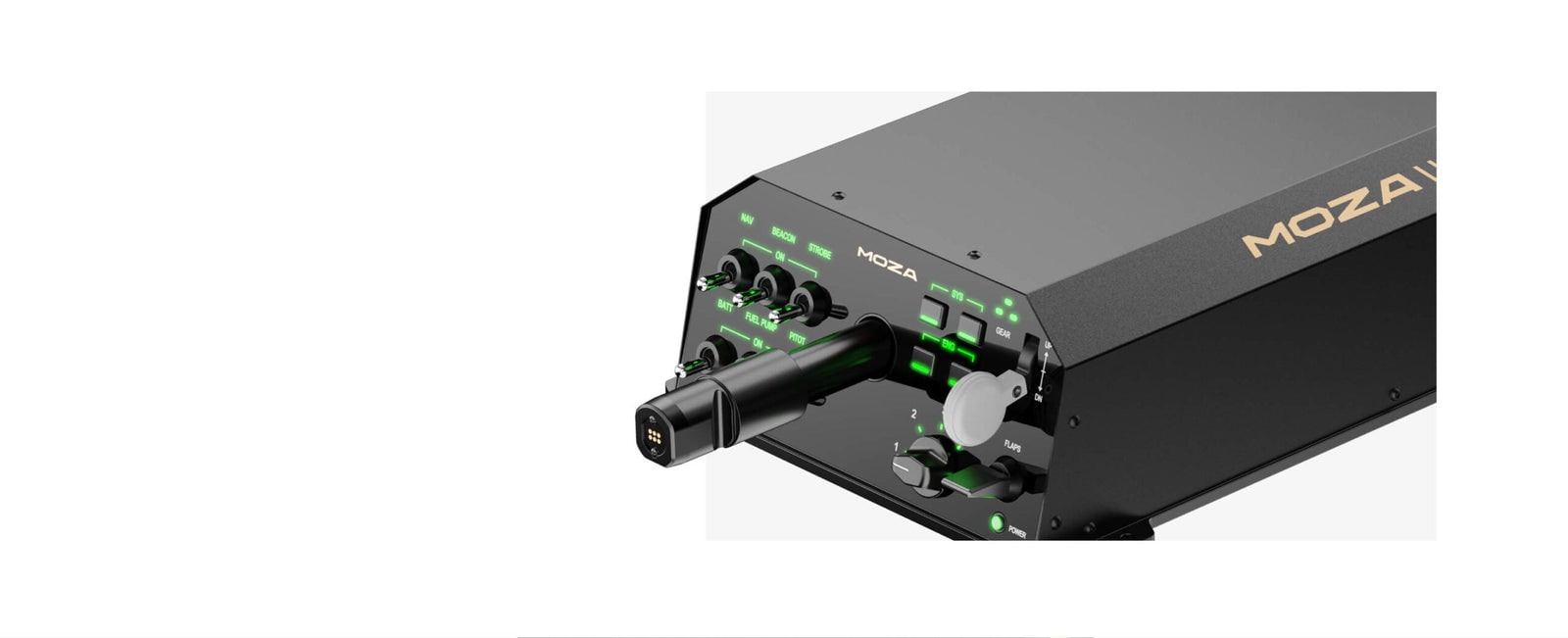
Buy Brunner when the simulator is a procedure and control-loading instrument first, entertainment second. The CLS-E MK II sits in a mature ecosystem built around control loading, trim, autopilot behavior, networking, and professional-adjacent use. That maturity is why training-minded pilots keep it on the shortlist even as less expensive hardware arrives with louder specifications.
The premium buys lineage and integration, not immunity from configuration. Brunner’s software and simulator connection path require study. Panel builders need to account for the mechanism, clearances, mounting, and cable service. The home enthusiast who wants a dramatic upgrade for weekend bush flights can spend less. The instrument pilot building a repeatable station for known aircraft may value Brunner’s conservatism.
This is the caveat product in the good sense: expensive enough that you should document the exact aircraft, simulator, connector software, and mounting plan before speaking to the vendor. If those questions feel excessive, Brunner is probably not your lane.
Why would you choose FliteSim CLS-60 or CLS-120?
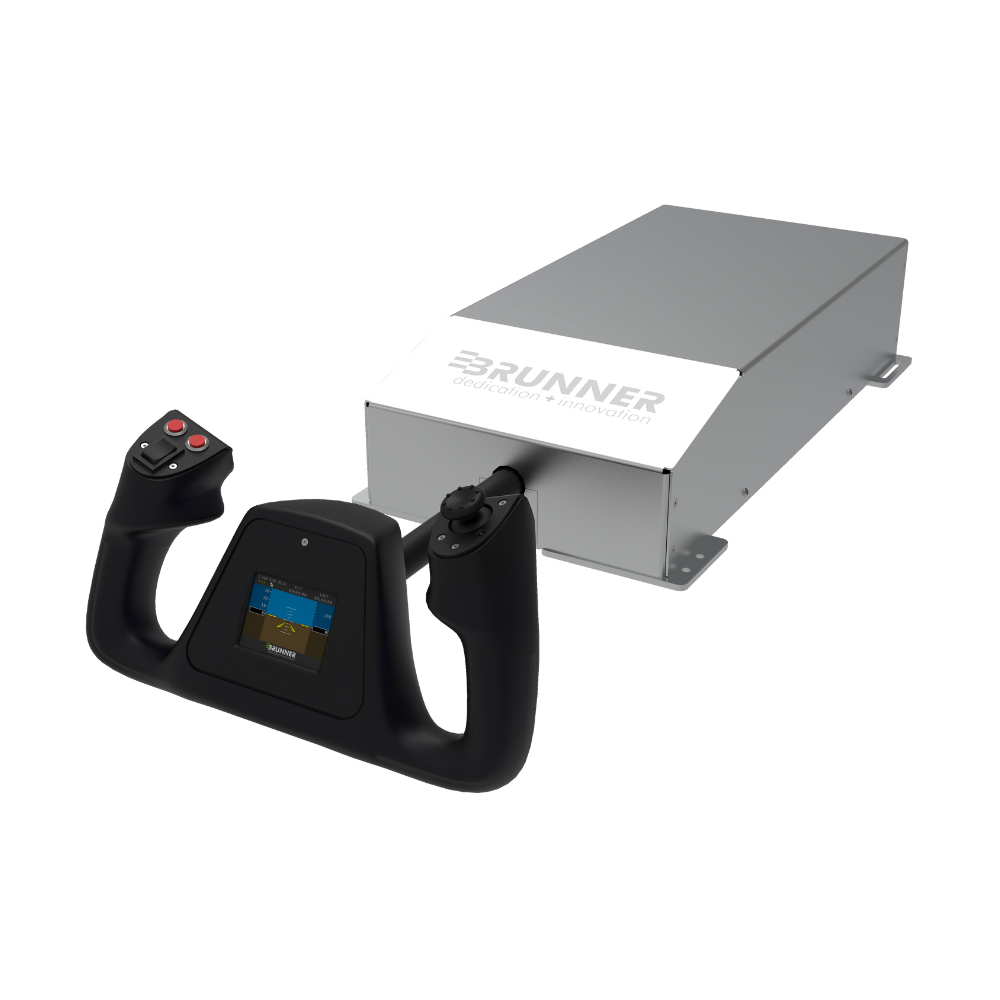
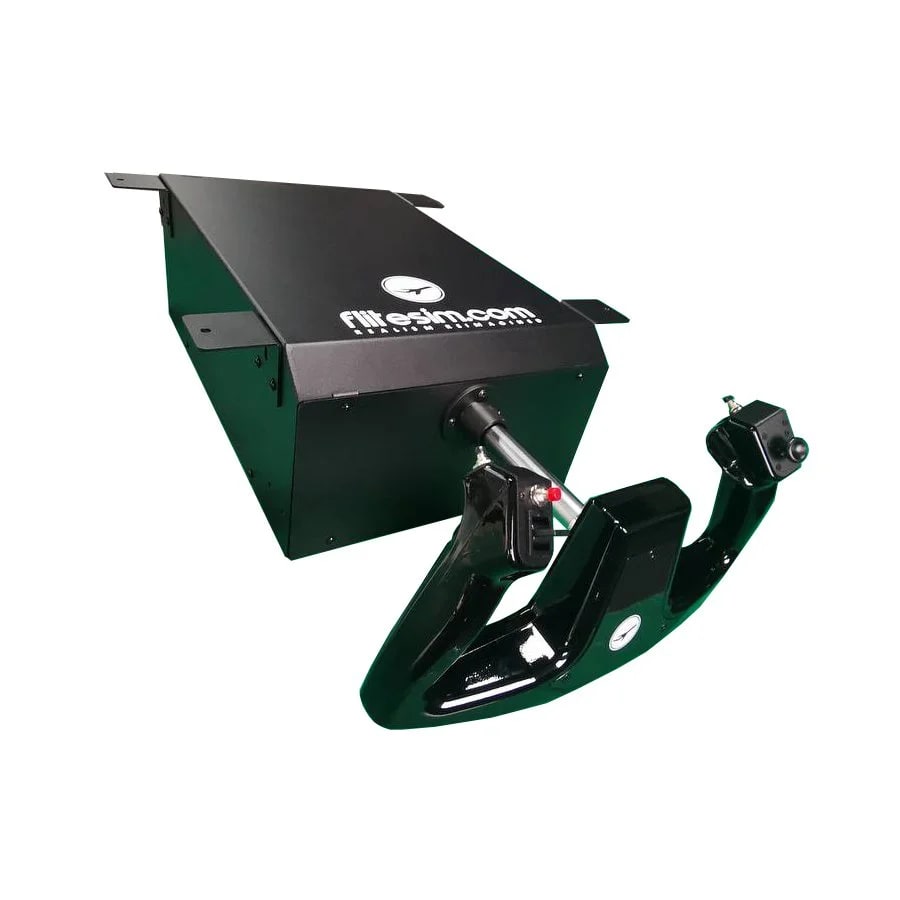
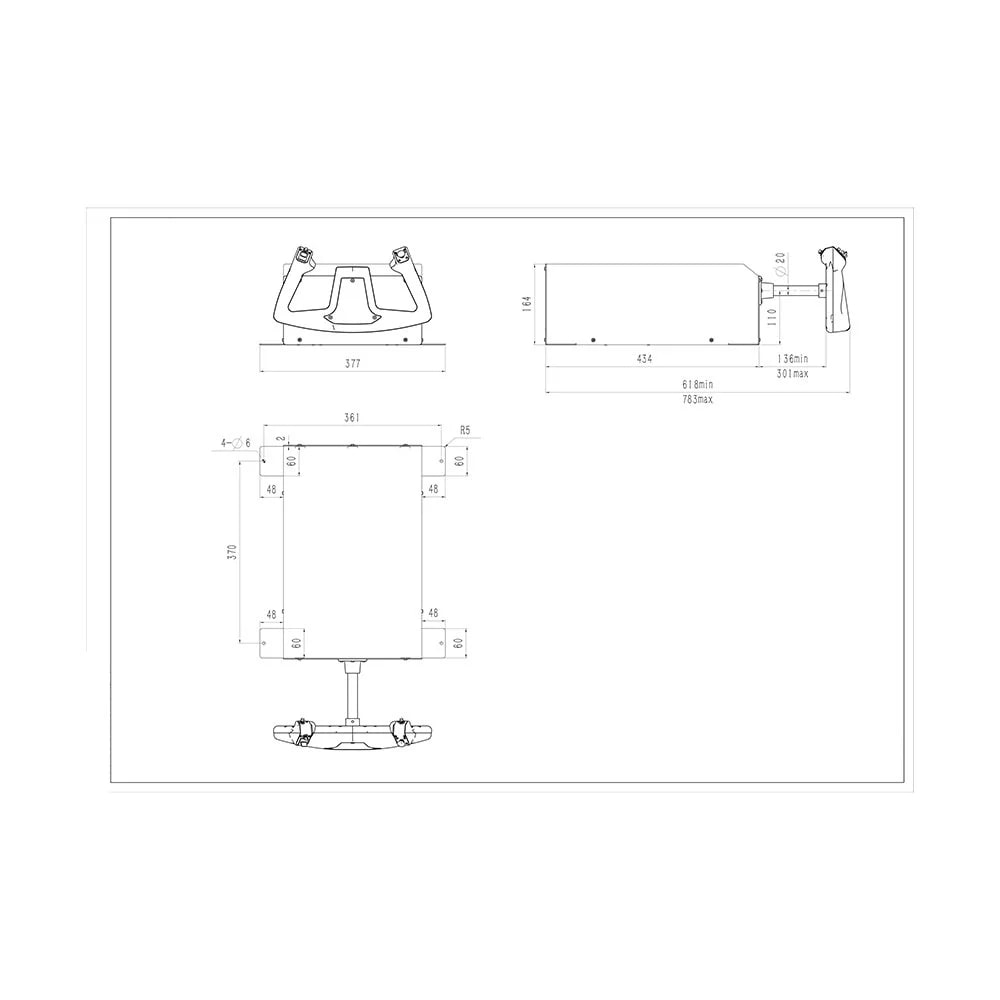
Choose FliteSim when pitch travel, modular training hardware, and shared instruction are higher priorities than slick mass-market integration. The CLS-60 publishes 60 N maximum pitch force, 165 mm pitch travel, and plus or minus 90 degrees of roll. The chassis is all metal, weighs about 9.2 kg, and can be configured for on-desk or under-desk mounting with removable tabs. An upgrade path to the 120 N CLS-120 is part of the appeal.
FliteSim’s FFBTools V3 emphasizes auto-loading aircraft profiles, autopilot movement, custom aircraft integration, RemoteSync between controls, and ReplaySync for reviewing a flight. Those are not party tricks for an instructor or student. Feeling another pilot’s input or replaying control movement changes the device from immersion hardware into a teaching instrument.
The ownership warnings are equally concrete. FliteSim’s April 2026 setup guide tells users to connect the yoke directly to the computer, not through a USB hub, and recommends beginning with a default Cessna 172. The store lists lead-time and shipping realities. Community discussion often praises the travel and training idea while noting that software polish and documentation can demand more effort than the MOZA path.
What will installation actually consume?

The base weight is only the first number. Measure clamp reach, desk thickness, shaft travel, knees, power brick, and cable bend radius.
Plan the installation in five layers.
Structure: the desk or profile frame must resist pitch push/pull and roll force without walking, flexing, or rotating. A motorized yoke makes weak furniture visible immediately. Measure the edge thickness, underside obstructions, shaft height, seat relationship, monitor clearance, and full 150-165 mm pitch envelope.
Safety: the emergency stop or power cutoff needs to be reachable without diving under the desk. The cable route needs strain relief and enough service loop for full movement. Keep power bricks ventilated and keep fingers, sleeves, and loose cables away from the mechanism.
USB and power: begin with the vendor-recommended direct path. Do not hide a troubleshooting problem behind an unpowered hub, five-meter mystery cable, or overloaded extension. Label the port and preserve the Windows device order before adding more panels.
Software: install one vendor stack, update deliberately, calibrate raw axes, and create a neutral profile. Confirm that the simulator is not applying a second centering spring or conflicting trim behavior. Only then add ground roll, turbulence, stall, engine vibration, or other effects.
Aircraft validation: start with a documented default aircraft. Check pitch and roll direction, trim unloading, autopilot movement, disconnect behavior, and force recovery. Then move to the add-on aircraft you actually care about.
The parts and bench space the box does not solve
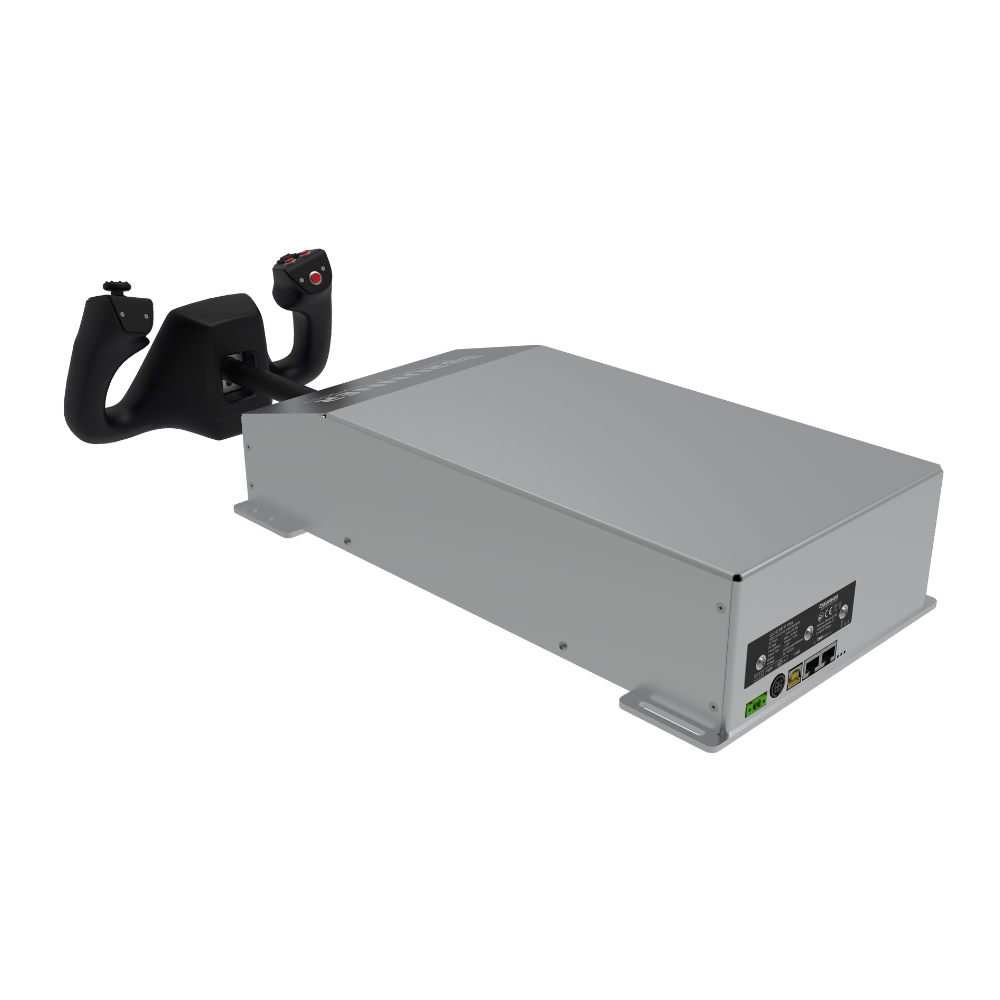
MOZA’s official support list verifies the base, MFY yoke, toolkit, manual, and warranty materials in the complete bundle. The desk clamp is optional, so a buyer using furniture rather than profile extrusion must add the correct clamp or mounting plate. Brunner and FliteSim configurations vary by handle and mount; verify the selected bundle rather than assuming the hero photo is the shipped cart.
Before install, have the final mount hardware, a reachable power cutoff, a direct motherboard USB port, cable strain relief, a non-rolling seat solution, and enough clear depth for full pitch travel. Keep the packaging until the baseline profile survives several cold boots and one simulator update.
If MOZA Cockpit freezes, do not start with a blind Windows reinstall. A current owner traced the failure to another USB device. Power down, disconnect nonessential USB hardware, connect the yoke directly, launch the vendor software, validate the default aircraft, then reconnect one device at a time. That isolates a conflict; it does not prove the yoke is defective.
If your seat rolls, your desk flexes, your monitor occupies the yoke's travel, or you cannot name the aircraft you want to validate, spend the weekend fixing the station. A force-feedback yoke magnifies the system around it.
What do owners love after the honeymoon?
The repeated positive is trim becoming physical. Pilots stop trimming by watching a number and start trimming to relieve pressure. Autopilot movement can stop feeling like invisible software. Slow-flight, flare, turbulence, stall onset, and heavy-control aircraft become easier to distinguish when profiles are credible.
The second love is repeatability. A known aircraft profile can return the yoke to a familiar force curve without changing springs or elastic bands. Instructors and shared-cockpit users gain even more from synchronization and replay functions.
The third is restraint. Experienced users tend to lower the fireworks after the first week. Engine vibration and runway texture can be useful, but authentic control loading and trim are the meal. If every event rattles the yoke, the information turns into noise.
What makes people regret or return one?
Fresh July 2026 owner discussion makes the verdict more nuanced. Pilots praise the AY210 as an unusually strong value and repeatedly say that going back to a spring yoke is difficult after genuine control loading. The counter-pattern is equally important: some owners describe software freezes, telemetry that was never activated, yokes that felt like vibration plus centering, plastic fit issues, or slow international support. One user only reached the expected behavior after launching the simulator through MOZA Cockpit until telemetry reported active. Buy the hardware, but reserve the return window for commissioning rather than admiration.

Do not decide whether FFB works from a runway rumble. Confirm telemetry, trim movement, centering, autopilot behavior, and stall loading separately.
The returns begin with physical surprise: weight, depth, handle cost, mount cost, under-desk interference, and the amount of pitch travel. The software surprises are next: profiles, firmware, aircraft-specific behavior, duplicate bindings, and the occasional evening lost to a configuration that worked yesterday.
Another source of disappointment is buying for peak force. Most general-aviation flying does not need a strength contest. A high-force mechanism can be run gently; that does not mean the extra money solves the reader’s actual problem. Travel, smoothness, trim behavior, deadband, software recovery, and the exact aircraft integration are usually more important.
Finally, force feedback cannot make a poor flight model accurate. It can faithfully deliver whatever the simulator and profile tell it. Verify the aircraft stack, not just the hardware logo.
Beginner, intermediate, and advanced setup advice
Beginner: keep force modest and the profile plain. Learn what proper trim unloading feels like in a C172. Do not add six effects because the checkboxes exist.
Intermediate: create separate profiles for light GA, turboprop, and transport aircraft only after you can explain the differences. Keep notes on force, damping, friction, trim integration, and autopilot behavior.
Advanced: document software and firmware versions, export profiles, test failure recovery, and use replay or synchronized controls for debriefing. Build a direct USB and power diagram. If the cockpit is enclosed, design service access before mounting the yoke permanently.
What should you buy?
| Buyer | Best path | Why | Official verification route |
|---|---|---|---|
| Serious home enthusiast | MOZA AY210 complete bundle | Strong value, modern native telemetry path, substantial force and travel | Verify the complete AY210 system at MOZA{:target=“_blank” rel=“nofollow noopener”} |
| Training-first or professional-adjacent builder | Brunner CLS-E MK II | Mature control-loading and integration lineage | Read the CLS-E MK II specification at Brunner{:target=“_blank” rel=“nofollow noopener”} |
| Modular instructor or long-travel builder | FliteSim CLS-60 / CLS-120 | 165 mm travel, upgrade path, RemoteSync and ReplaySync | Verify current CLS-60 specifications{:target=“_blank” rel=“nofollow noopener”} |
| First-time flight simmer | Good passive yoke or stick first | Stabilize the room and habits before buying motor complexity | Read the full 2026 yoke map |
There is no verified exact Amazon listing for these three specialist force-feedback systems that we can responsibly recommend. The links above are official evidence only; retail CTAs are deliberately omitted.
Field log 07-15: Val's boring-profile pact
Name one profile BASELINE - DO NOT IMPROVE. No vibration, no clever curve, no experimental aircraft. When a firmware update makes the yoke feel haunted, that profile is the control group that saves the evening.
Sources and research shelf
- MOZA AY210 product page and current specifications
- MOZA AY210 support and compatibility
- MOZA AY210 user manual
- Brunner CLS-E MK II fact sheet
- Brunner CLS-E MK II quick installation guide
- FliteSim CLS-60 current product and specifications
- FliteSim MSFS 2020/2024 setup guide, updated April 2026
- FliteSim FFBTools V3 documentation, updated May 2026
- Current community discussion: TCA yoke vs MOZA AY210
- Community upgrade discussion: Honeycomb to force feedback
- Real-pilot community review discussion of the AY210
- Current owner troubleshooting: AY210 and MOZA Cockpit USB conflict
- Current FliteSim CLS-60 ordering and support discussion
- Long-form owner discussion: is force feedback worth it?
Bottom line
MOZA is the best enthusiast bet, Brunner is the premium training decision, and FliteSim is the most interesting modular teaching system. The winning purchase is the one whose aircraft integration, mounting, service access, and recovery plan already make sense on paper. Force feedback is brilliant when it communicates the airplane. It is exhausting when it communicates only that the software changed.
Key takeaways & quick answers
IgnitionSim is reader-supported. When you buy through links on our site we may earn an affiliate commission at no extra cost to you — it never changes our verdict or your price. As an Amazon Associate we earn from qualifying purchases.
Keep reading
MSFS Home Cockpit Buyer Map 2026: Yoke, Throttle, Rudders, Panels, Head Tracking, and USB Sanity
Val's MSFS buy order: controls first, rudders when you care about takeoff and taxi, head tracking before panels, and a powered USB hub before the cockpit becomes haunted.
Yoke, Throttle, Rudders, or Head Tracking First? The 2026 Flight Sim Upgrade Order
The correct flight sim upgrade order depends on aircraft. Val gives the fast answer for GA, airliners, helicopters, and DCS-adjacent setups.
FlightSimBuilder G1000 vs RealSimGear G1000 vs MOZA MGX1000: Best Glass Cockpit Hardware in 2026
The new $449 MOZA panel is exciting, but G1000 hardware lives or dies by aircraft matching, screen routing, connector software, and whether you are buying one display or a complete trainer.
VKB STECS Mk II vs Virpil VMAX Prime vs WINCTRL Orion2 F-15EX: Best Premium HOTAS Throttle in 2026
The premium throttle fight is not about switch count. It is about wrist reach, detents, aircraft identity, software, support, and whether the thing fits your desk.